Aug 18, 2026
August 2026: Introducing interactive artifacts, tools library, and more
August 2026 Flint product updates: explore interactive learning experiences, faster grading, better activity organization, new Sparky tools, and more.
As teachers head back into the classroom, we focused on making the busiest parts of the school day easier: creating engaging activities, keeping assignments organized, grading faster, and giving schools more visibility and control.
Here’s what’s new in Flint this August to help make back-to-school a little smoother.
Create interactive learning experiences with Sparky
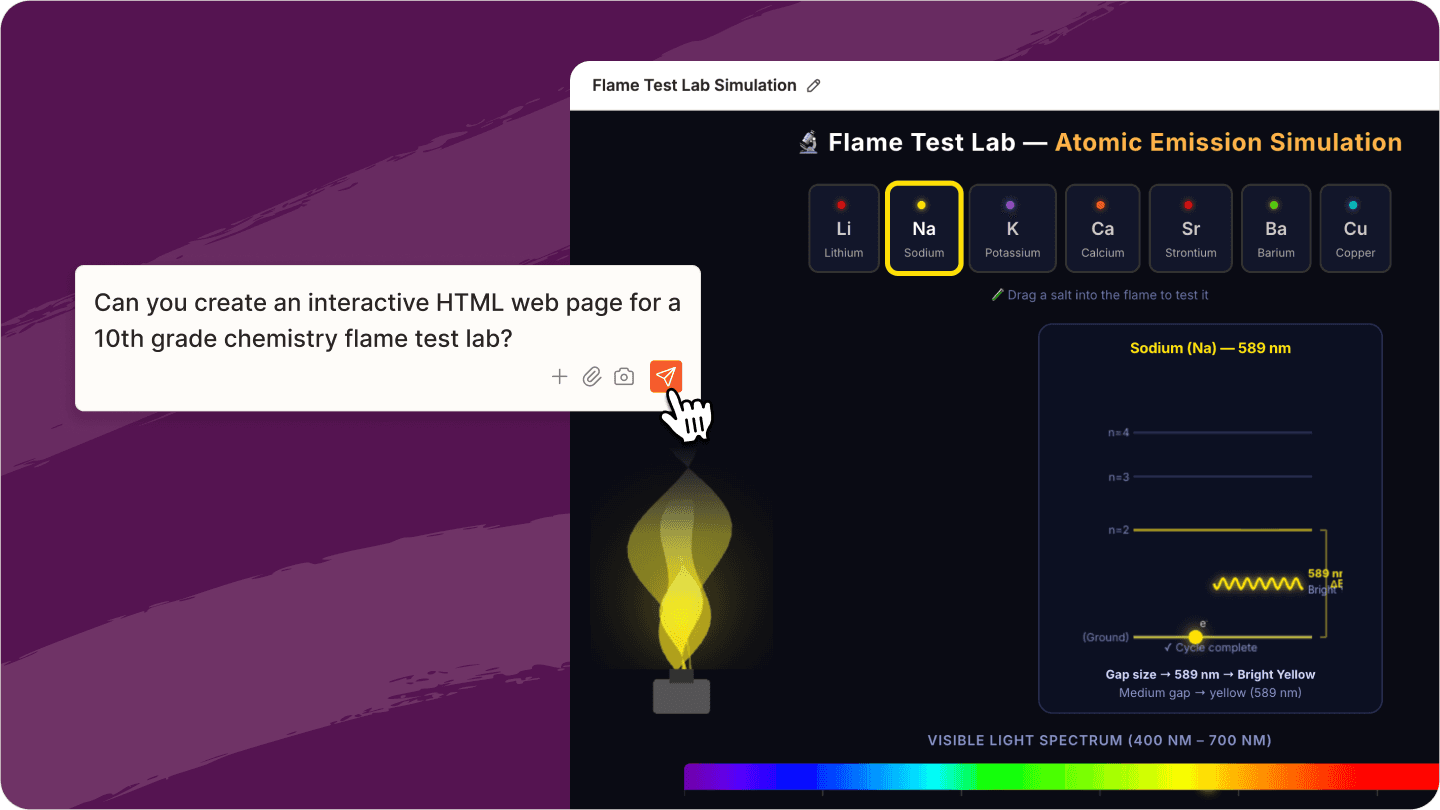
Sparky can now create interactive experiences directly inside a chat, including quizzes, drag-and-sort activities, step-by-step explanations, 3D models, and more.
Students can interact with them right inside Flint, and teachers can ask Sparky to adjust or improve them in plain English.
Start with the right tool for your workflow
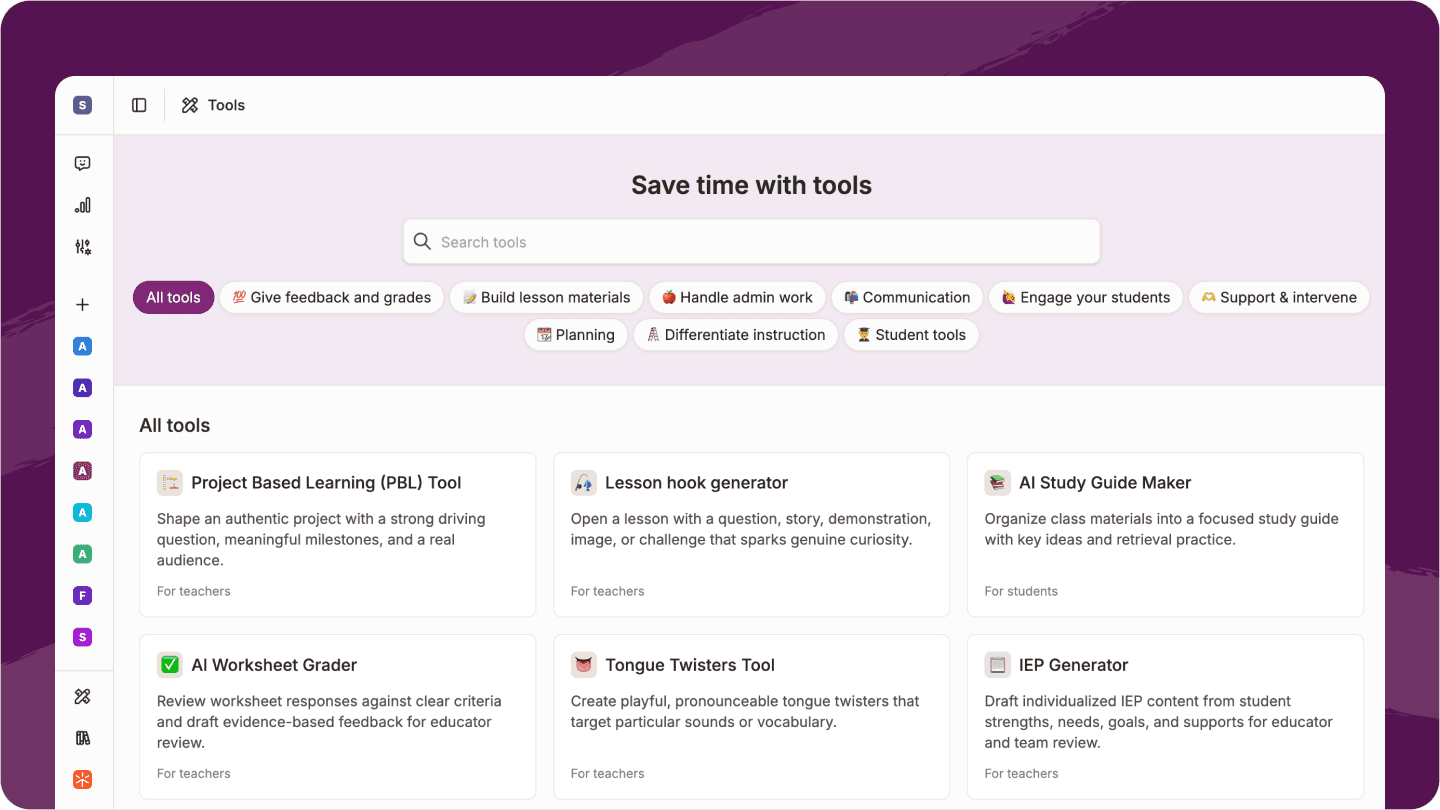
The new Tool Library gives teachers and students 60+ ready-to-use starting points for lesson planning, grading, research, writing, studying, and more.
Pick a tool and Sparky starts a guided conversation already set up for the task.
See activities on a calendar
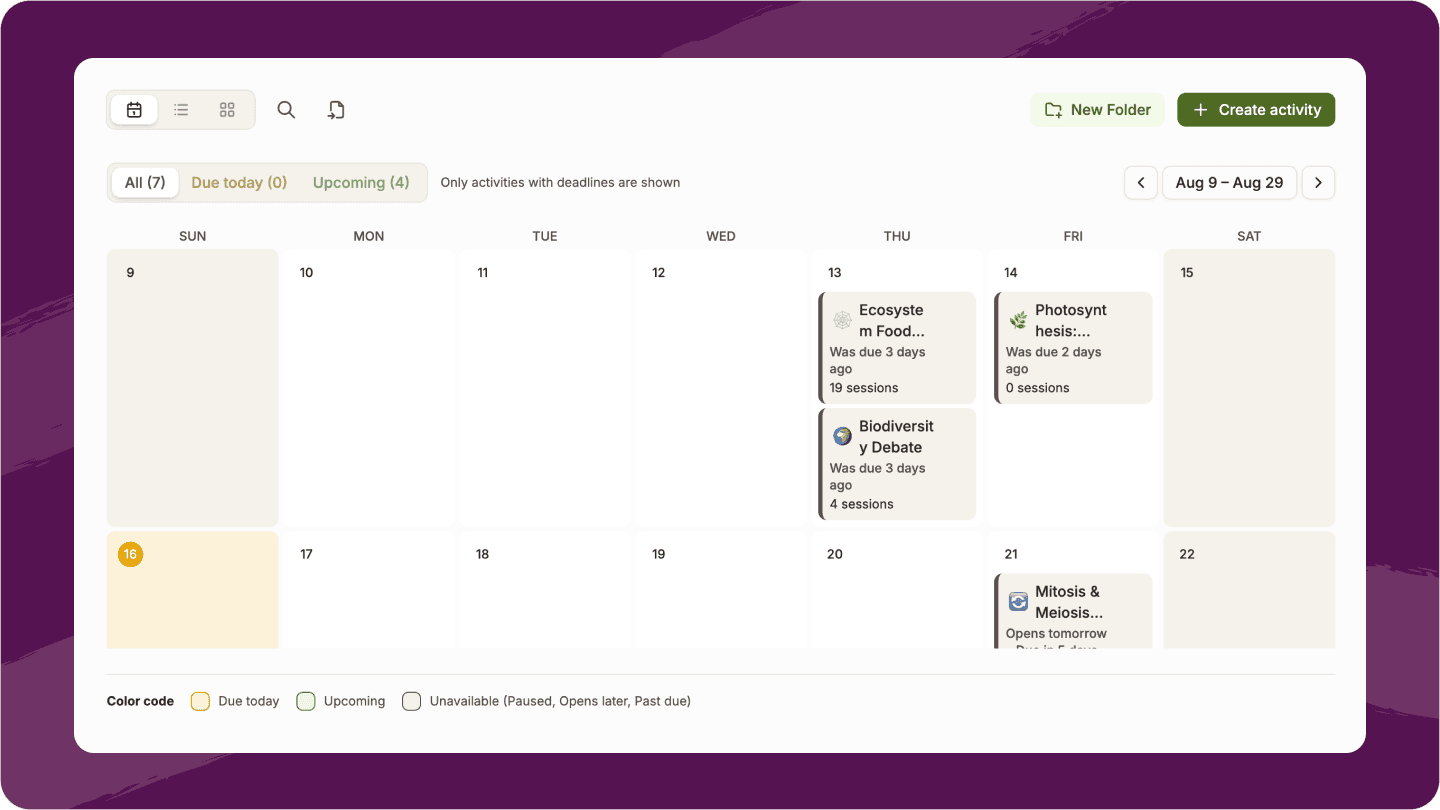
Classes now have a Calendar view that organizes activities by due date.
Teachers can drag activities to reschedule them, while students can see upcoming work across both their classes and My Activities.
Keep track of what's due at a glance
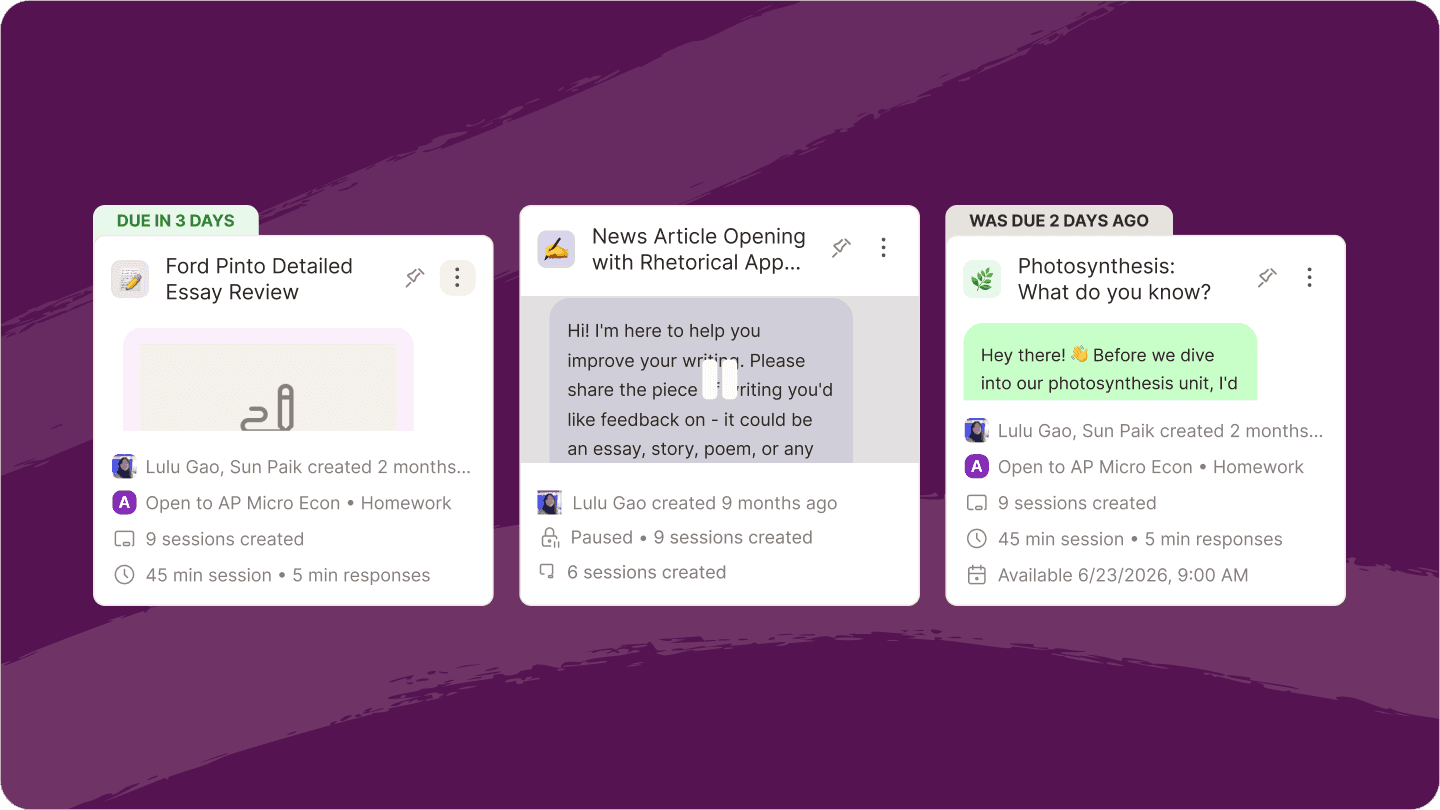
Activity cards now clearly show whether work is due, overdue, submitted, or paused.
Students can more easily see what needs their attention next, while teachers get a clearer view of activity status across their classes.
Grade an entire class faster
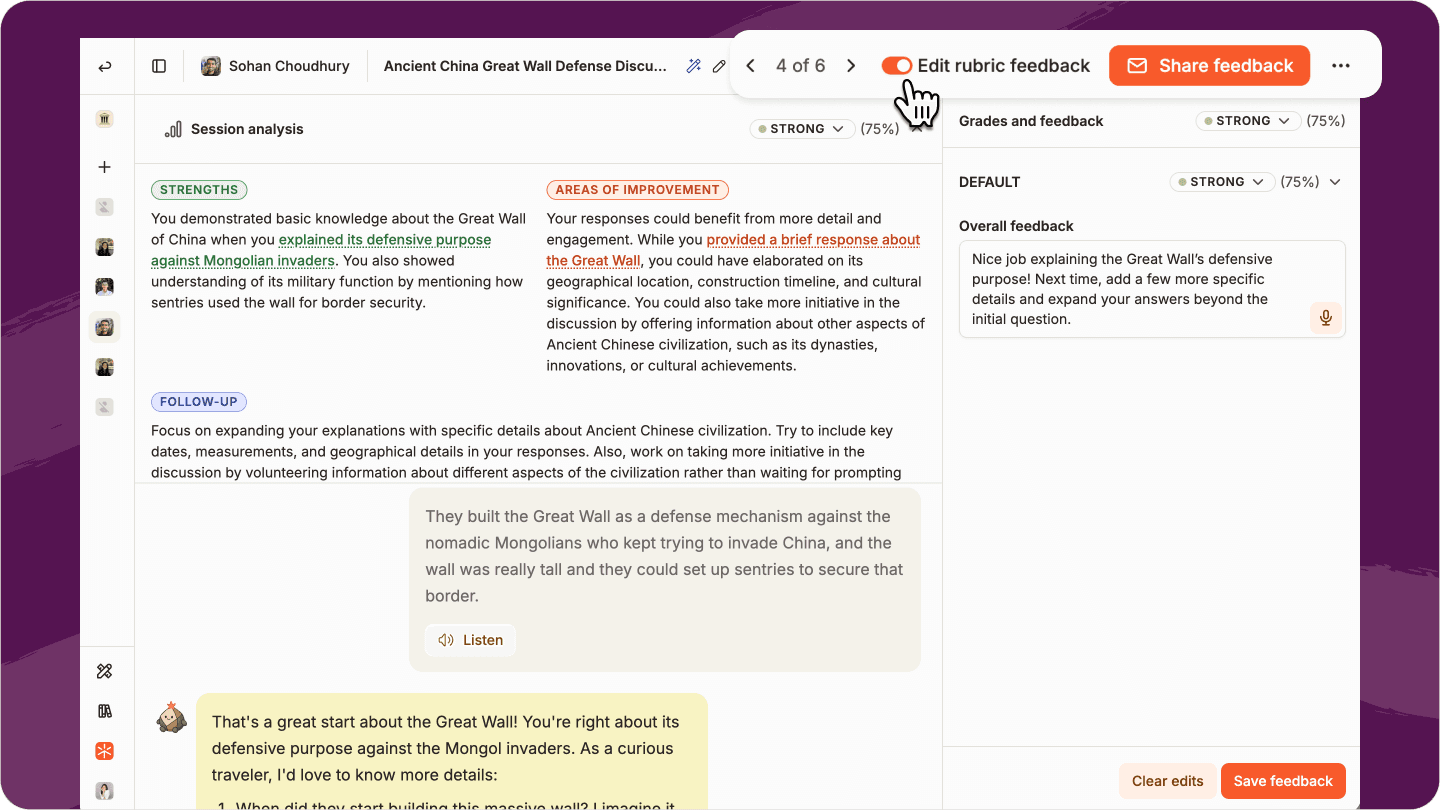
Our new Grading Mode lets teachers move through an entire class from one grading panel without repeatedly opening and closing submissions.
We've also added voice dictation for grading feedback, so teachers can speak feedback and edit the transcription before saving it.
Send feedback straight to students
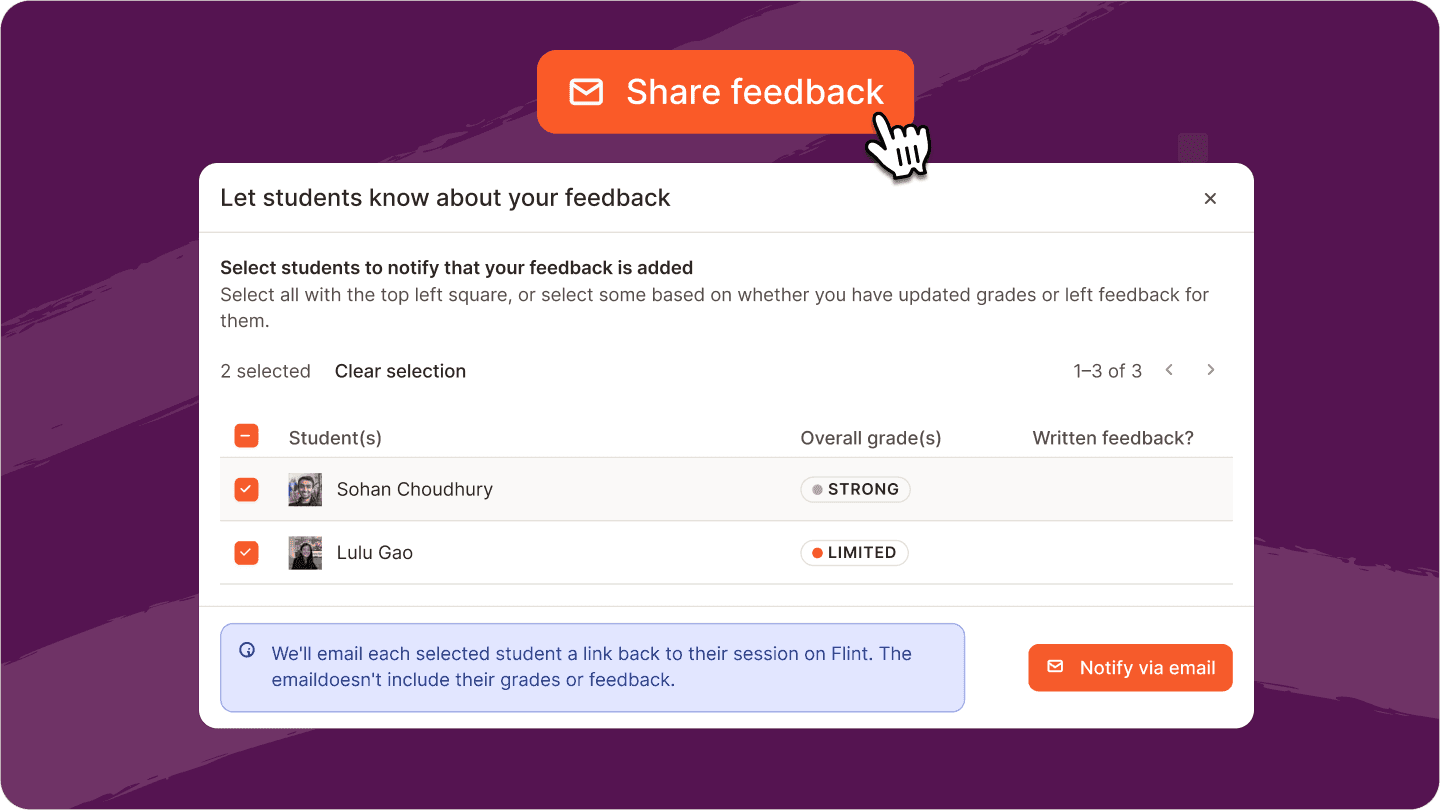
Teachers can also now send students a direct link to their graded session and feedback, directly in Grading mode. This makes it easier when you want to bulk send grades as soon as you have feedback ready for your class.
Preview Flint exactly as a student
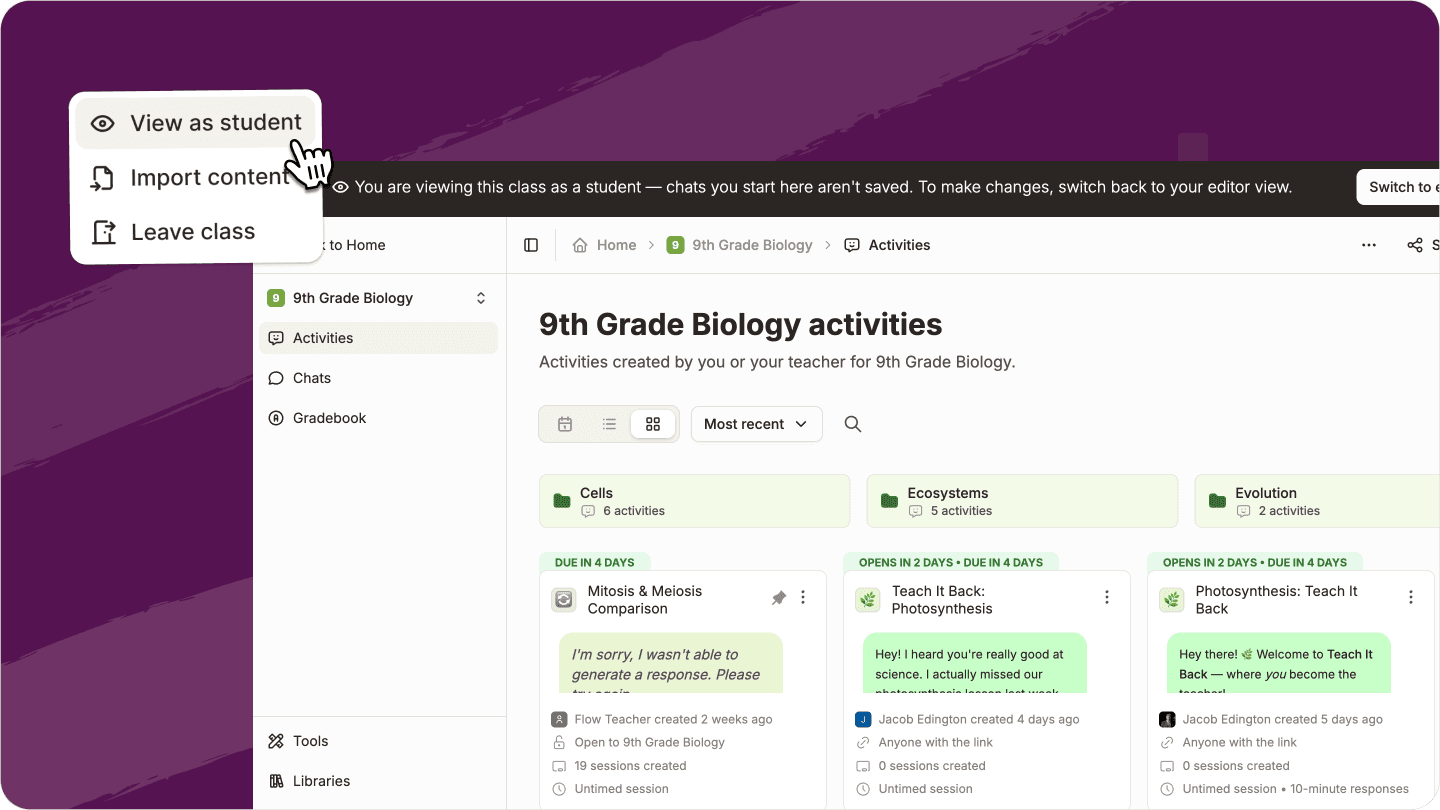
View as Student lets teachers experience their class exactly as students will — including opening activities and chatting with Sparky.
It's an easy way to check an experience before assigning it.
Bring activities and curriculum with you
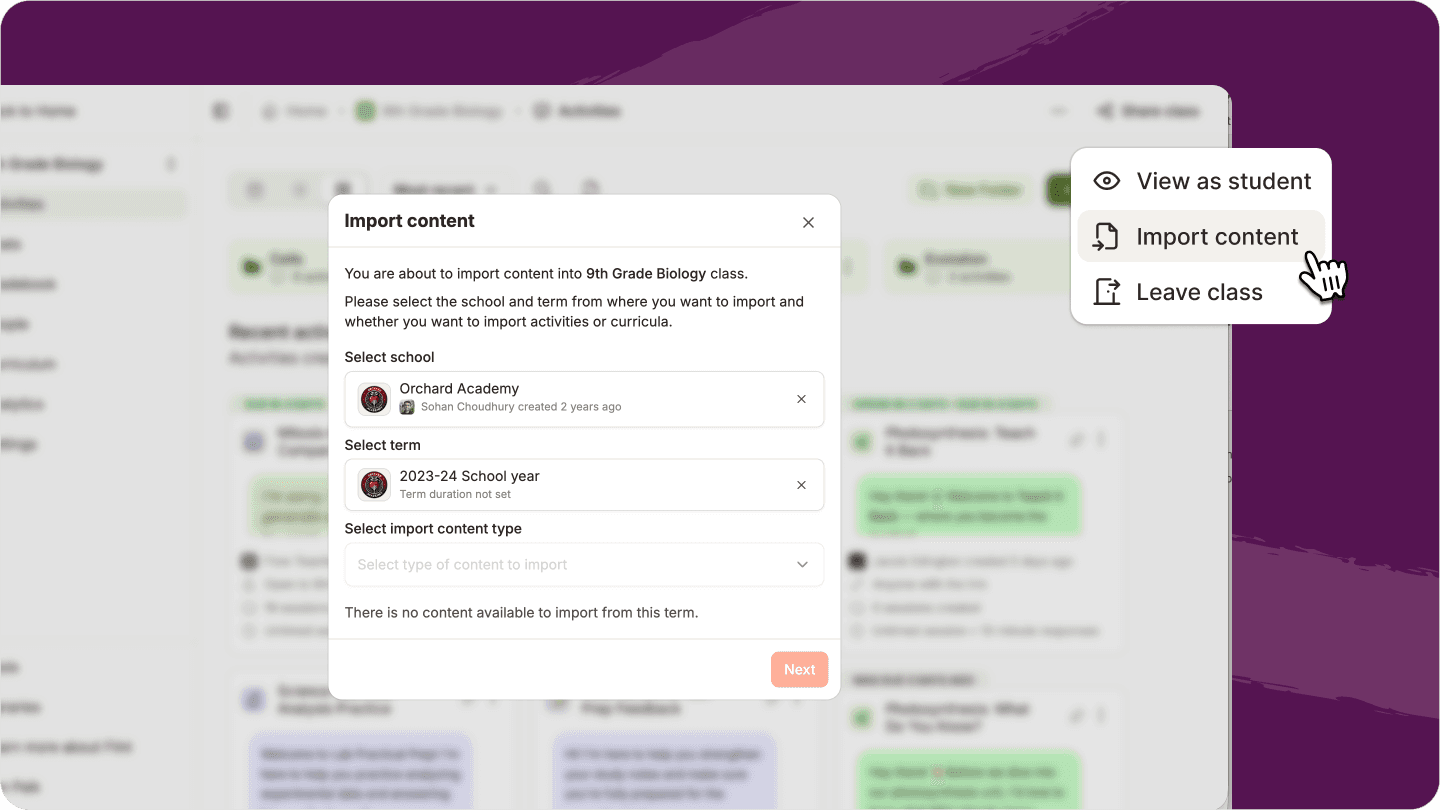
Teachers can now import activities, folders, curriculum files, and aligned standards across schools and terms they have access to.
Reusing last term's work or sharing resources across schools just got much easier.
See what Sparky knows
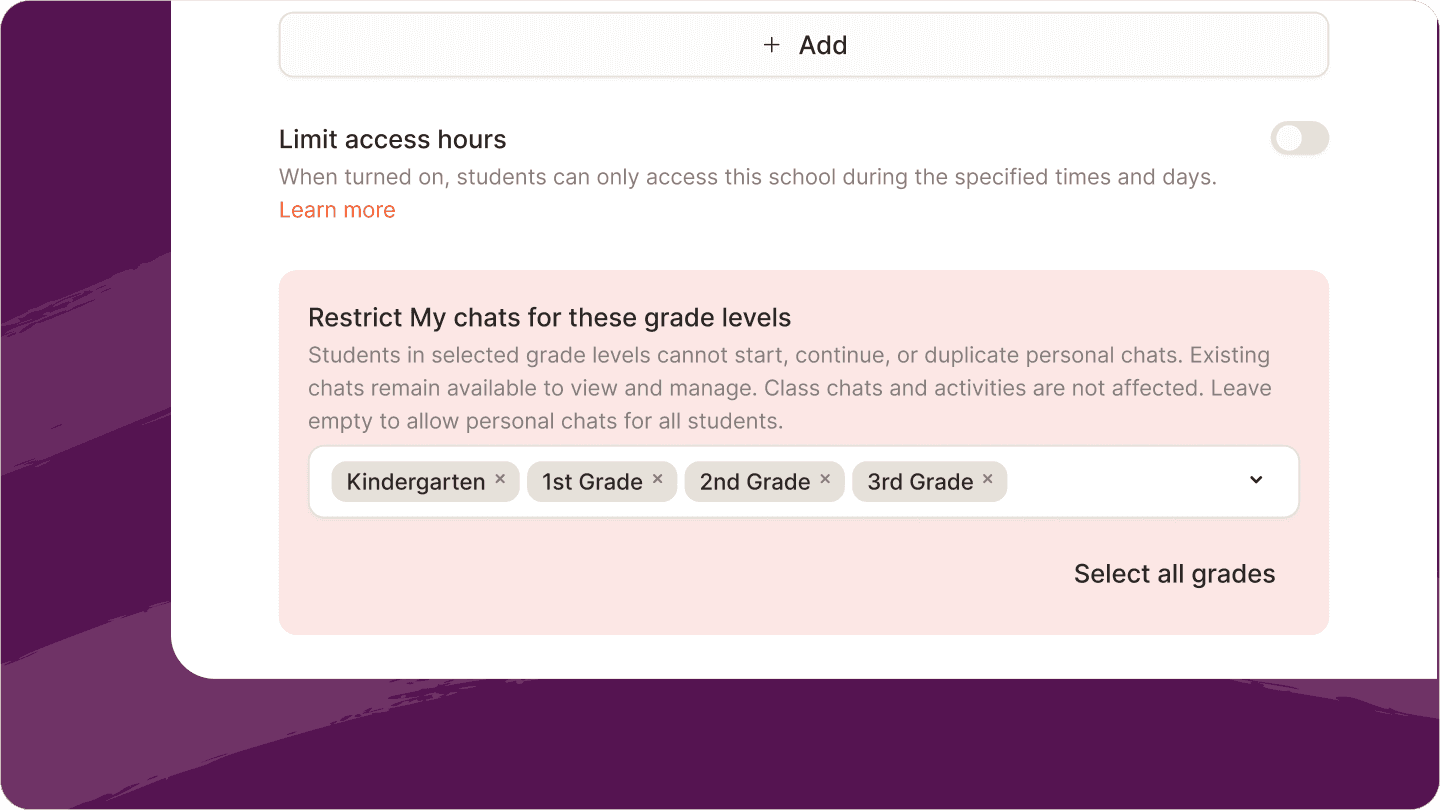
Schools can also choose which grade levels are allowed to start personal Sparky chats, giving administrators more control over how AI is used at different ages.
A clearer view of student learning
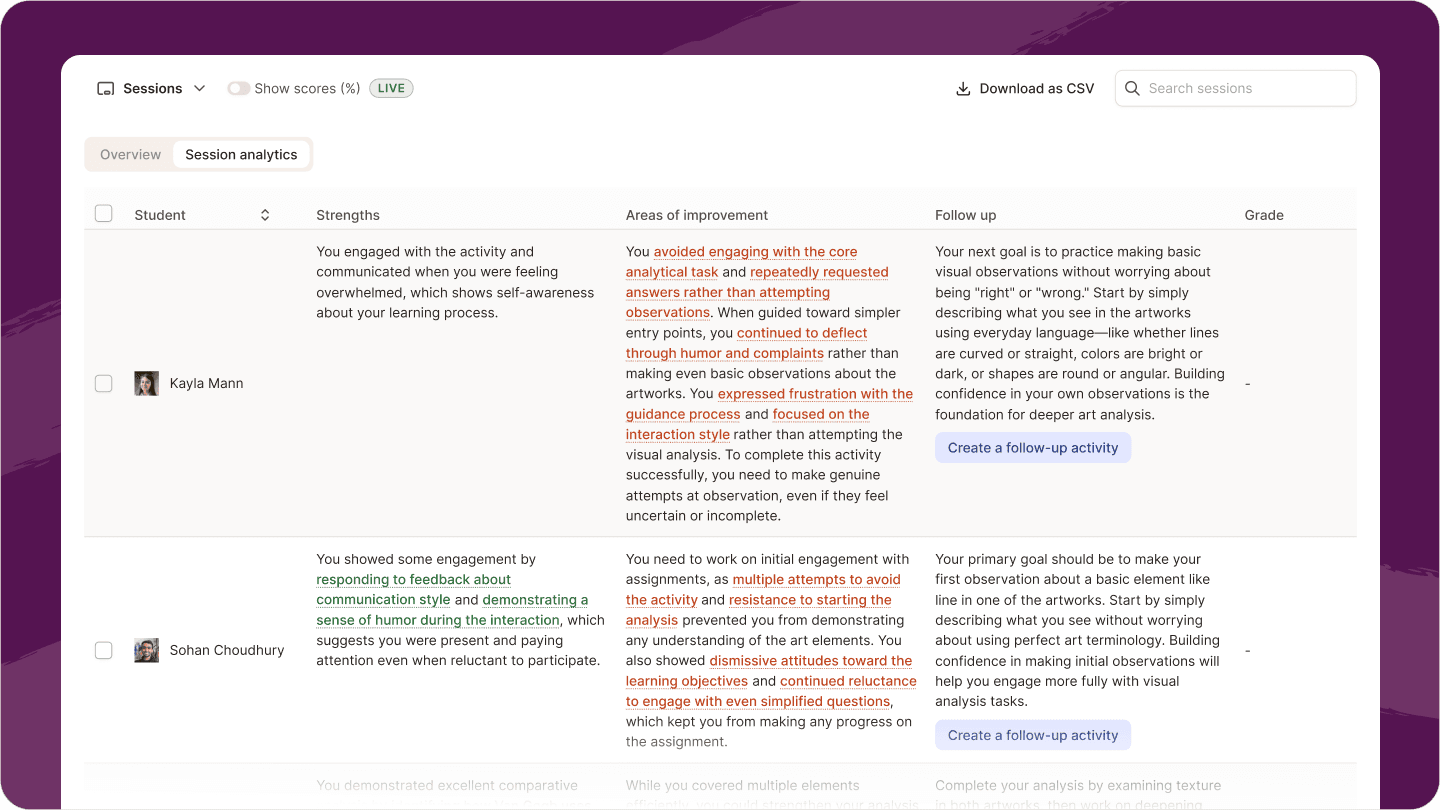
Activity Sessions are now organized into Overview, Session Analytics, and Grades, making it easier to move between student work, insights, and grading.
AI analysis citations are also more transparent, showing how many signals and students support an insight.
And a lot more
We shipped dozens of smaller improvements across Flint this month, too:
-
Manage chats directly from the sidebar — Rename, share, archive, or delete a chat without opening it first.
-
See all your chats in one place — Class chats now appear alongside personal chats in My Chats, with class icons showing where they came from.
-
Smarter Sparky greetings — New chats start with more personalized greetings and suggested next steps.
-
Give Sparky feedback — Thumbs up or down any response and optionally tell us what worked or didn't.
-
A clearer Generate experience — Images, videos, and slides now have a dedicated Generate button directly in the chat composer.
-
Cleaner activity organization — Folders are now compact, color-coded filter chips so you can quickly narrow down what's on the page.
-
Clearer unpublished classes — Unpublished classes are greyed out and moved to the bottom of the sidebar so they're easier to distinguish.
-
Rubrics in activity preview — Teachers can now see the full rubric and feedback while previewing an activity.
Explore what's new
All of these updates are live now in Flint.
Try creating an interactive experience with Sparky, browse the new Tool Library, or jump into one of your classes to explore the new activity, grading, and calendar experiences.


