Jul 9, 2026
July 2026: Teach your curriculum, track student learning, and show the impact.
Flint’s July 2026 updates help teachers align activities to curriculum standards, track student learning, grade flexibly, and create better classroom materials.
This release is about helping teachers and school leaders answer a simple but important question:
Are students actually learning what we set out to teach?
Flint now connects the full teaching cycle in one place. You can set up the curriculum for your class, connect activities to specific learning goals, see what each student understands, measure progress across a class or school, and grade in a way that matches how you already teach.
Watch the walkthrough or read more below 👇
Set up Flint for your school in minutes
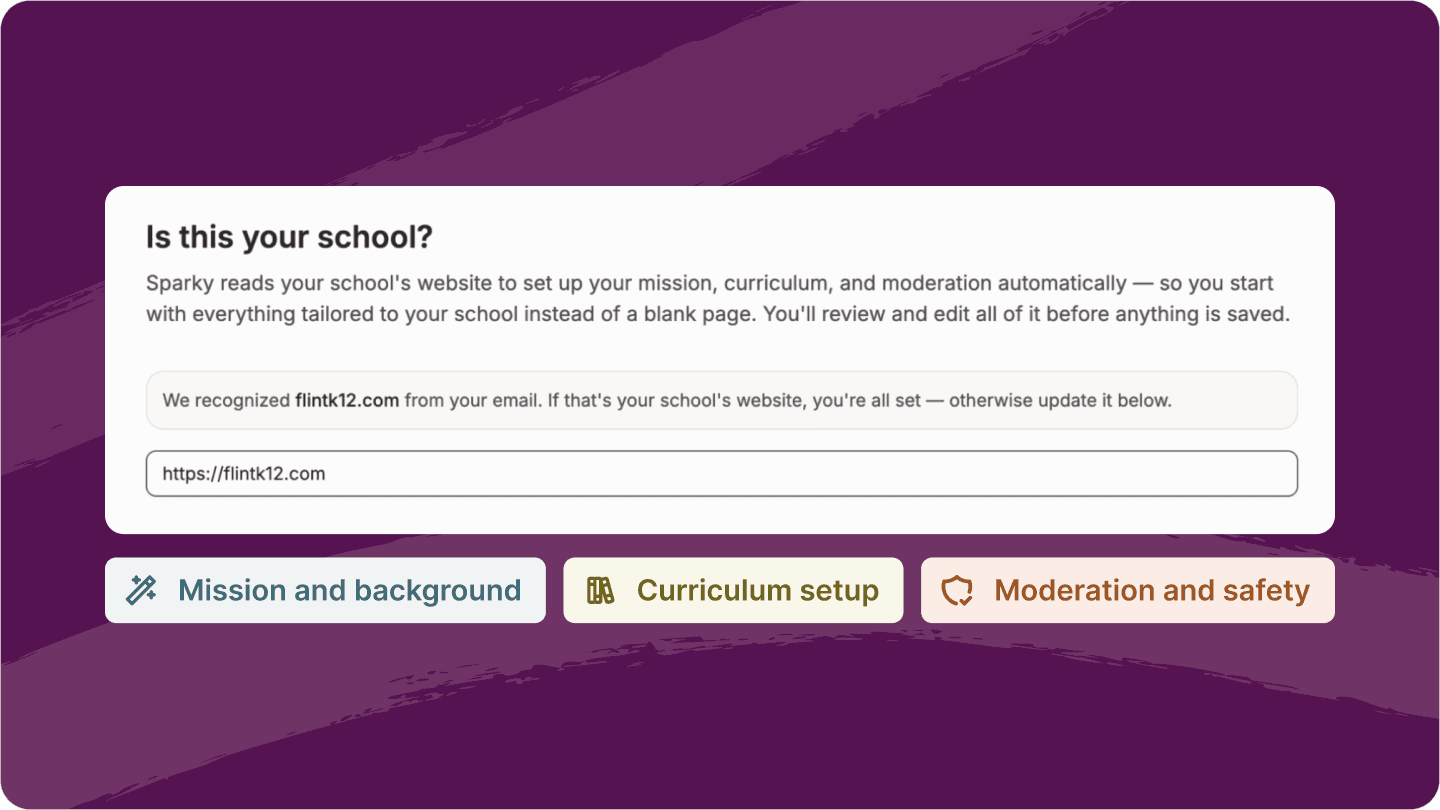
Flint can now personalize your school setup from just your school website.
Enter your website, and Sparky drafts your school’s Mission & Background, moderation guidelines, and curriculum recommendations, so your Flint experience starts with your school’s identity, values, and academic priorities already in mind.
Admins stay in control the whole time. You can review, edit, and approve everything before anything is saved.
Plan from your curriculum, not a blank page
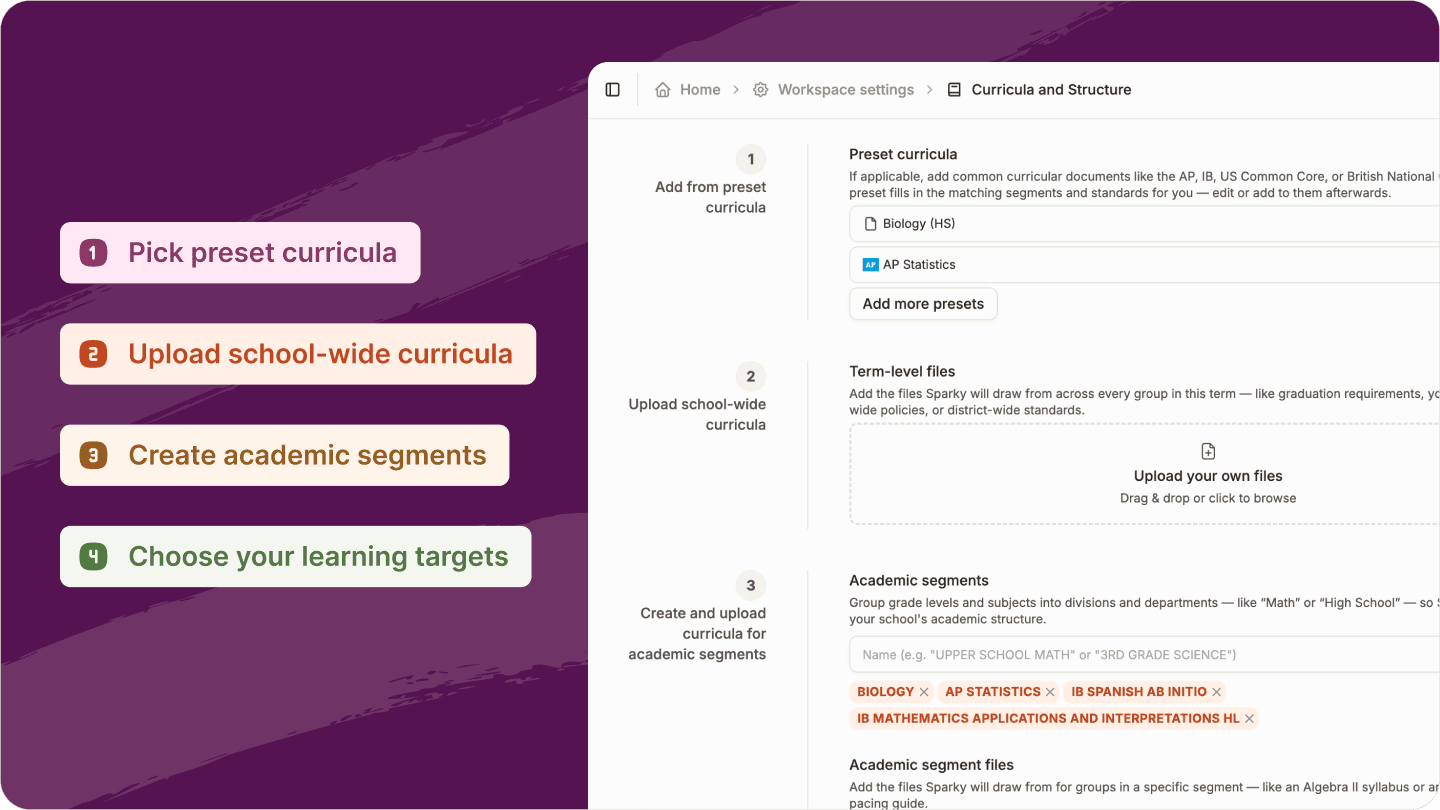
Before students begin an activity, teachers need one thing to be clear: what are students supposed to learn?
That's why every class now has a dedicated Curriculum tab. Instead of starting from a blank page, you can quickly bring in the standards, skills, and learning goals that already guide your instruction.
Admins have two ways to set up school curriculum:
-
Start from a preset catalog. Adopt AP, IB, Common Core, or the British National Curriculum in one click.
-
Bring your own curriculum. Upload your curriculum documents and let Sparky pull out the standards for you.
Every AP course curriculum, now a click away
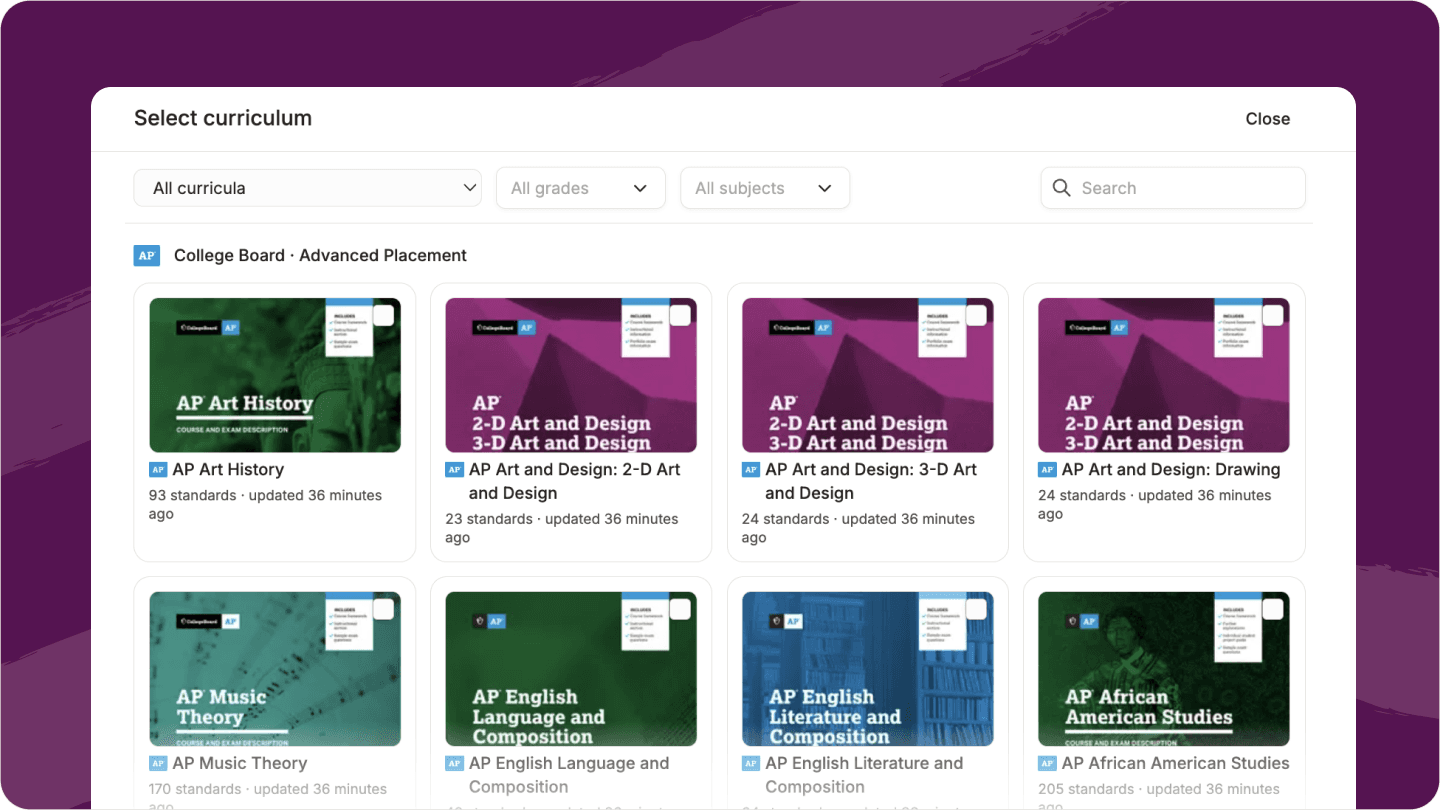
Flint also includes ready-to-adopt standards for all 40 AP courses, covering roughly 2,600 verified standards across STEM, Arts, English, History & Social Studies, World Languages, AP Research, and AP Seminar.
Turn every activity into a standards-aligned learning experience
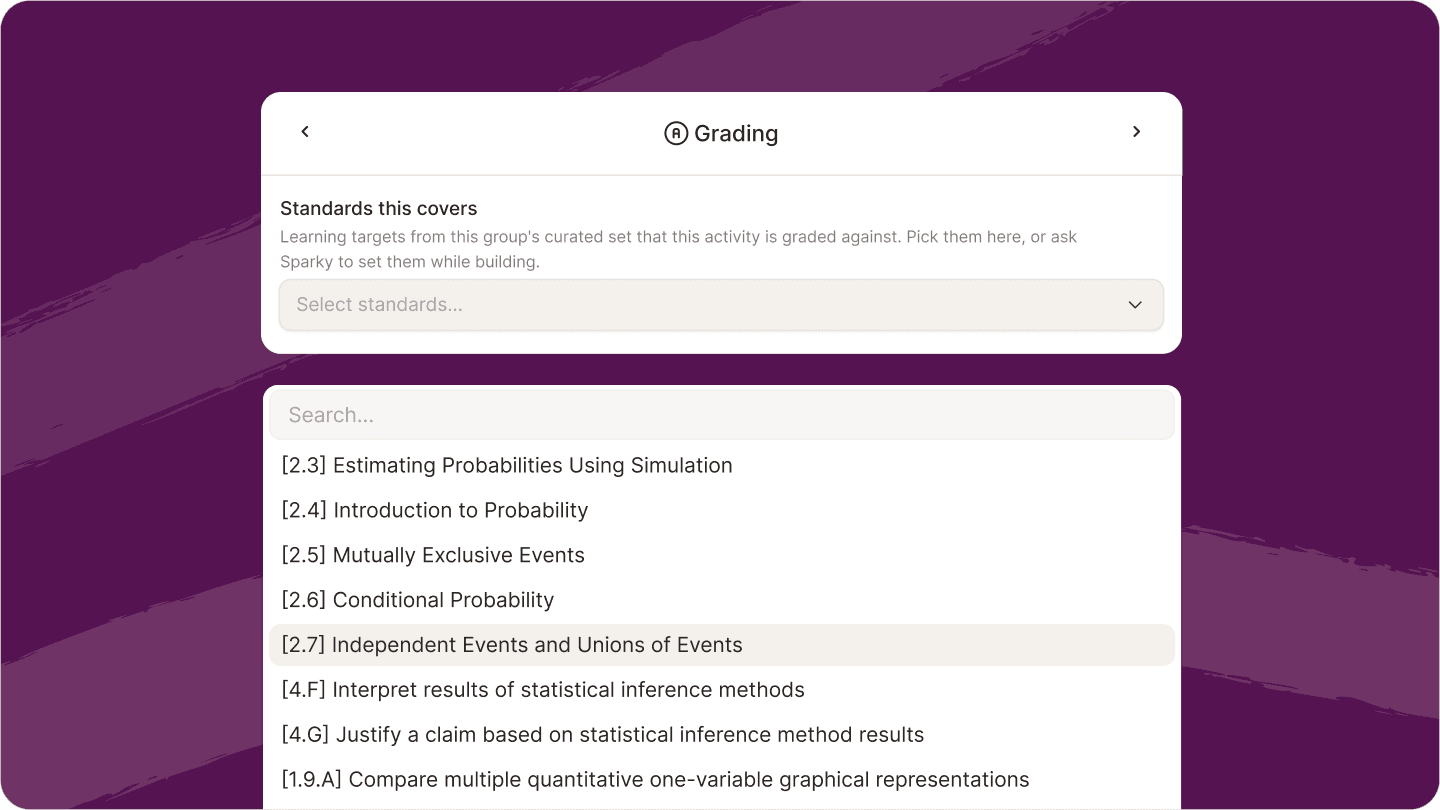
Once your curriculum is in place, every activity can connect directly to those standards.
Instead of students simply completing an assignment, Sparky understands what they're supposed to learn, tutoring toward those standards in every conversation.
For example, if a science activity is tied to experimental design and evidence-based reasoning, Sparky can guide students toward those skills as they respond. If a writing activity is tied to claims, evidence, and analysis, Sparky can support students in those exact areas.
This creates a tighter loop between what you planned, what students practice, and what Sparky looks for when reviewing their work.
See exactly what each student understands
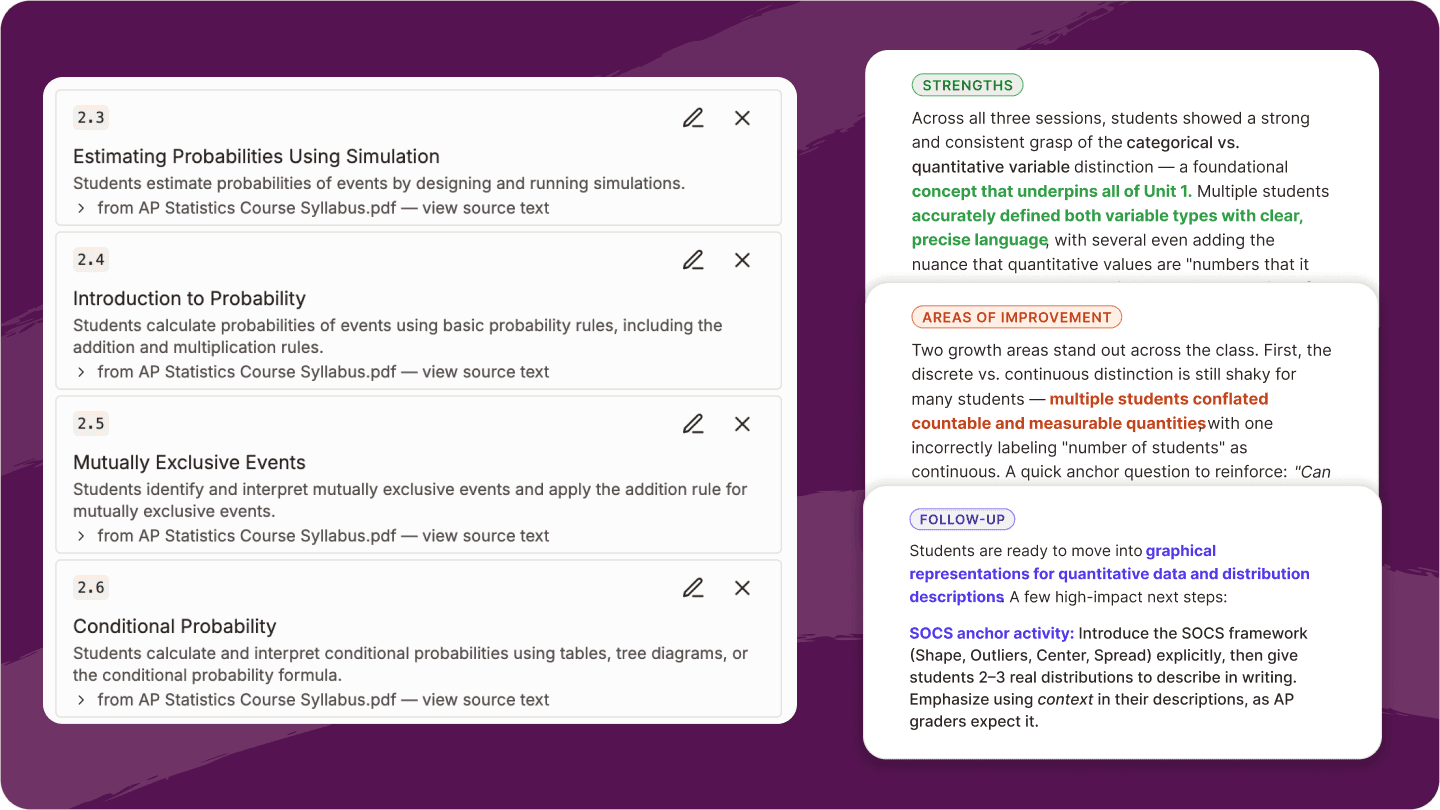
After students submit their work, Flint now gives you a clearer picture of student learning progress. Instead of only seeing one overall grade, you can see performance standard by standard to quickly answer questions like:
-
Which parts of the skill did this student understand?
-
Which sub-skills are still shaky?
-
Where should I focus my next lesson, small group, or follow-up activity?
Zoom out to measure learning across a class or school
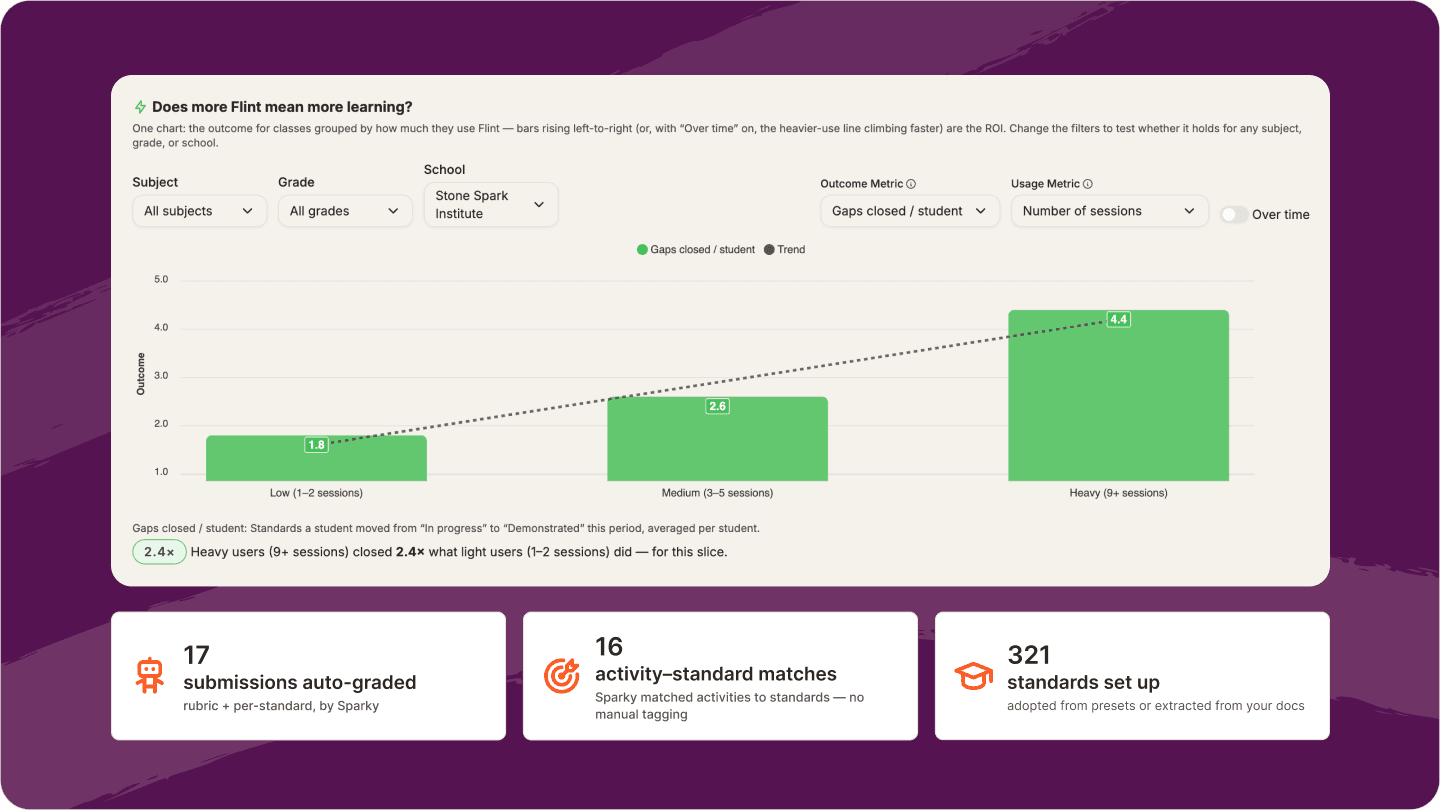
Individual feedback helps teachers support students. The new Outcomes tab helps teachers and school leaders understand the bigger picture.
Outcomes connects Flint usage to real student learning. See who uses Flint least to most, then get analyses of how each group performs on the learning measure you choose.
Teachers can zoom out from individual students and answer bigger questions, like:
-
Which standards are students mastering?
-
Where are learning gaps?
-
Is heavier Flint usage actually leading to better outcomes?
-
Which classes need support?
For administrators, filter by subject and grade to understand progress across a school, from comparing classrooms, tracking curriculum coverage, and demonstrating overall learning growth.
Add percentages to rubric levels
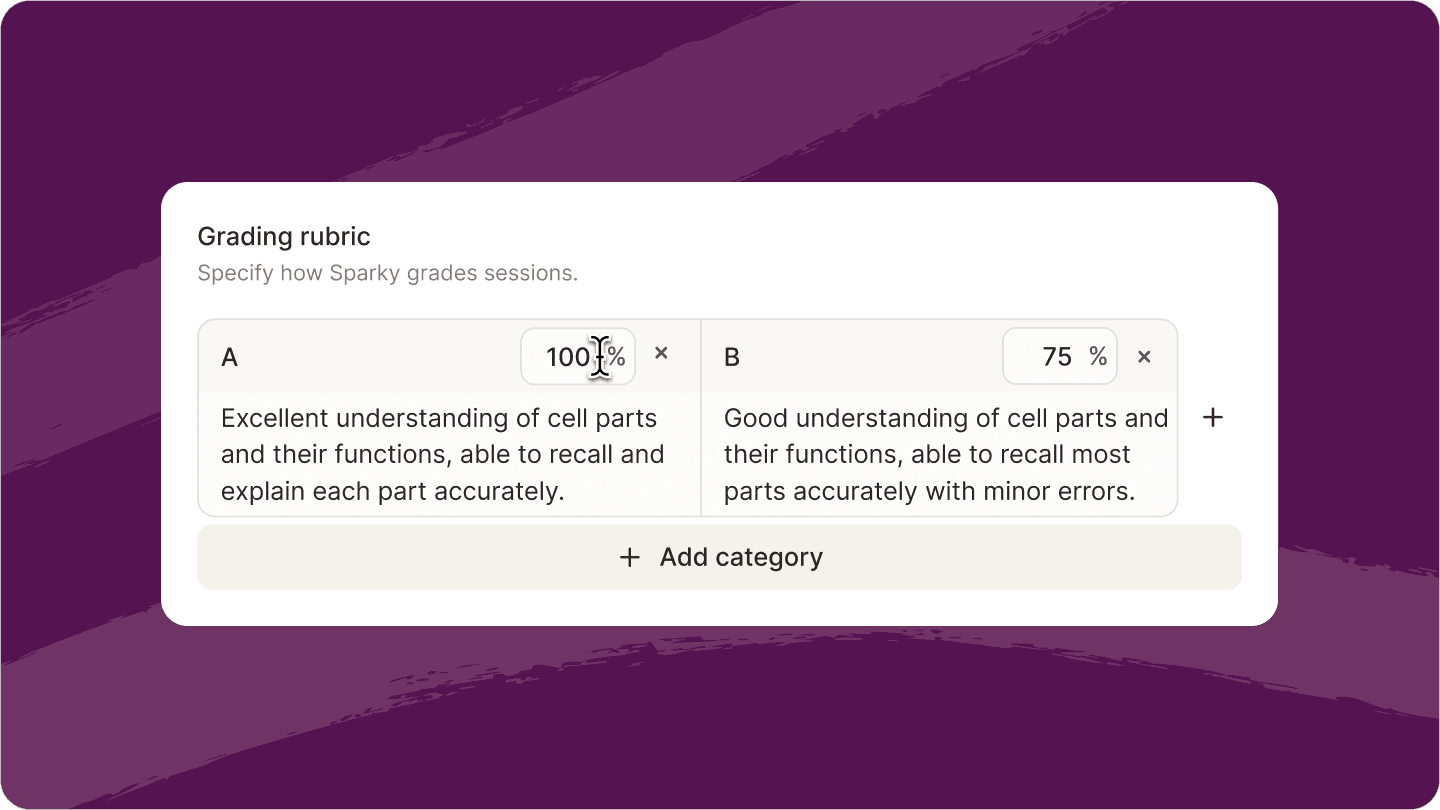
You can now assign a 0–100% score to each rubric level. That score appears wherever grades show up, including the activity gradebook, group gradebook, and session analytics.
For each activity, you decide whether students see the percentage score or only the written feedback.
Weight different types of work
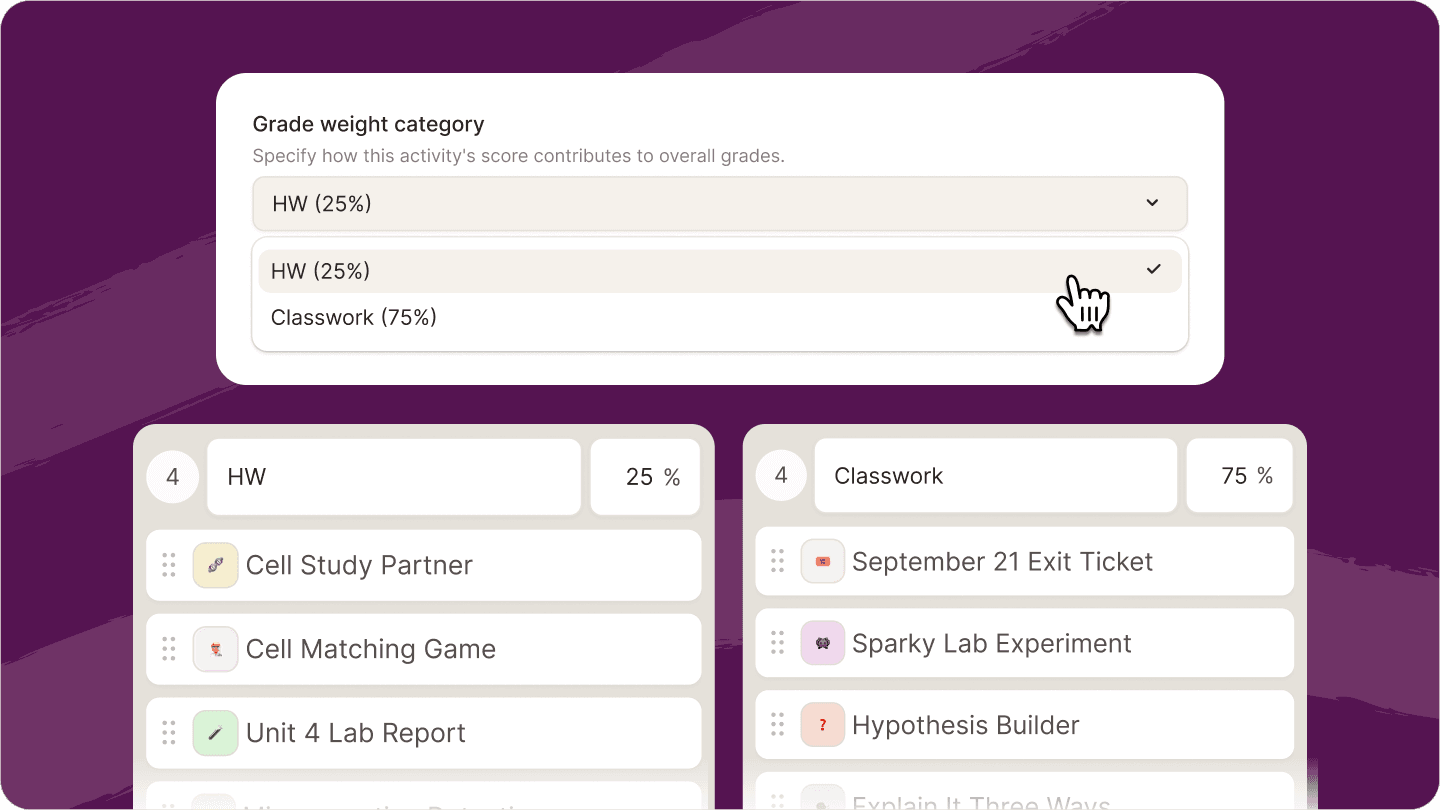
Not every assignment should count the same. Flint now lets you create weighted grading categories such as Homework, Quizzes, Exams, Projects, or any structure that fits your class.
Add activities to each category, set the weights once, and Flint calculates the overall score for you. The weighting also follows activities when you move, import, or duplicate them.
Edit one slide at a time
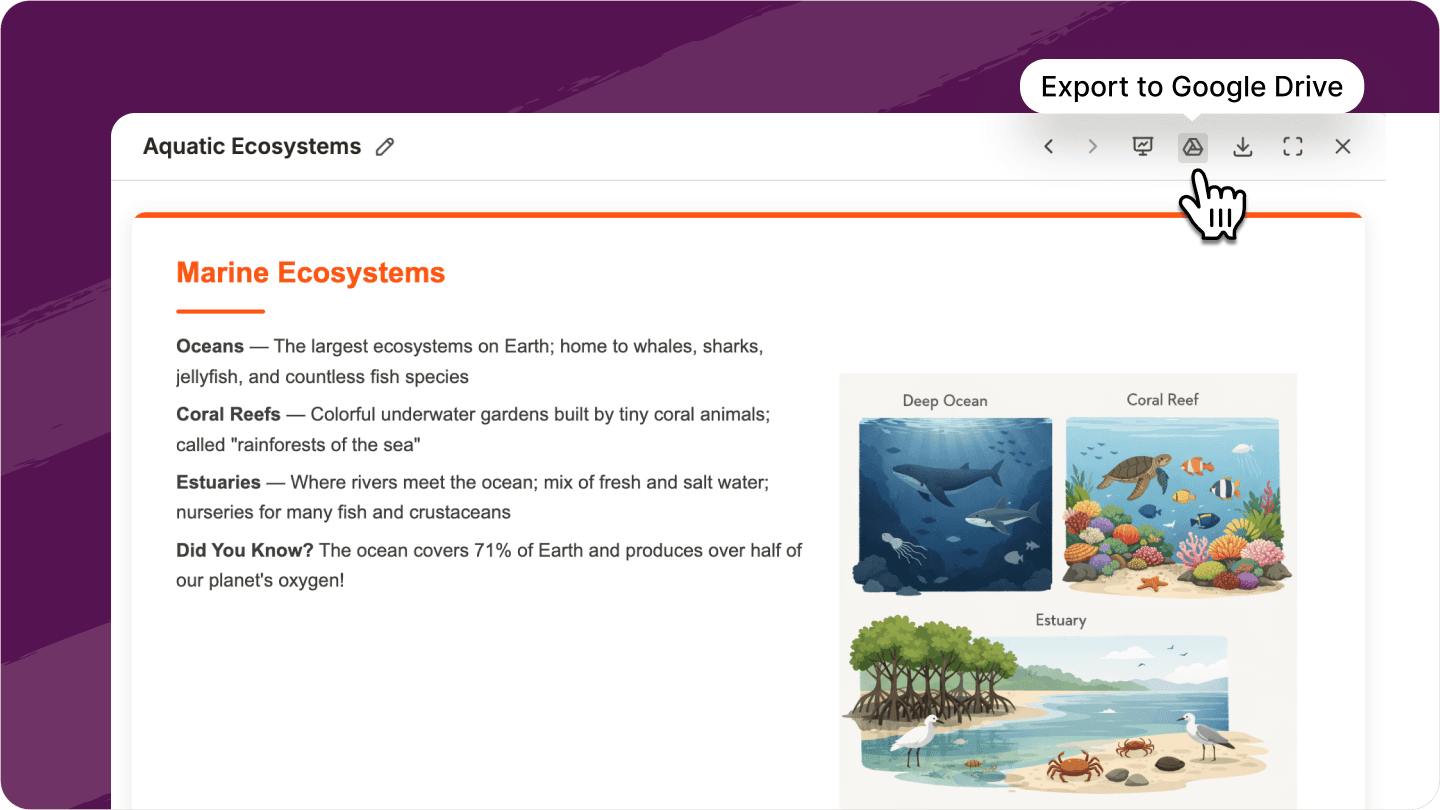
Any Sparky-generated presentation can now be exported directly to Google Slides in one click.
The deck opens in your Drive so you can polish it, present it, share it with students, or collaborate with colleagues using the tools your school already uses.
Generate better classroom images

Image generation is now sharper and more reliable. Sparky uses OpenAI's newest image model, which means cleaner text, stronger results for more complex prompts, and images that are nearly picture perfect.
Better whiteboard snapshots on iPhone and iPad
Teachers and students can now complete and save whiteboard work more reliably on iPads and phones. This makes it easier for students to show their work, draw diagrams, solve problems, annotate images, or submit handwritten thinking from the devices they already use in class.
Find what you need in each class
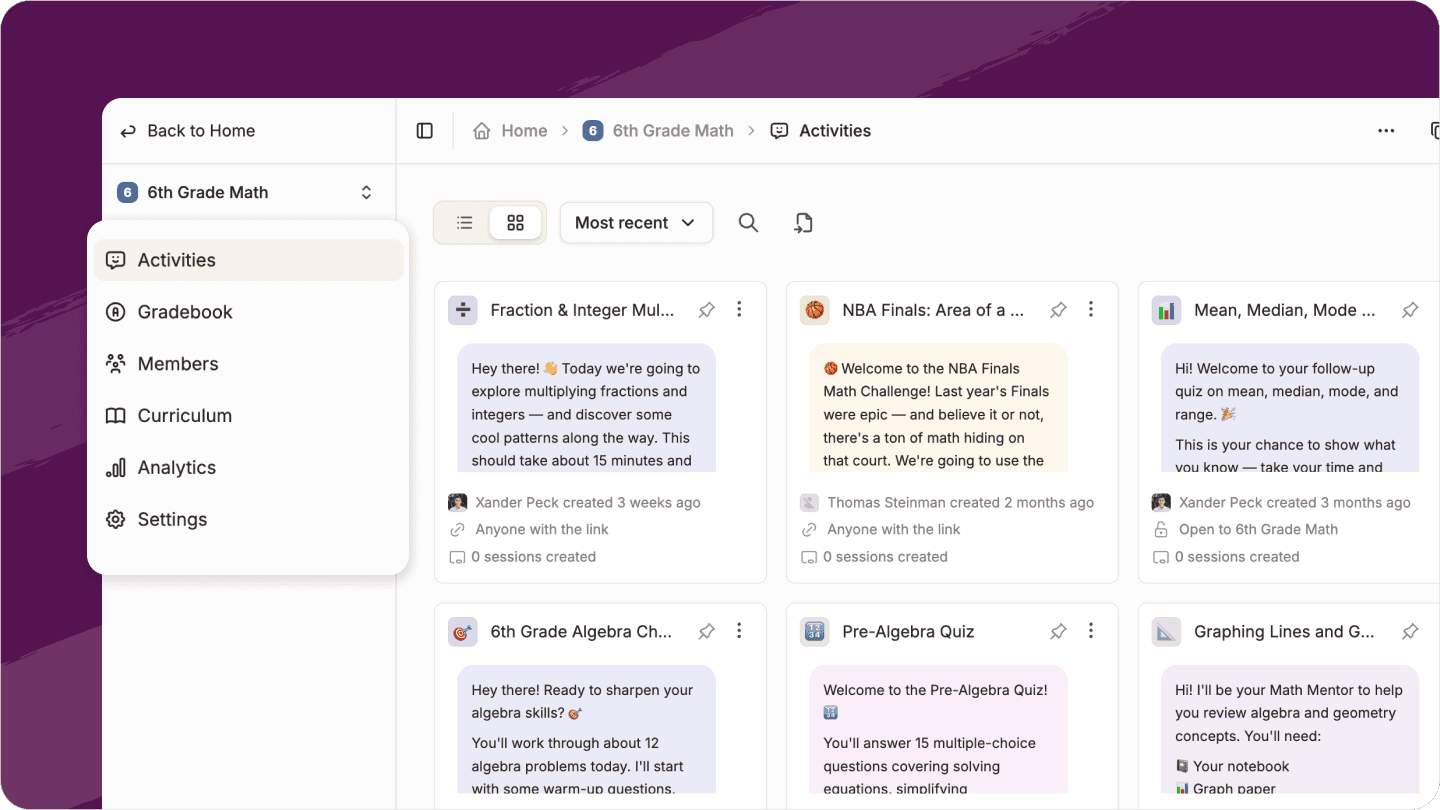
Groups are now easier to navigate, with clearer places for the work teachers use most: activities, curriculum, grades, members, and settings.
Instead of digging through one crowded group page, teachers can jump directly to the part of the class they need. It’s easier to find an activity, check the gradebook, review curriculum, manage students, or adjust class settings.
A faster Flint for busy classrooms
Flint now loads much faster in large classes, especially when you have lots of students, activities, and chats.
Activities and chats that used to take a few seconds now open almost instantly, so teachers can move through classwork, review student progress, and jump between activities with less waiting.
Now see it for yourself
All of these updates are live on Flint. You can reach out to us anytime to learn more, or start for free.
Open a class and start with the new Curriculum tab to see how it all works together.


