ComparisonSep 26, 2026
Best AI Literacy Courses for Teachers in 2026
Eight AI professional development options for K-12 staff, compared on what they teach, how long they take, what the certificate is worth, and whether a coach can see who finished.

Jemel Fanfan | Founding Member at Flint

Most districts know they need to train teachers on AI. The hard part is picking something staff will actually finish: not a one-off afternoon workshop everyone forgets by Monday, and not a paid course that uses up the PD budget before half the staff enrolls.
This guide compares eight AI literacy and professional development options K-12 schools are assigning in 2026. It's written for the instructional coach, tech coach or curriculum lead who has been asked to get staff AI-ready and has to choose what to assign.
How we evaluated
I work at Flint. Flint's course is listed first because it's our product, not because it won a scoring round, so read its entry with that bias in mind and check the other providers' pages for yourself. The others appear in no particular order, and the list is not a ranking.
We included courses built for K-12 educators from three kinds of providers: edtech platforms (Flint, MagicSchool), technology companies (Google, Microsoft, OpenAI), and education nonprofits (CodeAI, ISTE, Common Sense Education). For each one we asked:
- Does it teach AI, or one product? Some "AI courses" are tutorials for a specific tool. That's useful once you've chosen the tool, but it doesn't help a teacher judge AI output, write a classroom policy, or keep up as the tools change. We quote each provider's own description of its course so you can judge for yourself.
- How long does it take, and what does it cost? Time is the real cost for most staff. Price matters once you multiply it by a whole faculty.
- What does a teacher get at the end? A certificate, a badge, or PD credit gives teachers a reason to finish and gives leaders something to report.
- Can a coach see who finished? If a school assigns AI PD, someone needs to know who hasn't started and who stalled. We note which courses give admins a staff progress view, and on which plan.
- Does it adapt to each teacher? Teachers arrive at very different starting points. A course that treats a skeptic and a daily user the same loses one of them.
Our source for each course is the provider's own public page, checked on September 30, 2026, and every claim about another provider links to it. Flint's own claims are checked against the live product. The comparison reflects what each provider publishes. It doesn't use a scoring rubric or a teacher survey, and it doesn't name an overall winner. Prices and formats change often, so confirm the details with the provider before you buy or assign anything.
The options
Flint: AI Literacy Course
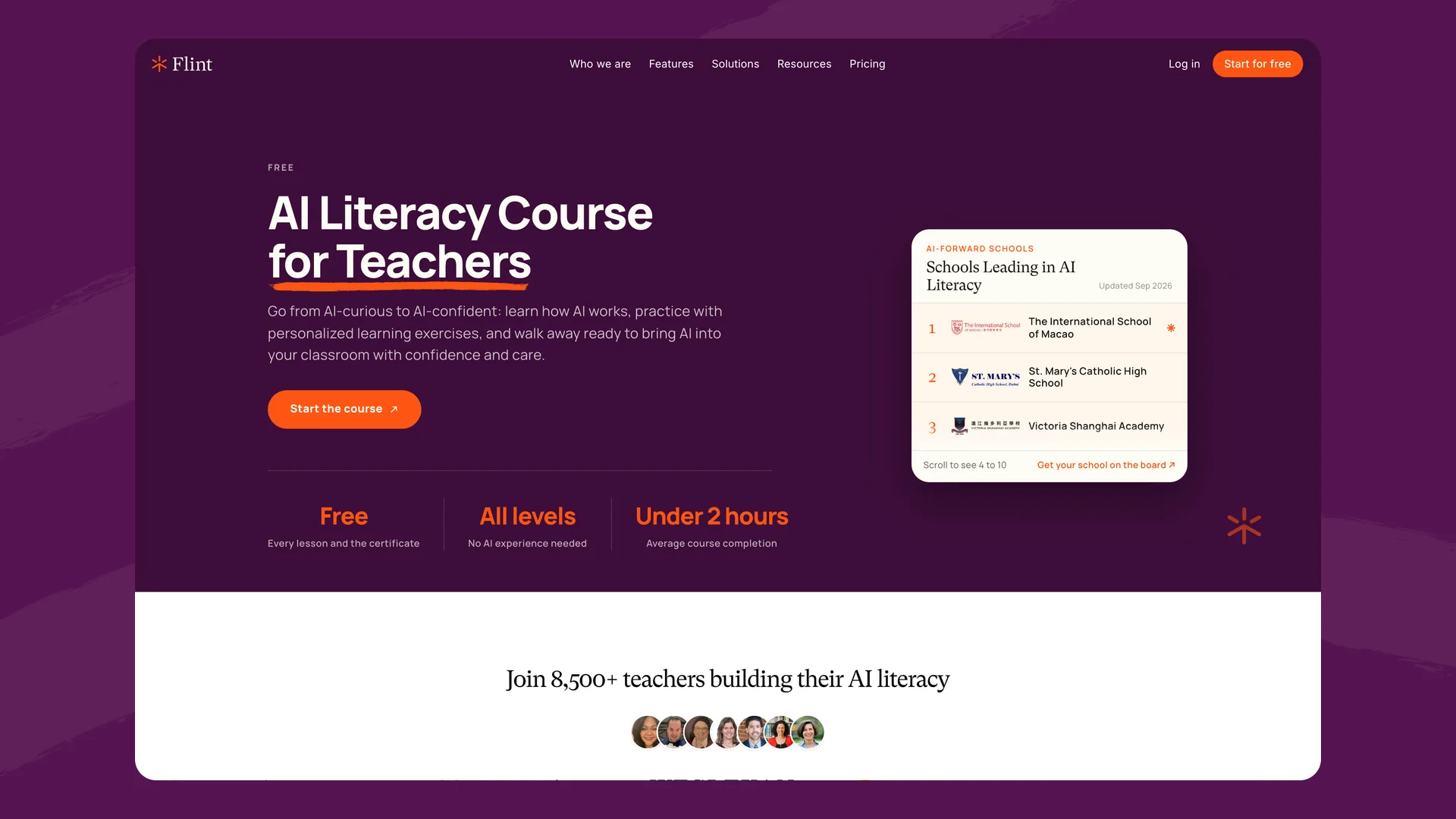
Flint's AI literacy course for teachers (flintk12.com/ai-literacy-for-teachers), captured September 2026.
What it is: A free, self-paced AI literacy course for K-12 teachers, taken inside Flint. Level 1, Understand AI, covers how chat AI works, prompting, what it gets wrong, safety, bias and student data, deepfakes, and what the research says about how students use AI. Level 2, Put AI to Work, covers time-saving workflows, drafting a classroom AI policy, designing assignments that work with AI, answering parents, and teaching AI literacy to students, and it ends with a capstone activity built for your own class. Try the course free →
Best for: Schools that want every teacher, from skeptics to daily users, to finish the same course, with a coach tracking who has done it.
What sets it apart:
The course changes for each teacher. Before Level 1 it asks what you teach, what you're working on with students right now, how familiar you are with AI, and what worries you about it (cheating, student privacy, students not learning to think, workload, parent pressure, the hype, the environmental cost). A teacher who's brand new to AI starts at the very beginning. A teacher who uses it every week skips the on-ramp and goes straight to how the tools work and how to design for them. The examples are built around the unit you named, and each concern you picked points you to the lessons that answer it.
Teachers practice everything inside the lessons, in real conversations with AI, rather than watching someone else do it.
For school admins, Flint shows a staff roster for the course: each teacher's status in each level, how far along they are, when they were last active, and links to their certificates. Admins can remind one teacher, a selection, or everyone who hasn't finished (each teacher gets at most one reminder a week), and export the roster as a spreadsheet.
- Time: Level 1 is 11 lessons (about 77 minutes); Level 2 is 7 lessons (about 52 minutes). Average completion is under two hours.
- Cost: Free
- Certificate: One per level, shareable on LinkedIn
- Staff progress view: Yes, for school admins, one school at a time
- Adapts per teacher: Yes, based on subject, current unit, AI familiarity and concerns
Where it falls short: The course is new and doesn't carry the name recognition of ISTE, Google or Microsoft. It's also short: at about two hours it covers less ground than ISTE's 15-hour course or Microsoft's 9.5-hour credential, and there's no instructor or live session to bring questions to. It offers no college or university PD credit, and Flint's course page says it isn't a formal certification for any single standard; whether the certificate counts toward PD hours depends on your district or state. The staff roster shows one school at a time, so a district coach overseeing several schools can't yet see them all in one view. And one of the 18 lessons explains where school AI platforms like Flint fit, so it isn't entirely vendor-neutral.
MagicSchool: AI Certification Courses
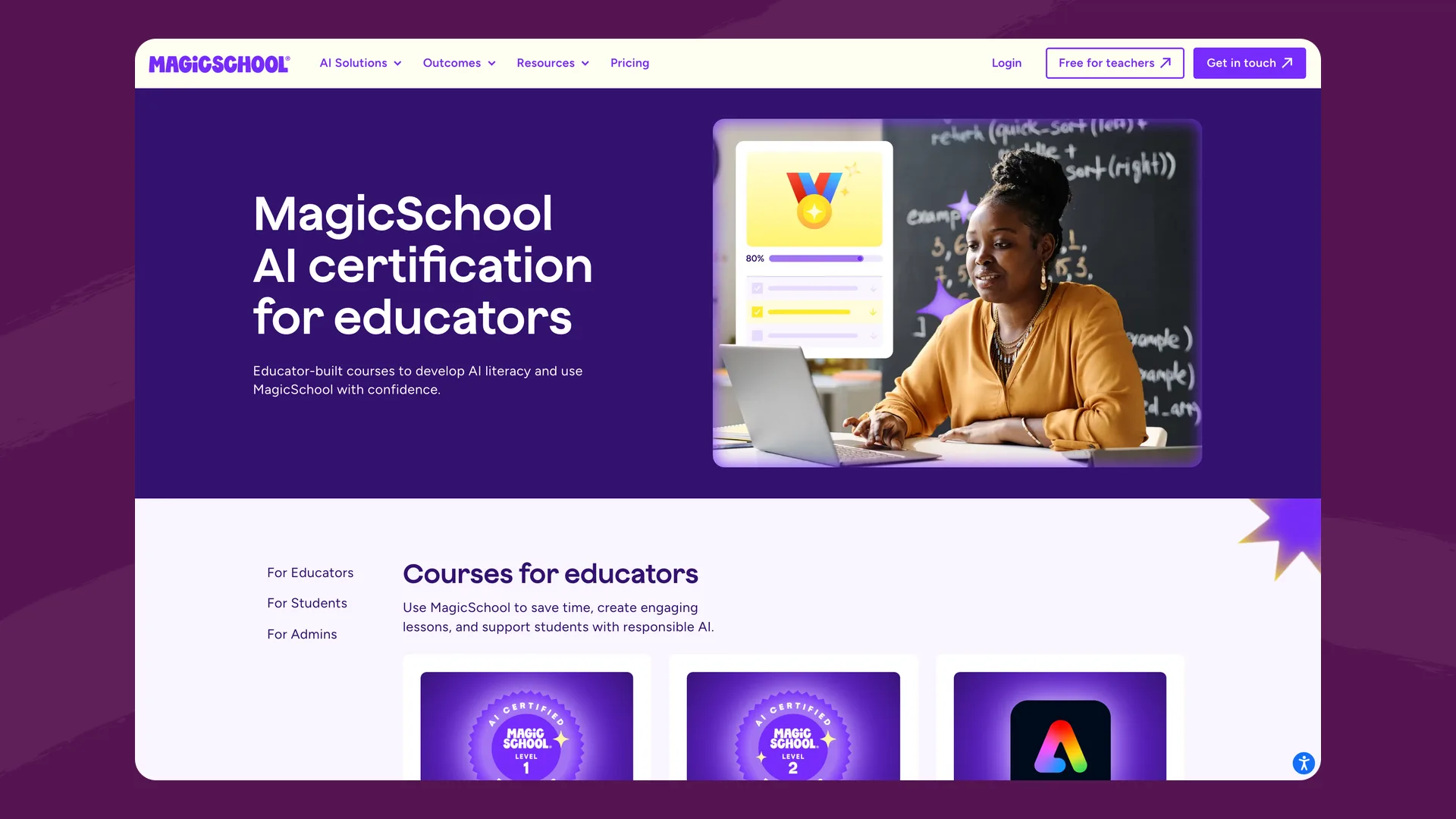
MagicSchool's certification courses page (magicschool.ai), captured September 2026.
What it is: Free certification courses inside MagicSchool. MagicSchool's certification page describes the Level 1 Foundational course (20–30 minutes) as "Learn how to use MagicSchool's AI tools." The Level 2 Intermediate course (20–30 minutes) teaches teachers to "write stronger prompts, create custom tools, and design time-saving workflows with MagicSchool." As of September 30, Level 2 shows "We're refreshing this course" and can't be taken. There's also a 15–30 minute Adobe Image Generator course, a student course for teachers on paid plans, and two admin certification courses "available through our Enterprise partnership."
Best for: Schools that have already chosen MagicSchool and want staff productive in it quickly.
What it covers: Using MagicSchool: its lesson planning and time-saving tools, custom tools, prompting inside the platform, and responsible-use guidance along the way. It's good onboarding for the product. A teacher who finishes it has learned MagicSchool more than they've learned AI.
- Time: 20–30 minutes (Level 1); 20–30 minutes more for Level 2 when it returns
- Cost: Free
- Certificate: Yes, per course
- Staff progress view: Enterprise plan only
- Adapts per teacher: Not described on the course page
Where it falls short: It trains teachers on one product. The admin courses and the staff progress view need an Enterprise contract. Level 2 is unavailable for now, so the free path is currently a single 20–30 minute course.
Google: AI Educator Series, Generative AI for Educators, and Gemini Certified Educator
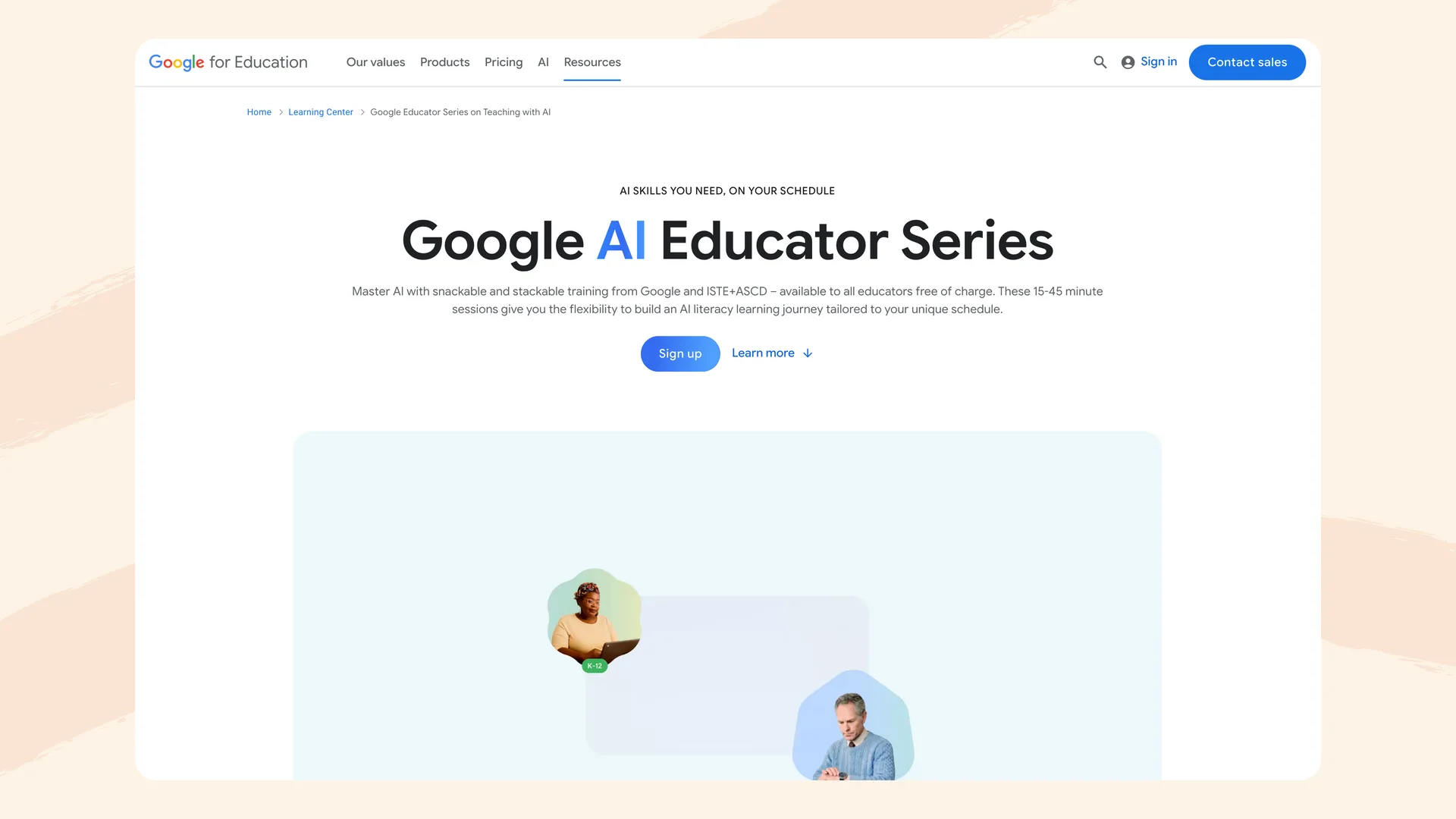
The Google AI Educator Series page (edu.google.com), captured September 2026.
What it is: Google offers three free options that work together:
- The Google AI Educator Series: "non-sequential, 15-minute sessions," each teaching "a classroom-ready Gemini use case," made in partnership with ISTE+ASCD. Each session ends with a short quiz and a badge, and new modules arrive monthly.
- Generative AI for Educators with Gemini: a two-hour, self-paced course on "what it is, the opportunities and limitations of this technology, and how to use it responsibly," along with Gemini and Gemini Notebook. It ends in a certificate "which you can present to your district for professional development (PD) credit, depending on district and state requirements." Google aims it at middle and high school educators, and it's in English only. It was first announced with MIT RAISE in 2024.
- The Gemini Certified Educator exam: free, two hours, multiple choice, covering Gemini's free features. The certification is valid for three years.
Best for: Schools on Google Workspace that want teachers confident with Gemini, and teachers who want short sessions they can fit into a planning period.
- Time: 10–15 minutes per Series session; 2 hours for the course; 2 hours for the exam
- Cost: Free
- Certificate: Series badges; course certificate; Gemini Certified Educator credential
- Staff progress view: None described
- Adapts per teacher: No. Teachers choose Series sessions from a menu
Where it falls short: Most of the hands-on practice is in Gemini, which matters less to schools on Microsoft or other platforms. The Series is a menu rather than a path, so nobody guides a teacher from basics to classroom practice. The two-hour course is written for secondary teachers.
Microsoft: Elevate for Educators
What it is: Microsoft announced Elevate for Educators in January 2026, including a free Microsoft Elevate Educator Credential developed with ISTE+ASCD and aligned to the AI Literacy Framework. The credential collection on Microsoft Learn has three learning paths of about 3.5, 2.5 and 3.5 hours. The program has three tiers: Explorer (a Credly badge), Expert (with Microsoft certification vouchers), and an invite-only Fellow tier.
Best for: Schools on Microsoft 365, and teachers who want a longer, credentialed path.
- Time: About 9.5 hours across the three paths
- Cost: Free
- Certificate: Credly badge; Microsoft certification vouchers at the Expert tier
- Staff progress view: None described. Microsoft says districts can earn recognition for supporting educators
- Adapts per teacher: Partly: Microsoft's AI Skills Navigator recommends a learning path
Where it falls short: At about 9.5 hours it's a big ask for a whole staff. Some modules train teachers on Microsoft 365 Copilot specifically.
CodeAI (formerly Code.org): AI 101 for Educators
What it is: A free professional learning course from CodeAI, which Code.org renamed itself in June 2026. The course page says it builds digital fluency, "not with another tool tutorial," and covers how large language models work, bias, privacy, and the AI Literacy Framework. It describes five modules of about an hour each.
Best for: Teachers and coaches who want the most vendor-neutral grounding in how AI works.
- Time: Four to five hours (the course page and course catalog differ)
- Cost: Free
- Certificate: None mentioned on the course page
- Staff progress view: None described
- Adapts per teacher: No
Where it falls short: No certificate is mentioned, which makes it harder to count as PD, and four to five hours is a lot for a whole-staff rollout.
ISTE: AI Deep Dive for Educators
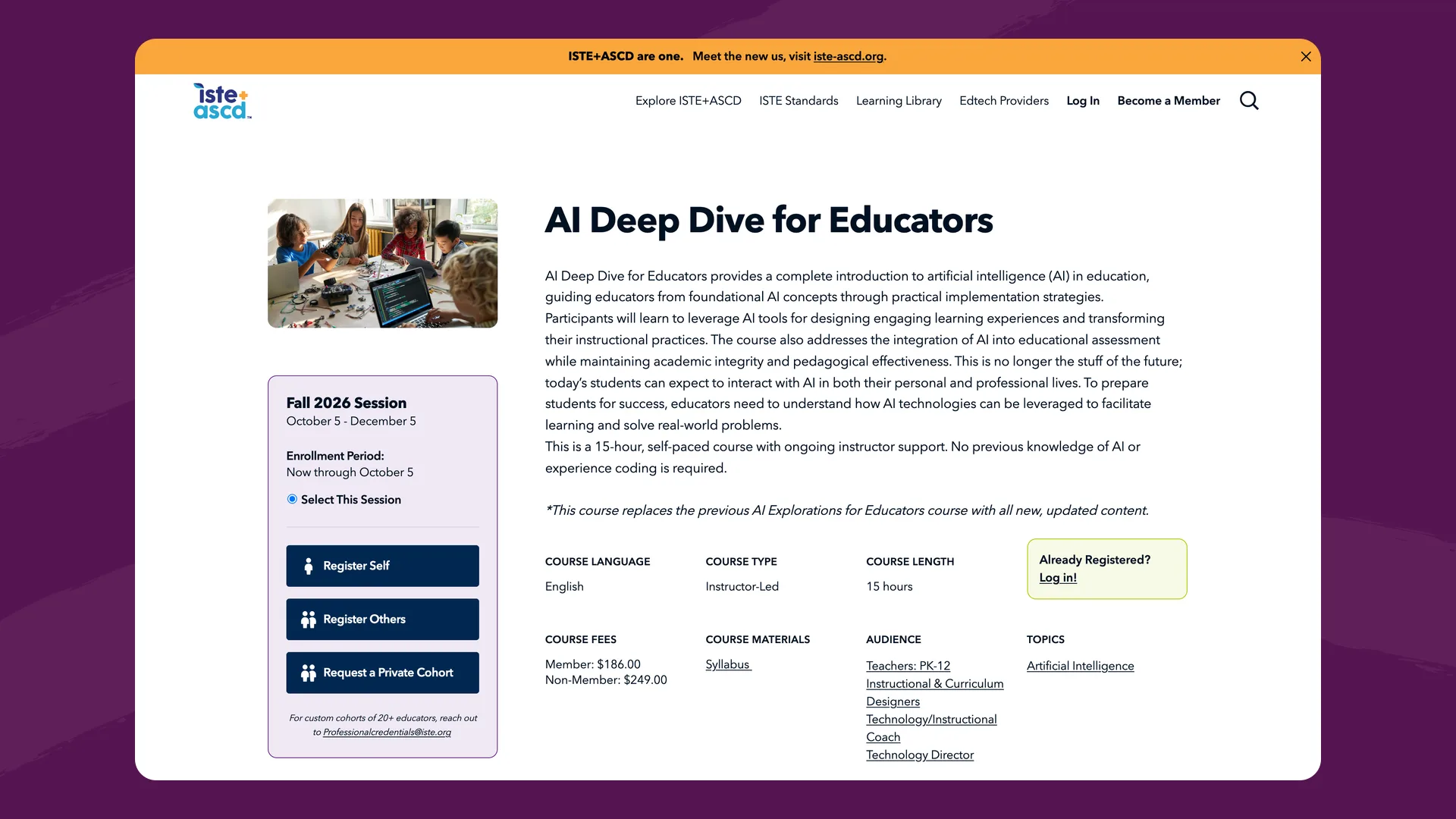
ISTE's AI Deep Dive for Educators course page (iste.org), captured September 2026.
What it is: A 15-hour, self-paced online course with ongoing instructor support. The next session open for enrollment, spring 2027, runs February 8 to April 8. It covers bringing AI into teaching, learning and assessment without tying you to any vendor. ISTE runs an advanced AI Deep(er) Dive on the same dates, at the same price and length. Its professional credentials go further: Edtech Teacher ($350), Instructional Leader ($1,250, about 50 hours), and Edtech Leader ($825, about 80 hours).
Best for: Instructional coaches, department heads and tech leads who want a rigorous, vendor-neutral course with an instructor, and have budget for it.
- Time: 15 hours over two months
- Cost: $186 for ISTE members, $249 for non-members
- Certificate: Course completion certificate; graduate credit available
- Staff progress view: None described for individual enrollment
- Adapts per teacher: No. Everyone in the session follows the same modules
Where it falls short: Cost and schedule. Training a staff of 80 costs $14,880 at the member price, and the course runs on fixed dates. The depth that suits a coach is too much for most classroom teachers who need something they can finish in a few planning periods.
Common Sense Education: AI Courses for Educators
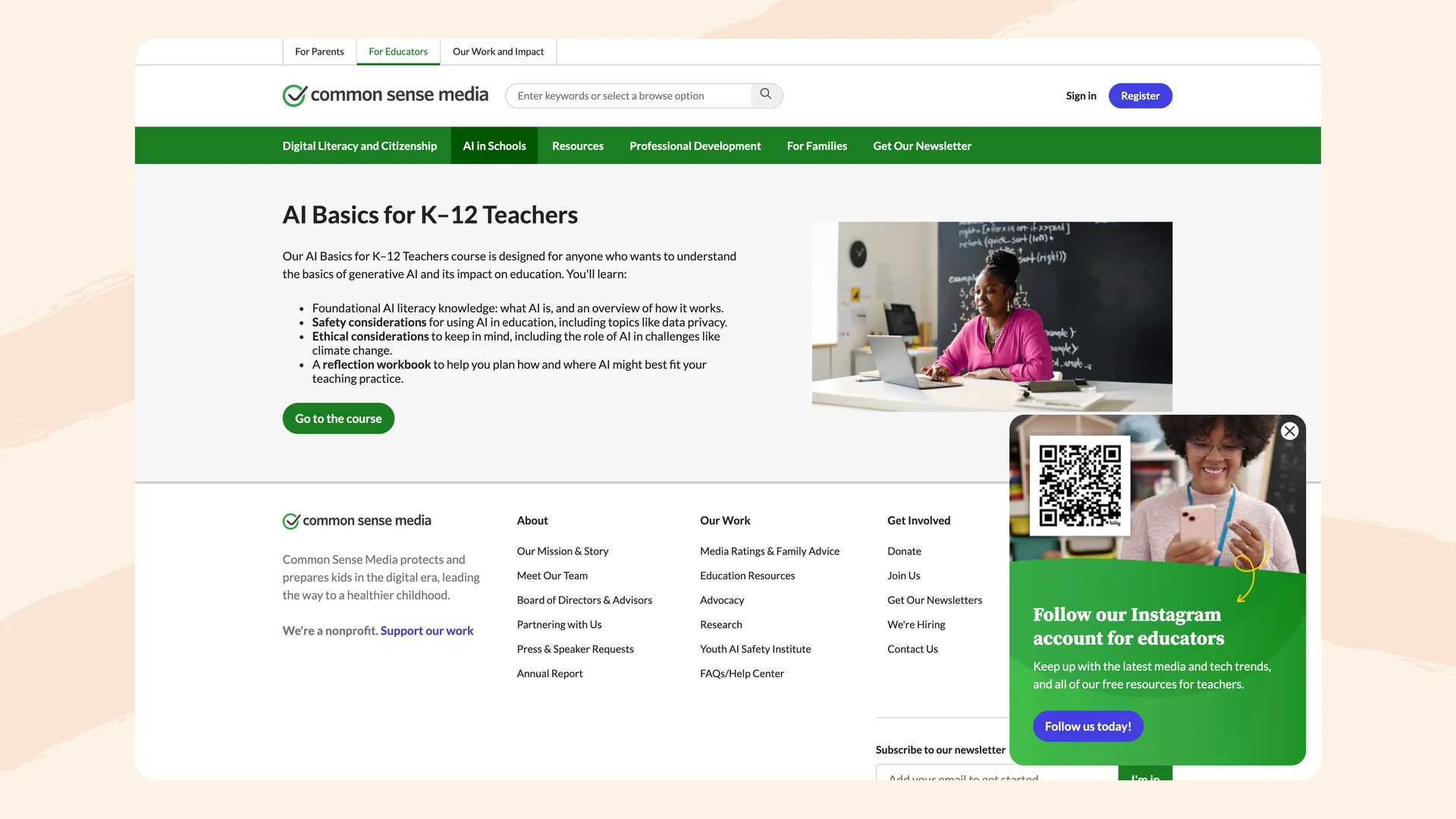
Common Sense Education's AI Basics for K-12 Teachers course (commonsense.org), captured September 2026.
What it is: Three free, self-paced courses: AI Basics for K-12 Teachers (about an hour), ChatGPT Foundations for K-12 Educators (about an hour, designed in partnership with OpenAI), and Advanced ChatGPT for K-12 Educators (three to five hours).
Best for: Cautious teachers who want a trusted, gentle introduction that starts with safety and ethics.
- Time: About 1 hour each for the first two; 3–5 hours for Advanced ChatGPT
- Cost: Free
- Certificate: Yes for AI Basics; none mentioned for the ChatGPT courses
- Staff progress view: None described
- Adapts per teacher: No
Where it falls short: AI Basics is a good first exposure but short for a school's main AI PD. The other two courses are ChatGPT training, and a school can recommend them but has no way to see who finished.
OpenAI Academy: AI for Educators
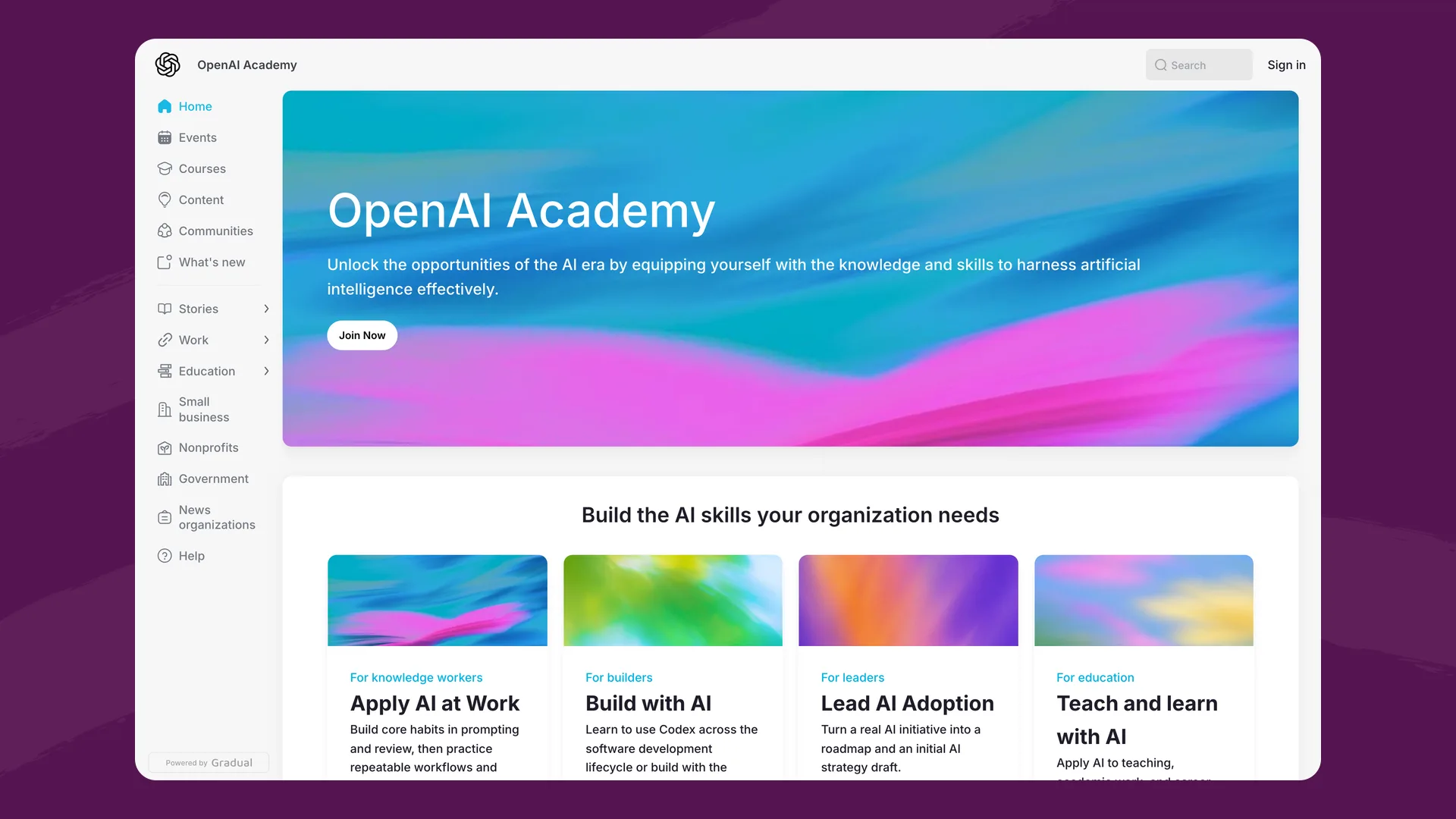
OpenAI Academy (academy.openai.com), where the AI for Educators course lives, captured September 2026.
What it is: A self-paced, intermediate course on using ChatGPT to "plan lessons, create activities or assessments, and review responses." It's designed for educators who already have some experience with ChatGPT, and it requires a ChatGPT account.
Best for: Teachers already comfortable with AI who want to get more out of ChatGPT.
- Time: 45 minutes (about an hour including the assessment)
- Cost: Needs a ChatGPT account; no price is listed
- Certificate: Digital badge after passing the assessment with 80% or higher
- Staff progress view: None described
- Adapts per teacher: No
Where it falls short: It's a ChatGPT course and assumes some experience, so it isn't a starting point for a teacher who has never used AI.
Also worth knowing
- Khan Academy offers Khan for Educators: Foundations, a free course with a certificate that's mostly about using Khan Academy and Khanmigo. Its separate AI for Education course, built with Code.org, Common Sense Education, aiEDU and Ethan and Lilach Mollick, is broader but still in progress and doesn't mention a certificate.
- Brisk Teaching has a free Brisk AI Professional certification: Level 1 takes about 17 minutes and Level 2 about 6. It teaches Brisk's own tools.
Side-by-side comparison
| Course | Cost | Time | Certificate | What it teaches | Staff progress view | Adapts per teacher |
|---|---|---|---|---|---|---|
| Flint | Free | Under 2 hours | Per level, LinkedIn | AI literacy (1 of 18 lessons on Flint) | Yes, per school | Yes |
| MagicSchool | Free | 20–30 min (Level 2 paused) | Per course | Using MagicSchool | Enterprise only | Not described |
| Free | 15-min sessions; 2-hour course | Badges, certificate, Gemini credential | AI literacy with Gemini | None described | No | |
| Microsoft Elevate | Free | About 9.5 hours | Credly badge, vouchers | AI literacy, some Copilot | None described | Partly |
| CodeAI AI 101 | Free | 4–5 hours | None mentioned | AI literacy | None described | No |
| ISTE AI Deep Dive | $186–$249 | 15 hours | Certificate, graduate credit | AI in teaching | None described | No |
| Common Sense | Free | 1 hour to 5 hours | AI Basics only | AI basics, ChatGPT | None described | No |
| OpenAI Academy | ChatGPT account | 45 min | Badge | Using ChatGPT | None described | No |
Where the others are stronger
Each course on this page does something better than Flint's. These are the differences we'd point to, based on each provider's own pages.
ISTE's AI Deep Dive for Educators is 15 hours with ongoing instructor support, compared with about two hours and no instructor for Flint's course. ISTE's Learning Academy courses are eligible for graduate-level credit through Dominican University of California, and ISTE runs custom cohorts for groups of 20 or more educators. The more advanced AI Deep(er) Dive covers technical ground Flint's course doesn't attempt. Its syllabus (published under the course's previous name, Next Level AI Skills for Educators) includes building a custom GPT chatbot (OpenAI retires custom GPTs on December 11, 2026), training and testing a machine learning model, and programming an app that uses an AI model. ISTE's name also carries more weight with districts than Flint's does.
Google offers more routes to formal credit. In September 2026 Google announced that AI Educator Series participants will be able to earn undergraduate credit at no cost through College Unbound (starting later this year), graduate credit through ISTE and Dominican University, and license renewal hours for Illinois educators through the Illinois Digital Educators Alliance. The Gemini Certified Educator credential is free and valid for three years, and Google's name is the biggest on this list. Teachers practice in Gemini, which helps if your school already runs on Google Workspace.
Microsoft Elevate is the longest free option here, at about 9.5 hours, and it's co-developed with ISTE+ASCD. Microsoft says it's available in more than 13 languages, and the Expert tier comes with Microsoft certification vouchers.
CodeAI's AI 101 for Educators is the most vendor-neutral course on this list. It never teaches a particular product, it's free, and the course page says no district approval is needed.
MagicSchool runs free live and on-demand webinars, which Flint's course doesn't offer. It also has a course for students (for teachers on Plus or Enterprise plans) and an admin certification series for district rollout through its Enterprise partnership. On Enterprise, its staff analytics include time spent, which Flint's roster doesn't show. If your school already uses MagicSchool, its certification trains teachers on the tool they'll use every day.
Common Sense Education offers a free, self-paced path from basics to advanced, and AI Basics comes with a reflection workbook and a certificate (course overview). It also has a separate AI & Student Well-Being course, and its digital citizenship reputation can reassure cautious teachers and families.
OpenAI Academy's AI for Educators ends with an assessment of 15 scenario-based questions and an 80% pass mark, and teachers who pass get a digital badge they can share on LinkedIn. Flint's certificate is issued on completion. OpenAI's course also has teachers work from their own materials, and they finish with a session plan, an activity or assessment checked against a learning objective, and a reusable ChatGPT Project. For teachers who use ChatGPT, it goes further into that one tool than Flint's course, which treats tools as interchangeable.
Flint's course is free, takes about two hours, and lets a school's leaders track progress. If those aren't what you need most, one of the courses above may be the better fit.
How to choose
If you're a coach or school leader assigning AI PD to a whole staff: Flint's course is free, adapts to each teacher, and gives you a staff roster with reminders, so you can see who has finished and nudge who hasn't. Start here → It's about two hours, so if you want staff to spend more time on AI, pair it with a longer course. MagicSchool has a staff progress view on its Enterprise plan, but its course teaches MagicSchool, and ISTE runs custom cohorts for groups of 20 or more. If you oversee several schools, note that Flint's roster shows one school at a time.
If your school has already chosen a platform: Use that vendor's course for tool training alongside a general AI literacy course. MagicSchool's certification gets teachers productive in MagicSchool, Google's Gemini certification does the same for Gemini, and OpenAI Academy for ChatGPT. None of them replaces training on how AI works, what it gets wrong, and what to tell students and parents.
If you want the most vendor-neutral grounding: CodeAI's AI 101 for Educators and ISTE's AI Deep Dive are the least tied to a product. CodeAI's is free but mentions no certificate. ISTE's has an instructor and graduate credit, at $186–$249 per teacher.
If you need college credit or a recognized credential: ISTE offers graduate credit and paid credentials. Google has announced college credit for the AI Educator Series and offers the Gemini Certified Educator credential. Microsoft Elevate offers badges and certification vouchers.
If you need to show your school board that staff are AI-trained: Flint's roster exports to a spreadsheet with each teacher's status and certificate. MagicSchool's Enterprise analytics cover certifications and progress. With the others, you'll be collecting certificates or badges from teachers one by one.
The bigger picture
Half of US school districts provided some form of AI training for teachers last year, roughly double the year before, according to a RAND Corporation report. Most are still assembling it from several sources: a webinar here, a PDF there, a half-day session with an outside facilitator.
The courses on this page are the self-serve alternative, and most of them cover the basics well now. They still differ on length and depth, on credentials (badges, graduate credit, name recognition), on whether the content adapts to each teacher, and on whether a coach can see who has finished. Which of those matters most depends on whether you're training one curious teacher, a team of coaches, or a whole staff.
