ComparisonSep 26, 2026
Flint vs. Claude for Teachers: AI platform or classroom learning system?
Claude for Teachers gives educators free access to a powerful general-purpose AI. Flint is a classroom learning system where students work with AI under teacher supervision. Here's what that distinction means for your school.

Claude for Teachers comes from Anthropic, a frontier AI lab. It gives K-12 educators free access to one of the most capable general-purpose AI models in the world. Flint is a classroom learning system built for students and teachers together. Both show up in conversations about AI in schools, but they solve different problems.
The question school leaders are really asking: Do we need a dedicated classroom AI platform at all, or can teachers just use Claude directly?
The answer depends on what you're trying to accomplish — and who in your school building is supposed to benefit.
The short version
- Use Claude for Teachers if your primary goal is giving educators access to a powerful general-purpose AI for their own work — lesson planning, writing feedback drafts, building tools, and professional productivity.
- Choose Flint if your primary goal is student learning: AI tutoring that students interact with directly, under teacher supervision, with every conversation visible and every activity designed around what's being taught.
Many schools will use both. But they serve different purposes, and understanding that distinction matters before you commit budget or rollout plans to either one.
What each is
Claude for Teachers: a premium AI account for educators
Claude for Teachers gives verified US K-12 educators free access to Claude's premium capabilities — the same model and tools that individual users normally pay $20/month for. Teachers can use Claude for lesson planning, material creation, data analysis, writing feedback, and general productivity. Through MCP connectors, teachers can also reach into nine partner tools — including Brisk, MagicSchool, Eedi, Canva, and others — directly from Claude's interface.
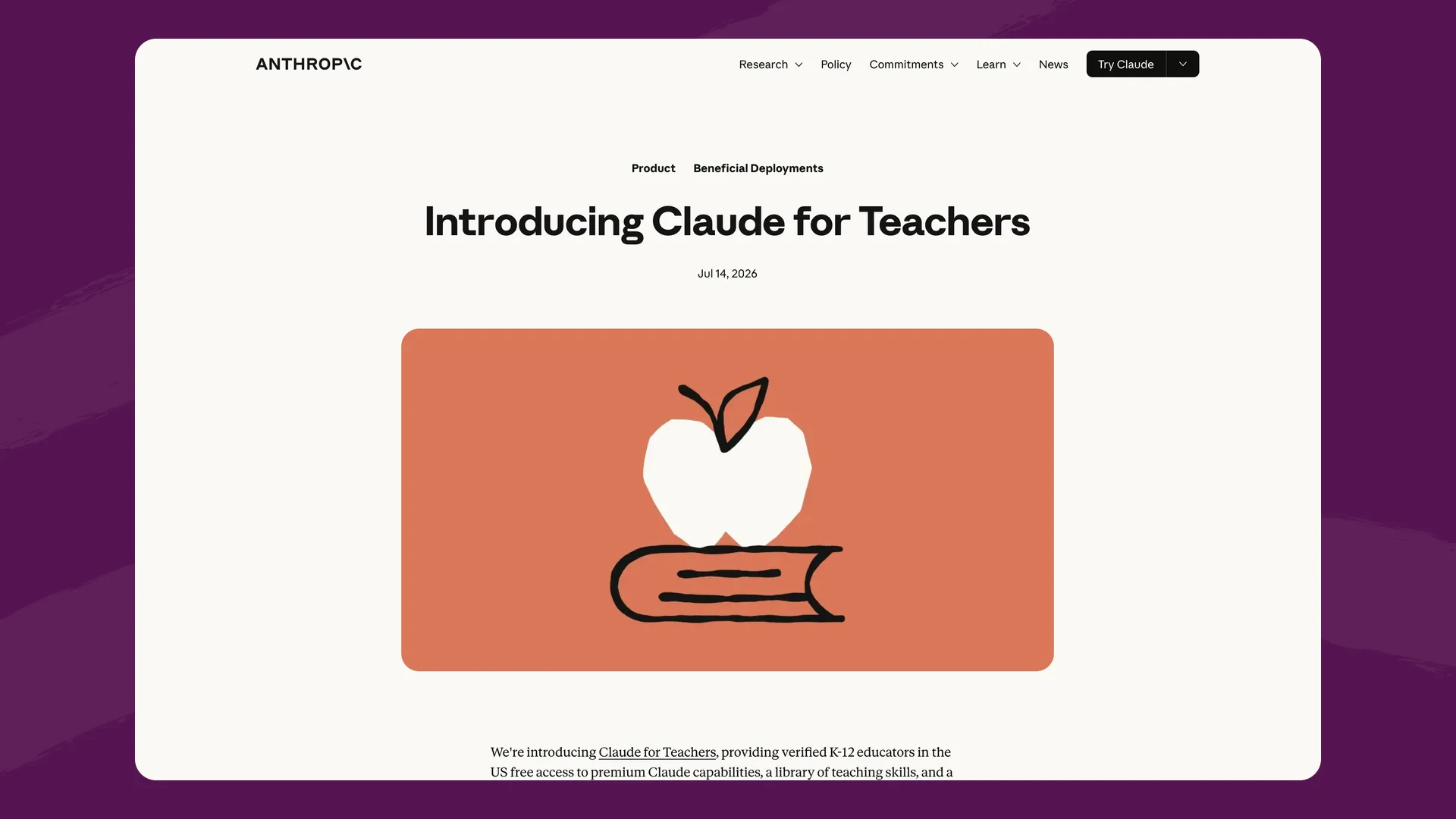
Anthropic's Claude for Teachers announcement (anthropic.com), captured September 2026.
For schools and districts, Claude for Teachers now includes centralized deployment: SSO, role-based access controls, domain claiming (to consolidate teachers' individual accounts), and a single K-12 Data Processing Agreement. Anthropic also offers a K-12 Academy with AI fluency courses developed in partnership with Teach For America.
Claude's education solutions page, which is aimed at higher education (claude.com), captured September 2026.
What Claude for Teachers does not include: student accounts. Claude requires users be 18 or older, consistent with Anthropic's terms of service. There is no student-facing experience, no classroom activity structure, no student conversation visibility. It is a tool for teachers, not a tool students use.
Flint: a classroom learning system where AI activities are the product
Flint is built around AI activities that students complete: tutoring sessions, writing feedback, speaking practice, quiz review, simulations, and study sessions that teachers create by describing what they're teaching. The AI works with each student one-on-one — asking questions instead of giving answers, adjusting difficulty, and staying grounded in the materials the teacher uploads (PDFs, slides, links, rubrics, curriculum standards).
Around that core, Flint includes what schools need to run AI at scale:
- Full visibility: teachers see every message students exchange with the AI; administrators see every conversation school-wide, with automatic flagging of concerning content (self-harm, violence, harassment) for review
- Structured hierarchy: district → school → term → class → activity → conversation — not a flat list of chat transcripts
- Feedback and grading: rubric-based feedback with evidence, session summaries for students, teacher override on any AI-suggested grade
- Accessibility: text-to-speech and speech-to-text in 200+ dialects, 50+ languages, ACTFL/CEFR level controls for world language classes, automatic leveling for students with learning differences
- Teacher tools too: Flint's activity builder, differentiation tools, and analytics cover much of the planning and feedback workload — the difference is these exist to power student learning, not as standalone generators
Flint works in any browser (Chrome, Safari, Firefox, Edge) on any device, with no extension or install required.
Three things a general-purpose AI platform can't do
Students can't use Claude. They can use Flint.
This is the foundational difference. Claude's 18+ age requirement isn't a feature gap Anthropic is planning to close — it reflects their terms of service, their safety commitments, and the reality that building a student-safe AI experience requires an entirely different product architecture (content moderation, Socratic constraints, institutional guardrails, age-appropriate defaults).
Flint's AI tutoring is built for students from the ground up. It's Socratic: it guides students toward understanding through questions and hints rather than giving answers directly. It adjusts difficulty to each student's level. It stays grounded in teacher-uploaded materials — PDFs, slides, standards, rubrics — so the AI teaches what the teacher intends, not whatever a general-purpose model generates. For STEM, Flint pairs the AI with a built-in calculator, 2D/3D graphing, and web search for current sources, reducing the hallucination risk that comes with raw model output.
If your school's AI strategy is about student learning outcomes, the tool needs to be one students can use.
Claude gives teachers a conversation. Flint gives schools a system.
Claude for Teachers provides real admin controls — SSO, role-based access, usage analytics, domain claiming. These are meaningful for IT governance. But the admin dashboard shows who's using Claude and how much. To see what teachers are telling the AI and what it produces, a district's primary owner has to turn on the Compliance API, which can read members' chats, files and projects. Neither shows how any of it connects to what's being taught in a specific classroom on a specific day.
There is no class structure. No activity structure. No assignment workflow. No way for a department head to see which teachers are using AI for AP Chemistry review vs. IEP drafting. No way for a principal to see what a student said to the AI — because students aren't in the system.
Flint's architecture is hierarchical: conversations live within activities, classes, or at the school level — and all of them roll up through the school and district structure. Every message any student sends the AI is visible to their teacher and to administrators. Moderation flags concerning content automatically for review. SIS/LMS rostering keeps enrollment in sync with Canvas, Schoology, Google Classroom, PowerSchool, and others. When an IT director or principal moves on, their successor inherits a structured system with full audit trails — not individual teacher chat histories scattered across accounts.
Claude connects to edtech tools. Flint replaces the need for most of them.
Claude's MCP connectors let teachers reach into Brisk, MagicSchool, Eedi, Canva, and five other partner tools from inside Claude. That's genuinely useful for teachers who already use those products — one interface, multiple tools.
But from a governance perspective, the school is now managing Claude plus however many connected tools, each with its own data practices, DPAs, and privacy surfaces. The data governance concern that school IT leaders raise — teachers connecting Google Drive, email, and other accounts to Claude, potentially exposing student accommodation records and other sensitive information — gets multiplied with every connector.
Flint consolidates: AI tutoring, writing feedback, speaking practice, quiz creation, rubric-based grading, differentiation, and teacher productivity tools in one platform, under one DPA, with one data governance surface. Fewer vendor relationships, fewer places student data can end up, fewer DPAs to track.
Feature comparison
| Flint | Claude for Teachers | |
|---|---|---|
| Primary focus | Student learning (AI tutoring + activities) | Teacher productivity (general-purpose AI) |
| Student access | Core product: students interact with AI directly | Not available (18+ age requirement) |
| Student AI experience | Socratic tutoring, adaptive practice, open-ended learning in any subject | N/A |
| Teacher AI experience | Activity builder, differentiation tools, feedback/grading, analytics | Full Claude chat with MCP connectors to 9 partner tools |
| Classroom structure | District → school → class → activity → conversation | Flat: individual teacher accounts with admin dashboard |
| Conversation visibility | Every student message visible to teachers and admins | Teachers see their own; district owners can read members' chats through the Compliance API; no student conversations exist |
| Content moderation | Automatic flagging of concerning content for admin review | N/A (no student content) |
| SIS/LMS integration | Canvas, Schoology, Google, Microsoft, Moodle, Blackboard; Veracross, Blackbaud, PowerSchool, OneRoster | SSO and SCIM provisioning; no LMS/SIS roster sync |
| AI models | Anthropic and OpenAI models (a more capable model on paid plans) + calculator, graphing, web search, translation | Claude (all models); MCP connectors to partner tools |
| STEM tools | Built-in calculator, 2D/3D graphing, web search for current sources | General-purpose (no education-specific STEM tooling) |
| Accessibility | 50+ languages, 200+ speech dialects, ACTFL/CEFR levels, automatic leveling | Standard Claude interface |
| Browser support | Chrome, Safari, Firefox, Edge — any device, no install | Claude.ai (any browser) |
| Students under 13 | Yes, with school COPPA consent | No (18+ only) |
| Free tier | Free for up to 80 users (teachers + students, all features) | Free for verified US K-12 educators (sign up by June 30, 2027) |
| Data training | Never trains on user data | Never trains on Claude for Teachers conversations |
Pricing
Claude for Teachers is free for verified US K-12 educators who sign up by June 30, 2027, for one year of access. After that, Anthropic's K-12/nonprofit pricing is approximately $8–10/user/month depending on the tier — per teacher, since students aren't part of the offering. Usage caps apply; overage billing is disabled by default but can be enabled.
Flint is free for up to 80 users — and those users include students, teachers, and administrators, so a pilot includes real classroom use from day one. Paid school plans start at $3,000£2,234/year for up to 150 users (about $1.67£1.24/user/month) and scale down from there, including SIS/LMS integration, school-wide analytics, a dedicated customer success manager, and unlimited professional development sessions.
The cost comparison is worth thinking about carefully. Claude for Teachers' per-teacher pricing and Flint's per-community pricing look different because they cover different things. Claude gives each teacher a premium AI account. Flint gives the whole school — teachers and students — a classroom learning system. If your school has 50 teachers and 500 students, Claude covers the 50 teachers; Flint covers all 550.
One other consideration: free-then-paid adoption creates a dependency that's hard to unwind. Schools that roll out Claude for Teachers across their faculty during the free year will face a renewal decision in 2027–28 with switching costs already baked in. Flint's pricing is published from the start — schools know what they'll pay before they begin.
Privacy and safety
Both Flint and Anthropic take data privacy seriously.
Claude for Teachers is FERPA-aligned under a K-12 Data Processing Agreement. Anthropic states it does not train models on Claude for Teachers conversations. Districts get SSO, domain verification, and role-based access controls. The offering was developed with input from the American Federation of Teachers on privacy standards.
Flint is GDPR-compliant and FERPA-aligned, supports students under 13 through school consent, never uses any user data to train AI models, and has signed state DPAs in Illinois, Massachusetts, Maine, New Hampshire, New York, Rhode Island, and Vermont, with custom DPAs available. See our security page for the full picture.
Where the two differ most is what kind of data exists to protect. Claude for Teachers contains teacher conversations — no student data unless a teacher inputs it manually. Flint contains the full record of every student-AI interaction, which means it carries more data and must protect it at a higher standard. That's also why Flint's moderation system exists: automatic flagging of concerning student messages (self-harm, violence, harassment) for administrator review — a layer that Claude for Teachers doesn't need because students aren't in the system.
Where Claude for Teachers is the better fit
- If teachers already use and love Claude, giving them free premium access with SSO and centralized management is a straightforward win for teacher productivity. It formalizes what many teachers are already doing — and what some are paying for out of pocket.
- If your school wants teachers to experiment with general-purpose AI before committing to a student-facing platform, Claude for Teachers is a low-risk starting point. Let teachers build comfort and workflows, then evaluate classroom tools separately.
- If teachers use MCP-connected tools (Brisk, MagicSchool, Canva, Eedi) and want to orchestrate them from one interface, Claude's connector model provides real workflow consolidation on the teacher side.
Where Flint is the better fit
- If students are the point. Flint's AI tutoring is open-ended, Socratic, and grounded in teacher materials — built to make students think, not to hand them answers. Research increasingly supports this model when it's built pedagogically.
- If you need to answer "what are students saying to the AI?" Message-level visibility for teachers and administrators, automatic safety flagging, and moderation workflows are a different tier of accountability than usage dashboards.
- If you're consolidating tools, not adding them. One platform, one DPA, one governance surface — versus Claude plus a constellation of connected vendors.
- If pricing predictability matters. Published pricing, students included, no free-year cliff to plan around.
- If you serve diverse learners. 50+ languages, 200+ speech dialects, ACTFL/CEFR level controls for world language classes, and automatic leveling for students with learning differences.
- If you want a partner, not just a product. Every paid Flint license includes unlimited PD sessions, 1-1 teacher onboarding, and live chat support. Schools like Brophy Prep, McDonogh, and Durham Academy have used that partnership to drive school-wide adoption.
The bottom line
Claude for Teachers is a powerful AI that educators can use for their own work. Flint is a learning system that teachers use to put AI to work for their students. They solve different problems in the same building.
Some schools run both — Claude for teacher productivity, Flint for the classroom. But if you're choosing one platform to define how AI shows up in student learning, the question is whether you need a general-purpose AI account for each teacher or a classroom system built for what happens between students and AI, under teacher supervision, with full visibility and institutional structure around it.
If it's the latter, that's the job Flint was built for.
The easiest way to compare is to try it: Flint is free for up to 80 users, or you can book a demo and we'll walk through your school's specific goals.
