ComparisonSep 10, 2026
Flint vs. MagicSchool: which AI platform is right for your school?
MagicSchool is a teacher productivity suite with student tools added on. Flint is a student learning platform built around AI tutoring. Here's an honest breakdown of how they differ — and how to pick.

Schools evaluating AI platforms almost always end up comparing Flint and MagicSchool at some point, and the comparison is genuinely useful — because the two products started from opposite ends of the classroom.
MagicSchool began as a productivity suite for teachers: 80+ templated tools that generate lesson plans, rubrics, IEP drafts, newsletters, and leveled texts in seconds. Student-facing tools came later, layered on top of that foundation. Flint started from the opposite direction: a platform where students learn with AI — through tutoring, practice, and feedback that teachers design and supervise — with teacher time-savings flowing out of that core.
Both are legitimate choices used by thousands of schools. Which one fits depends on what problem you're actually trying to solve. Here's an honest breakdown.
The short version
- Choose MagicSchool if your primary goal is saving teachers time on document creation — lesson plans, rubrics, IEP paperwork, parent emails — using quick, templated tools, and student AI use is a secondary consideration.
- Choose Flint if your primary goal is student learning: AI tutoring in every subject, teacher-built practice activities with feedback and grading support, and full oversight of every student conversation — with teacher productivity built in rather than bolted on.
What each platform actually is
MagicSchool: a template library for teacher tasks
MagicSchool's core experience is a menu of purpose-built generators. A teacher picks a tool — Lesson Plan Generator, Text Leveler, Rubric Generator, IEP Generator, and dozens more — fills in a few fields, and gets a draft. There's also Raina, a built-in AI chatbot for teachers, and a presentation generator that exports to Google Slides and Microsoft formats.
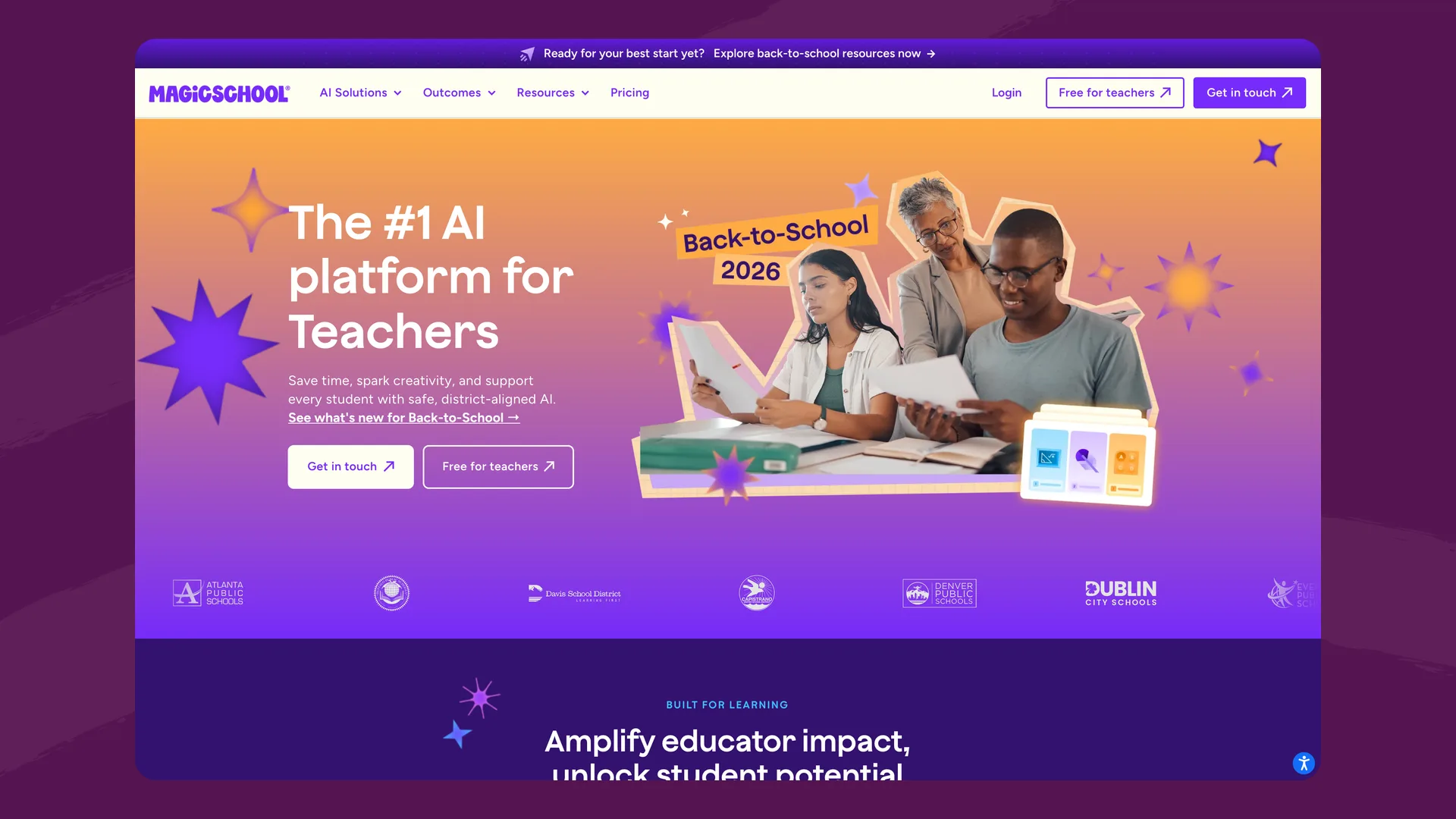
The MagicSchool homepage, which leads with teachers rather than students (magicschool.ai), captured September 2026.
For students, MagicSchool offers MagicStudent: teachers open "Rooms," enable specific student tools for a set window of time, and students join via link, code, or Google Classroom. MagicSchool reports engagement data through Student Room Insights and applies K-12 content moderation to student sessions.
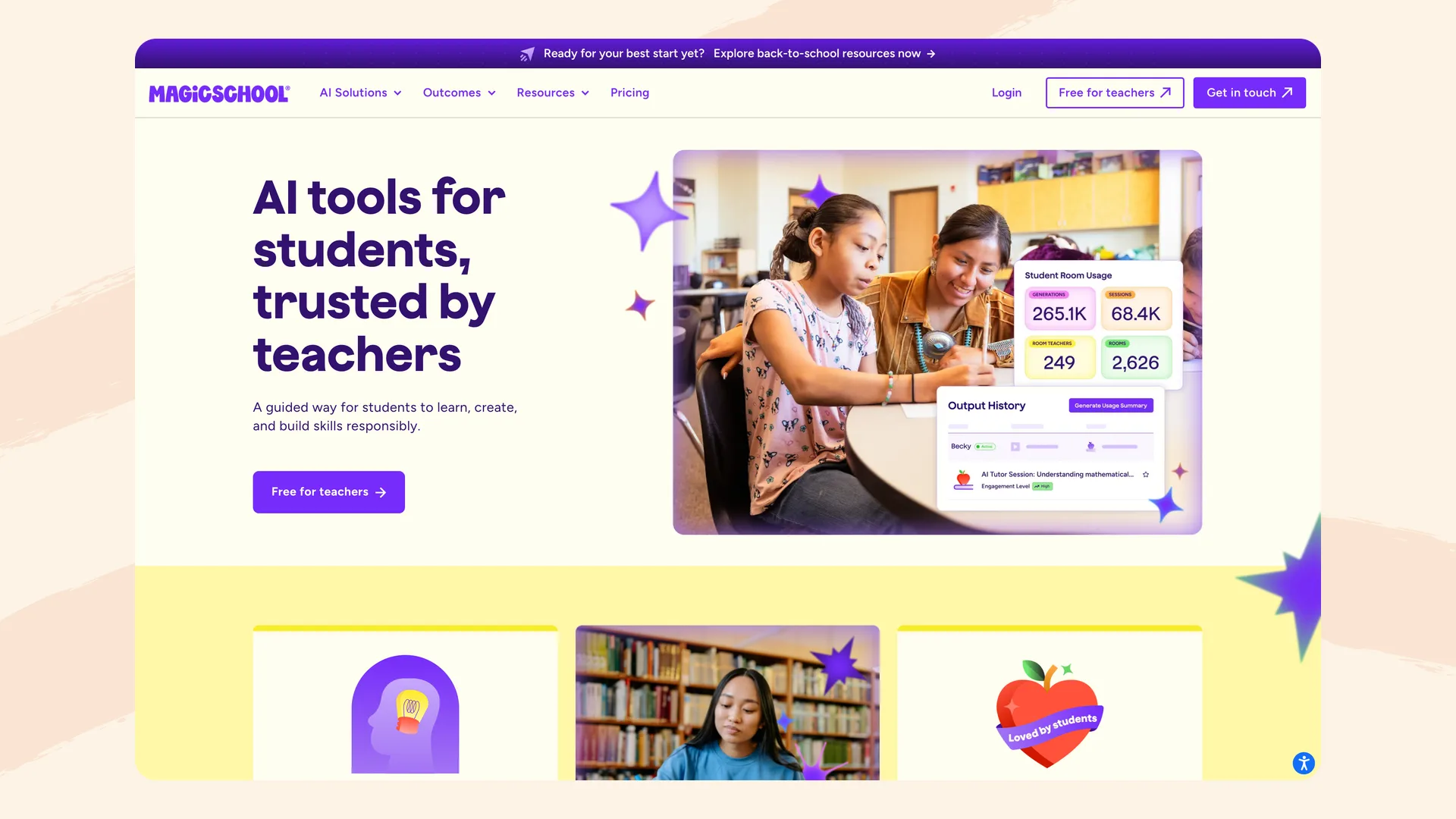
MagicSchool's MagicStudent page. The free plan includes some student tools; all 50+ come with Plus (magicschool.ai/magicstudent), captured September 2026.
This design is fast and approachable. Matt Miller, who trains teachers on MagicSchool, calls it "great for teachers who are new to AI tools," but found its student chatbots "less in-depth (and somewhat superficial at times)." The templates are the product.
Flint: a learning platform where AI activities are the product
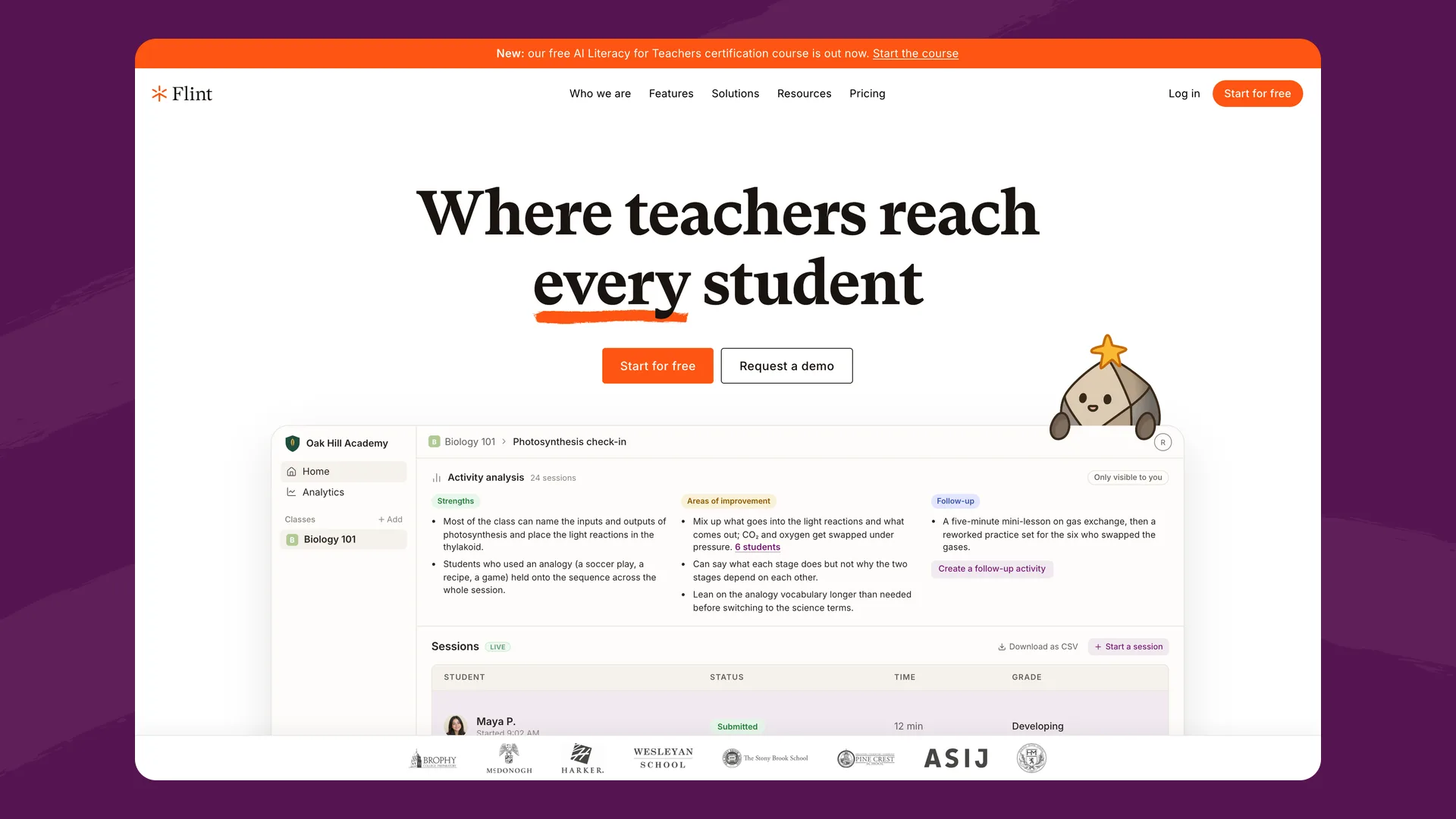
The Flint homepage (flintk12.com), captured September 2026.
Flint is built around AI activities: tutoring sessions, writing feedback, speaking practice, quiz review, simulations, and study sessions that teachers create in minutes by describing what they're teaching. The AI then works with each student individually — Socratically guiding rather than giving away answers, adjusting difficulty to the student's level, and staying grounded in the materials the teacher uploads (PDFs, slides, links, rubrics, curriculum standards).
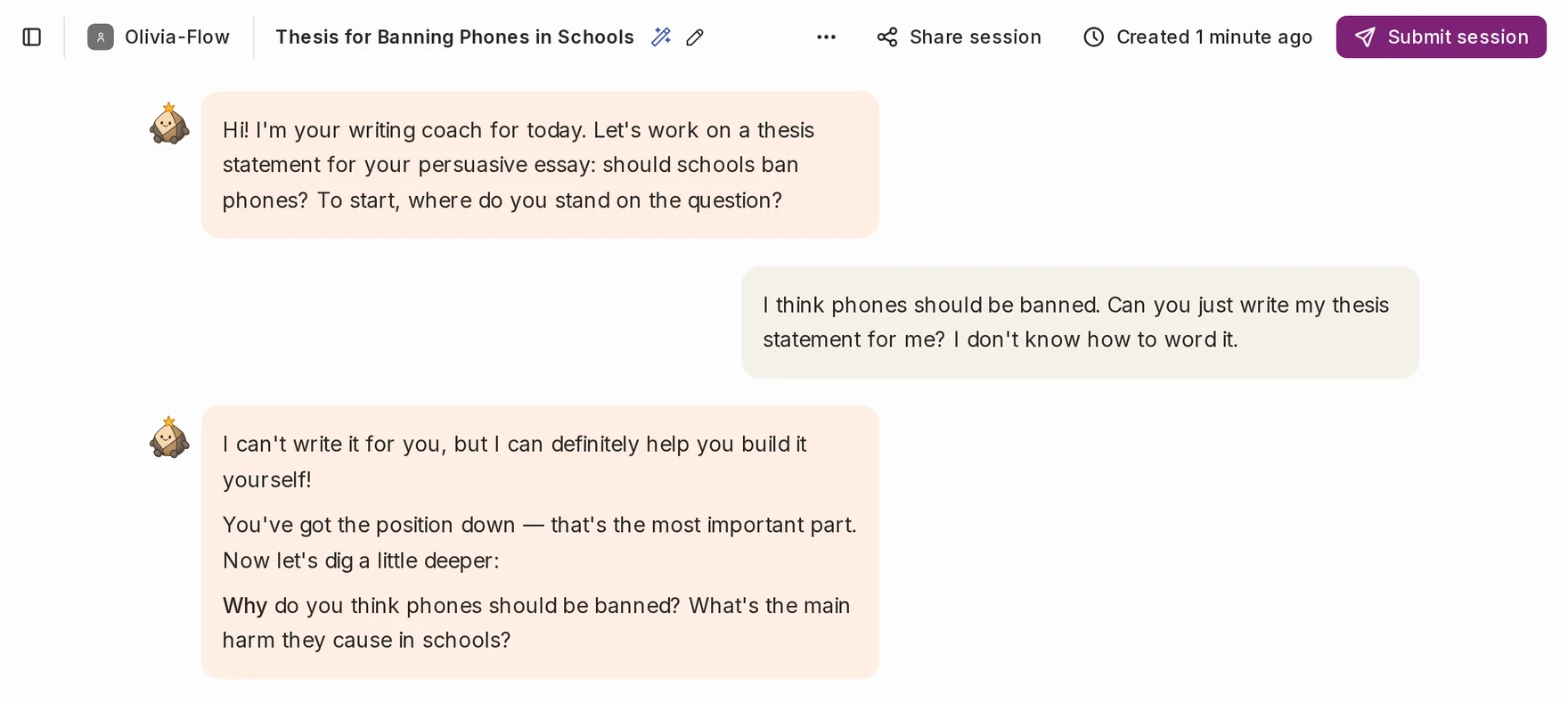
A student asks Sparky to write their thesis statement, and Sparky coaches them to write it themselves. Captured in Flint, September 2026.
Around that core, Flint includes what schools need to run AI responsibly at scale:
- Feedback and grading support: students get session summaries with strengths, areas for improvement, and hyperlinked evidence; teachers can attach custom rubrics (AP, IB, 1-4 scales, etc.) and override any AI-suggested grade.
- Full visibility: teachers see every message their students exchange with the AI; administrators see every conversation school-wide, with automatic flagging of concerning messages (self-harm, violence, harassment, and similar) for review.
- Accessibility: text-to-speech and speech-to-text in 200+ dialects, 50+ languages, and automatic leveling for students with language-based learning differences.
- Teacher tools too: Flint's activity builder, differentiation tools, and analytics cover much of the planning and feedback workload — the difference is that Flint's teacher tools exist to power student learning experiences, not as standalone document generators.
Feature comparison
| Flint | MagicSchool | |
|---|---|---|
| Primary focus | Student learning (AI tutoring + activities) | Teacher productivity (templated generators) |
| Student AI experience | Core product: adaptive tutoring, practice, simulations, feedback | MagicStudent rooms with teacher-enabled tools (some on free, all 50+ on Plus) |
| Open-ended AI customization | Full: custom prompts, uploaded materials, standards, school-wide context | Primarily template-driven |
| Feedback & grading support | Rubric-based feedback, session summaries, teacher override | Generative feedback tools (no grading loop) |
| Oversight | Every message visible to teachers/admins; automatic flagging | Educators and district admins can view all student interactions in real time (MagicSchool); Student Room Insights; always-on moderation |
| AI models | Anthropic and OpenAI models (a more capable model on paid plans) + web search, calculator, translation tooling | Multi-model (OpenAI, Anthropic, Google) |
| Students under 13 | Yes, with school COPPA consent | Yes, with school COPPA consent |
| Free tier | Free for up to 80 users, including student access | Free teacher tools and some student tools, with usage caps; all 50+ student tools on Plus |
| SIS/LMS rostering | Canvas, Schoology, Google, Microsoft, Moodle, Blackboard; Veracross, Blackbaud, PowerSchool, OneRoster | Google Classroom on free/Plus; Canvas, Schoology, Clever, ClassLink on Enterprise |
| Training on student data | Never | Never (per student data policy) |
Pricing
As of this writing (September 2026), MagicSchool is free for individual teachers, covering the teacher tools and some student tools, with generation limits. MagicSchool Plus, which unlocks unlimited generations and all 50+ student tools, runs $8.33/user/month billed annually (about $100/year per teacher) or $12.99 month-to-month. Enterprise (district) pricing is custom, and several integrations (Canvas, Schoology, Clever, ClassLink) plus SSO and admin controls are Enterprise-only.
Flint is free for up to 80 users — and users can be students, teachers, or administrators, so a free pilot includes real student use. Paid school plans start at $3,000£2,234/year for up to 150 users (about $1.67£1.24/user/month) and scale down in per-user cost from there, including SIS/LMS integration, school-wide analytics, a dedicated customer success manager, and unlimited professional development sessions.
The structural difference: MagicSchool prices per teacher, with the full set of student tools on paid plans. Flint prices per school community, with students included from the free tier up — because student learning is the point.
Privacy and safety
Both platforms take student privacy seriously, and it would be misleading to claim otherwise.
MagicSchool is FERPA- and COPPA-compliant, iKeepSafe COPPA Safe Harbor certified, SOC 2 audited, and holds a strong Common Sense Media privacy rating. It states it does not use children's personal information to train AI models and has zero-data-retention agreements with its LLM providers.
Flint is GDPR-compliant and FERPA-aligned, supports students under 13 through school consent (we'll review your school's technology waiver language to confirm COPPA compliance), never uses any user data to train AI models, and has signed state DPAs in Illinois, Massachusetts, Maine, New Hampshire, New York, Rhode Island, and Vermont, with custom DPAs available. See our security page for the full picture.
Where the two differ most is visibility. MagicSchool provides room-level insights and moderation. Flint gives teachers and administrators access to every individual message any student sends the AI, plus automatic flagging of concerning content for admin review. For schools whose boards and parent communities ask "what exactly are students saying to the AI?", that difference matters.
Where MagicSchool is the better fit
- If teacher paperwork is the bottleneck, MagicSchool's template library is broad and fast. IEP drafting, newsletters, and report card comments are one-click workflows there; Flint can do many of these through open-ended activities, but doesn't have 80+ dedicated micro-tools for them.
- If you want free, individual teacher adoption with zero procurement, MagicSchool's free teacher tier spreads bottom-up easily.
- If your rollout is "introduce teachers to AI gently," templates are a low-intimidation on-ramp.
Where Flint is the better fit
- If students are the point. Flint's tutoring is open-ended, Socratic, and grounded in teacher materials — designed to make students think rather than fill in a template's blanks. Research increasingly supports this model: AI tutoring works when it's built pedagogically.
- If you need real oversight. Message-level visibility for teachers and admins, with automatic flagging, is a different tier of accountability than engagement dashboards.
- If accuracy matters for hard subjects. Flint pairs Anthropic and OpenAI models (a more capable model on paid plans) with a built-in calculator for math, graphing on 2D/3D planes, web search for current sources, and teacher-uploaded materials the AI prioritizes — reducing the hallucination risk that comes with raw LLM output.
- If you serve diverse learners. 50+ languages, 200+ dialects for speech, ACTFL/CEFR level controls for world language classes, and automatic leveling for students with learning differences.
- If you want a partner, not just a product. Every paid Flint license includes unlimited PD sessions, 1-1 teacher onboarding, and live chat support — and schools like Brophy Prep, McDonogh, and Durham Academy have used that partnership to drive school-wide adoption.
The bottom line
MagicSchool and Flint aren't really competing products so much as answers to two different questions. MagicSchool answers: how do we help teachers produce classroom documents faster? Flint answers: how do we make AI actually improve student learning, safely?
Some schools run both. But if you're choosing one platform to define how AI shows up in your classrooms — for students, not just in teachers' planning periods — that's the job Flint was built for.
The easiest way to compare is to try it: Flint is free for up to 80 users, or you can book a demo and we'll walk through your school's specific goals.
