ComparisonSep 30, 2026
Flint vs. Sparx: ready-made practice or homework marked against your own rubric?
Sparx sets personalised, auto-marked homework in maths, reading and science for ages 11 to 16. Flint lets teachers set AI homework in any subject and have it marked against their own rubric. A factual comparison for UK schools and trusts.

Alex McPherson | Special Projects Lead (UK)

Sparx says it provides homework to over half of UK schools, so when a school looks at Flint, the first question is often whether it replaces Sparx or sits beside it. The two do different jobs. Sparx sets a personalised homework every week in maths, reading or science, from its own question bank, and marks it automatically. Flint lets teachers set homework in any subject, write the rubric it's marked against, and have pupils work through it with an AI tutor.
The short version
- Sparx suits secondary schools that want a weekly, auto-marked homework habit in maths, reading and science for Years 7 to 11, with the content, the marking and the parent updates already done.
- Flint suits schools and trusts that want teachers to set their own homework in any subject and year group, aligned with the National Curriculum and marked against their own rubric, including extended writing, explanations and working that a question bank can't mark.
How we compared them
We read Sparx's own websites, help centre, terms and sub-processor list, and checked every Sparx claim on this page against those sources on 30 September 2026. We checked the answers in the FAQ on 14 October 2026. Every Flint claim was checked against the product itself. Flint wrote this page, so read our sections with that in mind. We've tried to be clear about where Sparx is the stronger choice and where Flint falls short.
What each one is
Sparx: personalised homework from a question bank
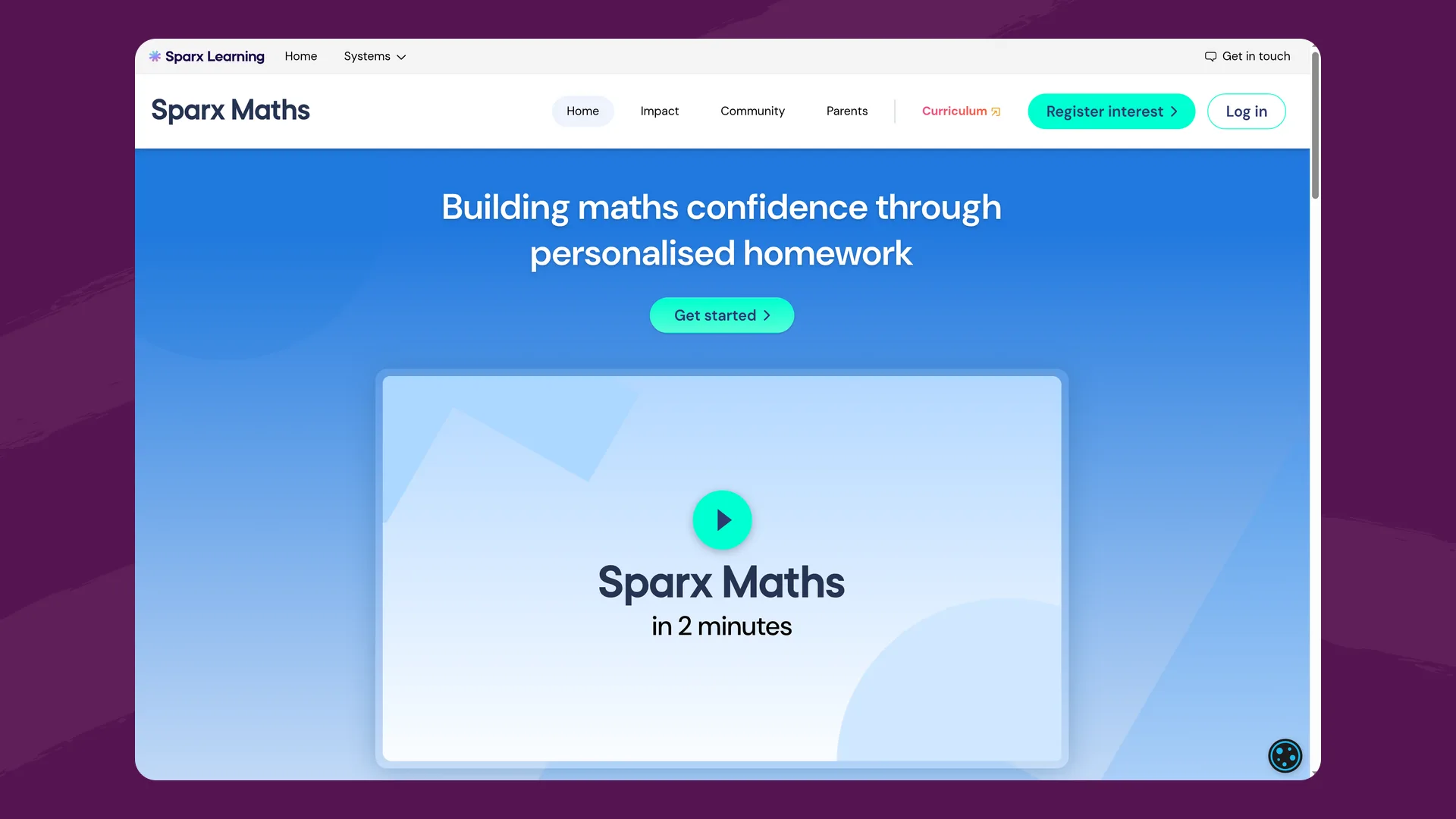
The Sparx Maths homepage (sparxmaths.com), captured September 2026.
Sparx Learning, based in Exeter, makes three main products for secondary schools. Sparx Maths "supports students aged 11-16 with personalised, challenging and attainable homework", drawn from over 45,000 questions across KS3 and GCSE, each with a short support video. Sparx Science covers AQA and Edexcel GCSE sciences and KS3, with a bank of over 23,000 questions. Sparx Reader sets weekly reading at each pupil's reading level, with multiple-choice questions to check they've read carefully. Sparx also sells paper-based assessments for Years 7 to 10 and Black Belt Reader for primary schools.
Sparx builds each pupil's homework automatically from the school's scheme of learning and the pupil's past answers. In Sparx Maths, every question must be answered correctly for the homework to count as complete, and bookwork checks ask pupils to recall an answer from their written working. Parents get an automated weekly update, and pupils earn XP and appear on leaderboards.
Sparx says it doesn't use large language models in its core homework personalisation. Its AI article lists where it does use them: marking short written answers in Sparx Science, word definitions in Sparx Reader, and support and admin work. Pupils don't chat with an AI tutor in any Sparx product.
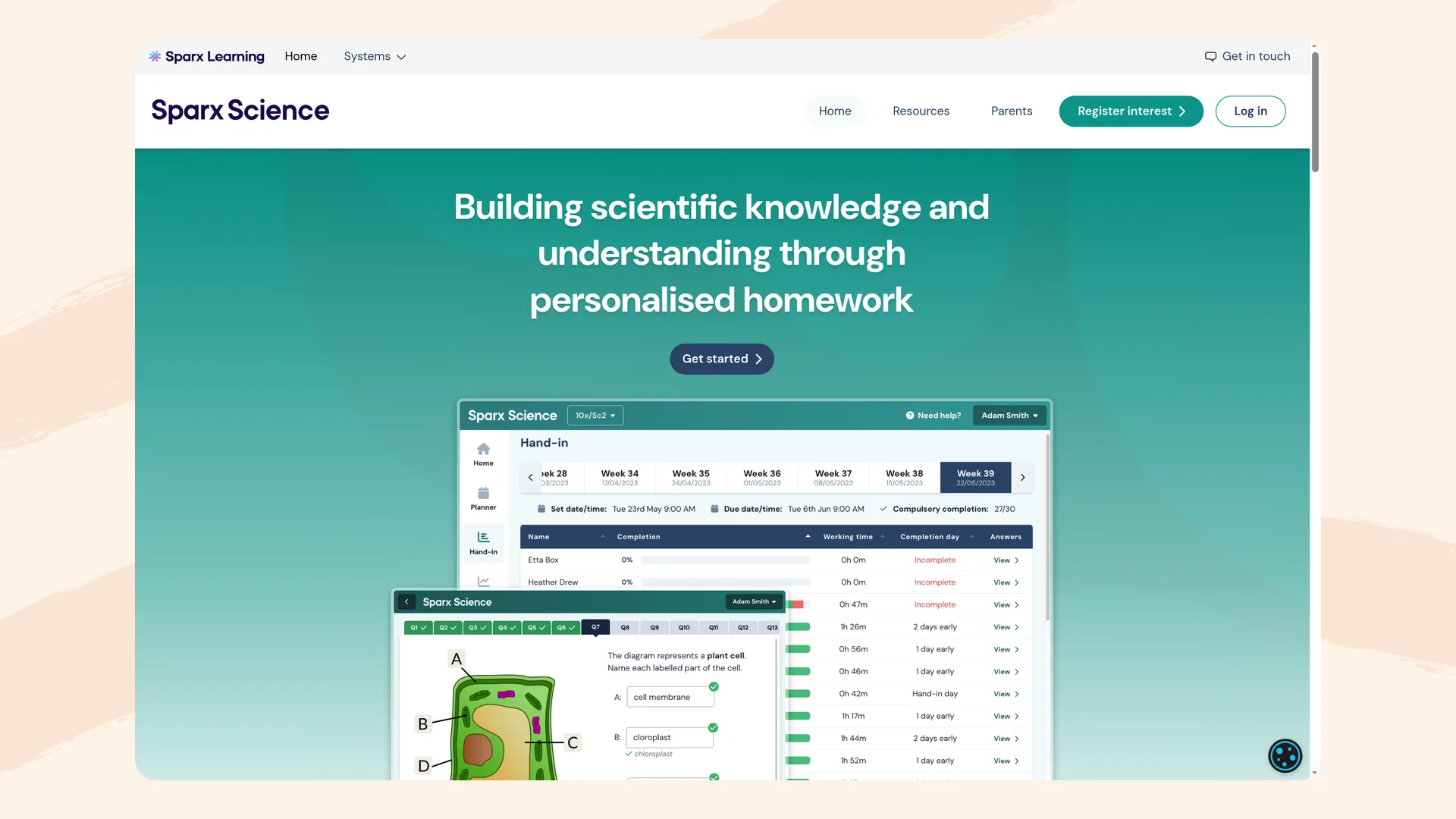
The Sparx Science homepage (sparxscience.com), captured September 2026.
Flint: set work, a personal tutor, and help creating resources
Flint is a personalised learning platform. Teachers build AI activities by describing what they're teaching and adding their own materials, and pupils work through them with Sparky, Flint's AI tutor. Sparky asks what a pupil has tried and guides them with questions. It won't solve assigned problems or write work a pupil could hand in.
Teachers pick the format of each activity before they build it, by choosing what pupils will do. Chat with Sparky is a one-to-one conversation for classwork, homework or practice. Take a test or quiz gives pupils structured questions that Sparky helps draft and the teacher checks. Hand in a file takes an essay, a lab report, a project or a photo of handwritten working. Any activity can be set as homework: teachers choose when it opens and when it's due, and at the due date open sessions are submitted automatically.
Sparky is also a personal tutor. Outside set work, pupils can start their own chat with Sparky to go back over a lesson, revise for a test or get past a question they're stuck on, by typing or speaking. Sparky checks these chats for safeguarding concerns in the same way as set work, and schools choose which year groups can start them.
Teachers use Sparky to create resources for their classes, too. In a chat, Sparky can build interactive resources such as quizzes, drag-and-sort activities, step-by-step explanations, simulations and 3D models, which pupils use inside Flint. Teachers change them by describing what they want in plain English. A tool library has more than 60 starting points for lesson planning, grading, research and writing.
UK schools use a separate UK deployment at uk.flintk12.com, with UK year groups from Nursery and Reception to Year 13.
Comparison table
| Flint | Sparx | |
|---|---|---|
| Main job | Homework and classwork teachers design, with an AI tutor | Weekly personalised homework from a question bank |
| Subjects | Any subject a school teaches | Maths, reading and science |
| Year groups | Nursery and Reception to Year 13 | Ages 11 to 16 (Black Belt Reader for primary) |
| Who writes the work | Teachers, with Sparky's help | Sparx; teachers choose topics from its bank |
| Marking | Sparky marks against the teacher's rubric; teachers can change any grade | Automatic; AI marks short written science answers (1 to 4 marks) against Sparx's mark schemes |
| Teacher's own rubric | Yes | No |
| Extended writing | Yes, feedback against the rubric | No |
| Pupils talk to an AI tutor | Yes, in set work and in their own chats | No |
| Set homework per week | As many as the teacher sets | One per class |
| Parent updates | None | Weekly automated email and parent portal |
| Pupil data stored | London | Belgium (Google Cloud, EEA) |
| Rostering | MIS sync through EdLink | MIS sync through Wonde |
| Published prices | Free up to 80 users; from $3,000£2,234 a year | Whole-school subscription priced by school size |
Setting homework with your own rubric
This is the biggest difference between the two.
In Sparx, the questions and the marking come from Sparx. Teachers pick the topics from Sparx's bank, through a custom scheme of learning, and can override a pupil's level, though Sparx says teachers override its choices in less than 1% of homeworks. Teachers can't write their own questions, and it's only possible to set one homework per class, per week. Sparx Reader's questions are multiple choice, and Sparx says it leaves "teaching the more complex thinking skills to the experts in the classroom". Written answers in Sparx Science are exam-style questions worth up to 4 marks.
In Flint, the teacher decides what good work looks like. A teacher writes a rubric with as many categories as they need, such as "Use of evidence" and "Scientific vocabulary", and describes each level. They can give every level a percentage so grades land in the gradebook, or let Sparky draft the rubric from the activity and edit it. Teachers can also attach their department's own marking guidance, such as a mark scheme or exemplar, for Sparky to follow.
When a pupil submits, Sparky marks the work against each rubric category and writes feedback: strengths, areas to improve and a follow-up. That works for a conversation with Sparky, an uploaded essay or a photo of a pupil's maths working. Teachers can review every submission in Grading Mode, change any grade, add their own feedback by typing or dictating it, and then send pupils a link to their feedback. Teachers can also hide rubric scores from pupils.
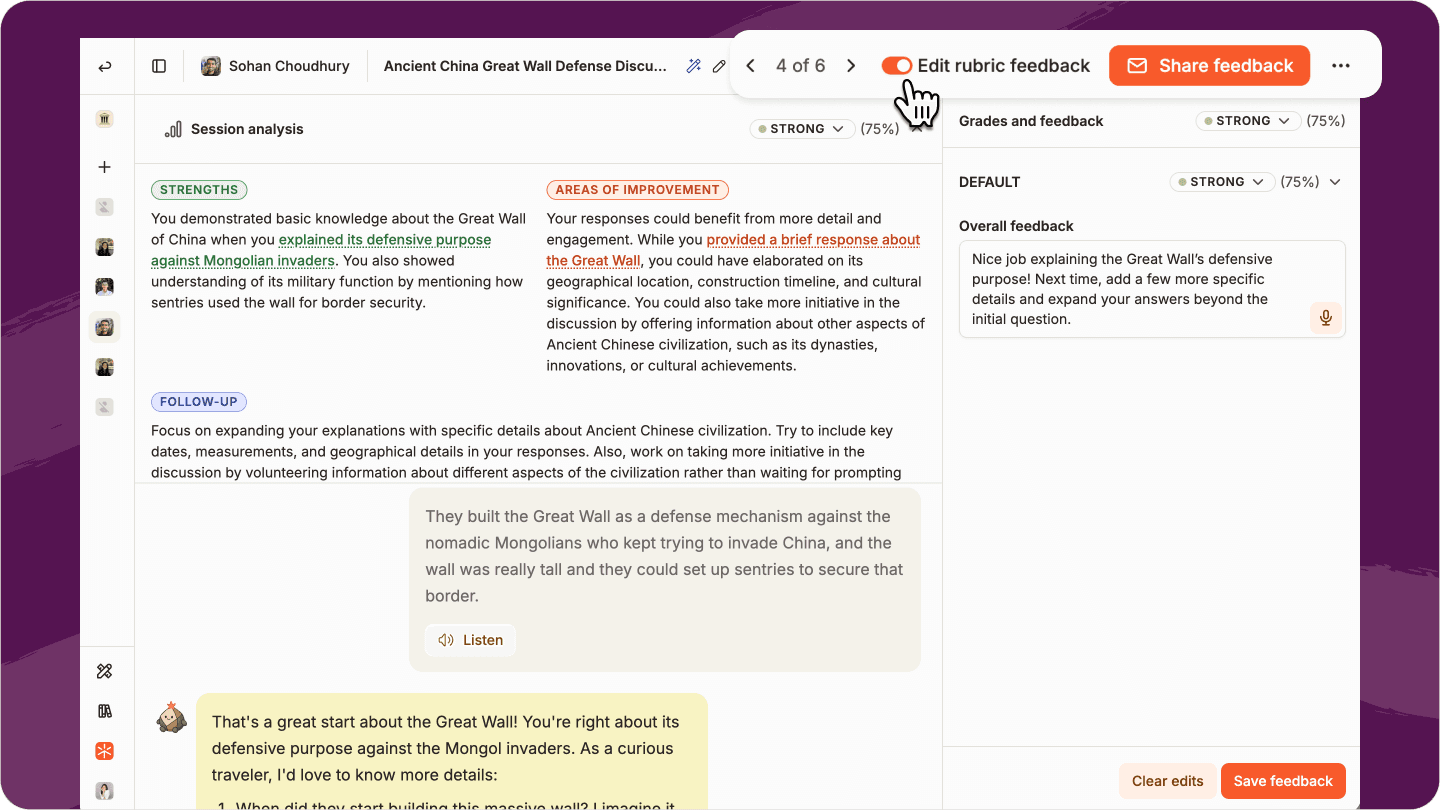
Grading Mode in Flint: Sparky's rubric grade and feedback, which the teacher can edit before sharing. Captured in Flint, August 2026.
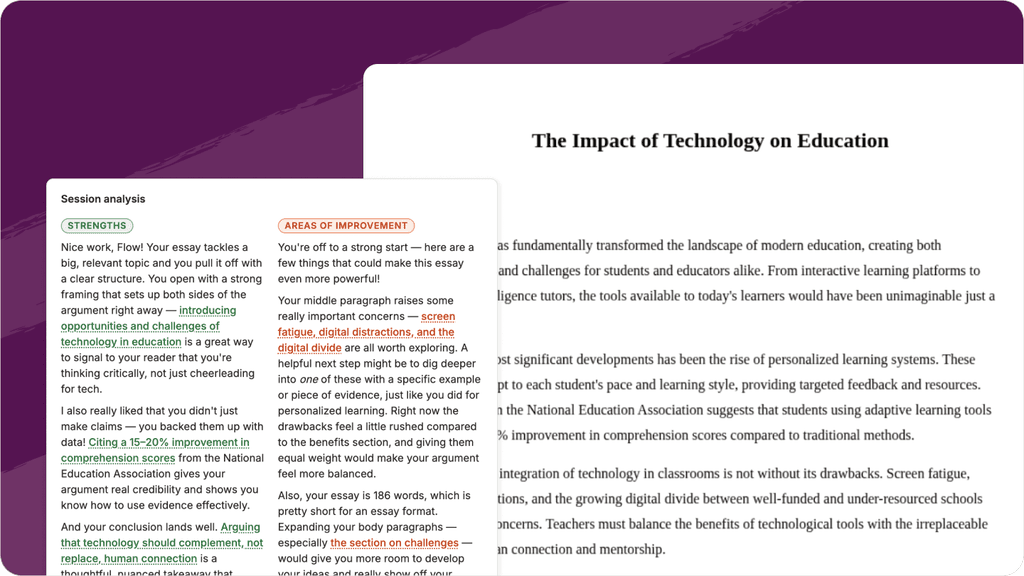
Sparky's feedback on an uploaded essay. Captured in Flint, September 2026.
In practice, a Year 9 history teacher can set a source-analysis question on Monday, due Friday, marked against the department's own criteria. A science teacher can set a 6-mark practical write-up, which Sparx's question bank doesn't cover. And a maths teacher can ask pupils to explain their method, not just give the answer.
The trade-off is that someone has to write the work. Flint has no ready-made KS3 or GCSE question bank and no support video on every question. A department that wants practice homework to run itself every week, without writing anything, will find that Sparx already does it.
Evidence
Sparx has published evidence. An observational study of Year 7 and 8 pupils by RAND Europe and the University of Cambridge found that an hour a week of Sparx Maths was linked to gains of "almost 20 per cent of a (predicted) GCSE grade". Sparx also says its parent updates raise homework completion by 15%.
Flint has no independent study yet. We're measuring results with schools in the government's AI Tutoring Pioneers programme, and in the meantime Flint's Outcomes view shows teachers which curriculum objectives each pupil in a class has met.
Pricing
Sparx doesn't publish prices. Its help centre says subscriptions cover the whole school and are priced by school size, with no discount for using it with one key stage or for taking several Sparx products. Sparx offers "extra-long, full-access trials", with the length agreed with each school.
Flint is free for up to 80 users, counting staff and pupils, so a department can try it with real classes before anyone signs anything. Paid plans start at $3,000£2,234 a year for up to 150 users.
Data, privacy and safeguarding
Where pupil data goes. Sparx stores its data on Google Cloud servers in Belgium and says it does not share student data outside the EEA, though teacher and parent names and emails go to some support companies outside it. Flint stores pupil data in London, and AI conversations run through Amazon Bedrock with EU-only routing. A few supporting services, such as web search, sit outside the UK and EU. Flint's sub-processor list names every provider.
Safeguarding. Because pupils don't chat with an AI in Sparx, many of the DfE's generative AI product safety standards aren't relevant to it, and we found no Sparx statement on them. Flint's pupils do talk to an AI, so Sparky checks every pupil message for self-harm, violence, harassment, hate, sexual content, illicit content and relationship-building, and emails alerts to the staff a school chooses. Teachers and admins can read every pupil conversation.
Where Sparx is the better fit
- If you want a weekly maths, reading or science homework that sets and marks itself, Sparx has done the work already: tens of thousands of questions, a video on every maths question and bookwork checks.
- Parents get a weekly update without teachers doing anything, and Sparx says that raises completion.
- Sparx has an independent study linking its maths homework to GCSE progress.
- Pupils never talk to an AI, which keeps safeguarding simple.
Where Flint is the better fit
- Teachers set homework in any subject, from Reception to Year 13, not only maths, reading and science for 11 to 16 year olds.
- Work is marked against the teacher's own rubric and marking guidance, including extended writing, explanations and practical write-ups.
- Pupils get help while they work: Sparky guides them with questions instead of pointing them to a video.
- Pupils have a personal tutor outside set work, for revision, catching up on a lesson or a question they're stuck on.
- Teachers can use Sparky to build interactive quizzes, simulations and explanations for their classes, and choose whether an activity is a conversation, a test or a file upload.
- Teachers can set as many pieces of homework as they like, when they like.
- You can try Flint before talking to anyone: it's free for up to 80 users, with published prices after that.
Flint has gaps of its own. There's no ready-made question bank, so teachers write or adapt the work. Flint doesn't email parents about homework. There's no independent study of its impact yet. Parts of the interface still use US wording, and list prices are in dollars. We're working through these with the schools in the AI Tutoring Pioneers programme.
Using both
Many schools won't need to choose. Sparx covers weekly maths, reading and science practice, and Flint covers the homework that needs a teacher's judgement: essays, explanations and open questions in every subject, marked against the department's own rubric. Since Flint is free for up to 80 users, a department can try it alongside Sparx for a term.
The bottom line
If you want a proven, self-running homework routine in maths, reading and science for Years 7 to 11, Sparx is a strong choice built for exactly that.
If you want teachers to set homework in any subject, marked against their own rubric, with an AI tutor helping pupils as they work and between lessons, that's what Flint is built for. For a wider view of the market, see our guide to the best AI platforms for UK schools and trusts. You can start free with up to 80 users, or email Alex McPherson, our UK Special Projects Lead, at alex@flintk12.com to talk through a rollout for your school or trust.
FAQ
Does Sparx use AI?
Partly. Sparx says it doesn't use large language models in the algorithms that build each pupil's homework in Sparx Maths, Sparx Reader or Sparx Science; its own data modellers write those. Its article on how Sparx uses AI tools, updated in October 2026, lists where it does use AI: marking short written answers in Sparx Science, word definitions in Sparx Reader, and back-office work such as sorting teacher support emails and processing invoices. Sparx's terms say no personal data it holds is used to train third-party AI models.
Is Sparx Maths AI?
Not in the sense of an AI tutor. Sparx Maths sets each pupil's homework from the school's scheme of learning and the pupil's past answers, using algorithms Sparx builds itself rather than a large language model. When a pupil is stuck, they watch the support video for that question. Sparx's AI article lists no use of AI in Sparx Maths. In Flint, a pupil who is stuck tells Sparky what they've tried, and Sparky asks questions that lead them to the next step without giving the answer.
Does Sparx Science use AI?
Yes, for one type of question. Sparx Science uses AI to mark short-answer, exam-style questions worth 1 to 4 marks against Sparx's mark scheme, so a pupil gets credit when they phrase an answer differently or misspell a word. Sparx says only the answer and the mark scheme are sent to the AI, with no personal data. Answers of three words or fewer, such as key terms in flashcards, are marked by a spellchecker, not AI. Flint has no science question bank, but a teacher can set a longer answer, such as a 6-mark required practical write-up, and Sparky marks it against the teacher's rubric.
Does Sparx Reader use AI?
Only for word definitions. When a pupil selects a word they don't know, Sparx uses AI to read the sentence and give the meaning that fits it, and Sparx says no pupil data is shared. The questions pupils answer as they read are multiple choice with 50 seconds for each, and the text disappears while they answer. Pupils must get most of them right to pass each check.
What is Black Belt Reader?
Black Belt Reader is Sparx's reading programme for primary schools, previously called Sparx Primary Reader. Children read physical books from the school library, then spend a minute or two on a shared class device logging the pages they've read and answering a few questions about that section. They work through nine belts, from White Belt to Black Belt, and the school presents each new belt. It only works with a school subscription. Sparx's AI article doesn't mention Black Belt Reader.
Does Sparx do languages or computer science?
No. Sparx's terms cover five products: Sparx Maths, Sparx Reader, Sparx Science, Sparx Assessments and Black Belt Reader. None of them covers modern foreign languages or computer science. Flint works in any subject, so a languages or computing department can set its homework in Flint while the school keeps Sparx for maths, reading and science.
Who makes Sparx?
Sparx Learning, a company based in Exeter. Its own history says founder Mark Dixon started work on Sparx Maths in 2010 and launched it to all schools in 2018. HegartyMaths joined Sparx in 2019 and was retired once its best features were in Sparx Maths. Colin Hegarty, who founded HegartyMaths, became Sparx Learning's chief executive in 2023. Sparx says more than 2,600 schools use its products.
Last updated: October 2026
