ComparisonSep 26, 2026
Flint vs. Gemini for Education: already inside the building, or built for the classroom?
Gemini is already in your school's Google Workspace. Flint is a classroom learning system built for teachers and students. Here's what that distinction means when AI moves from the productivity suite into instruction.

Gemini is not arriving at your school. It's already there. If your district runs Google Workspace for Education, Gemini is bundled into tools your teachers and students use every day: the Gemini app, Gemini Notebook, and now Google Classroom itself. No procurement decision, no new vendor, no new login. Gemini in Docs and Slides comes with the paid Education Plus edition, and Gemini in Gmail with a paid add-on.
Flint is a standalone classroom learning system built for one thing: AI-powered student learning under teacher supervision. It's a separate platform, a separate vendor, and a separate login. That's a real cost. The question is whether what it provides justifies that cost — or whether the AI already woven into Google Workspace is enough.
The short version
- Stay with Gemini if your school needs AI productivity tools for teachers and students inside the apps they already use — help with writing in Docs, lesson planning in Classroom, study aids in Gemini Notebook — and the Google Admin Console gives you enough oversight for how AI shows up in those tools.
- Choose Flint if you need AI tutoring where teachers design the learning experience, every student-AI conversation is visible message-by-message, and the system is built around your teachers' curriculum rather than Google's content ecosystem.
What each is
Gemini for Education: AI woven into Google Workspace
Gemini for Education is Google's AI layer across the Workspace suite. It's not a separate product — it's a set of capabilities that show up inside tools schools already use.
For teachers, Gemini in Google Classroom offers over 30 AI tools: lesson plan outlines, quiz generation, vocabulary lists, rubric conversion, audio lessons, visual aids, and starter prompts. These are available at no additional cost with Education Fundamentals — the free edition most schools already run.
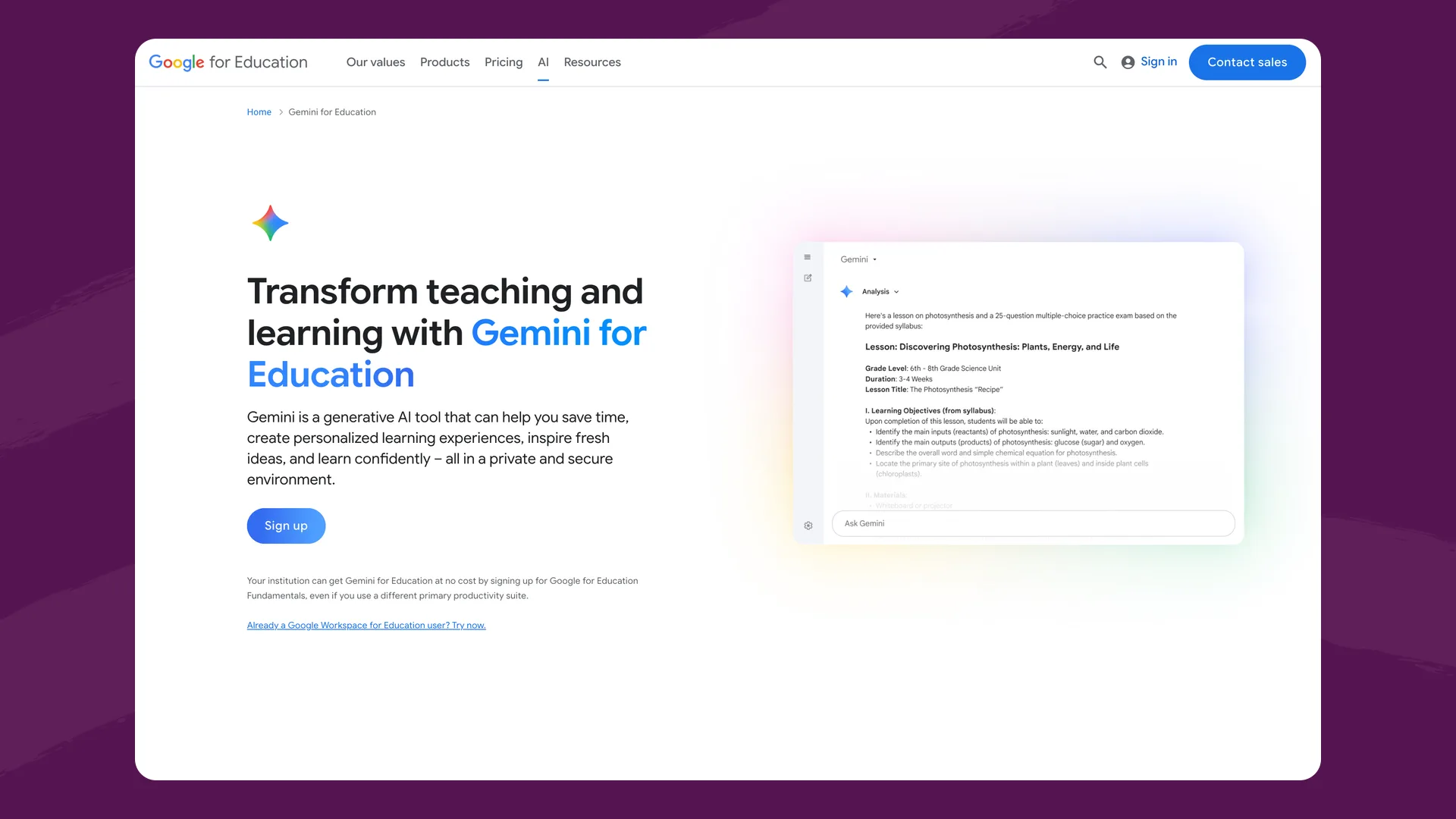
The Gemini for Education page (edu.google.com), captured September 2026.
For students, the picture has expanded significantly in 2026. Google Classroom now includes a dedicated Gemini tab where students can access study guides, flashcards, quizzes, and Guided Learning — Socratic-style interactions grounded in course materials. Gemini Notebook (called NotebookLM until Google renamed it in July) lets students create personal notebooks synced with class resources, generating audio overviews, diagrams, and study tools from uploaded sources. Teachers can assign notebooks and Gems, which are custom versions of Gemini, in Classroom. Google is retiring Gems. For schools, Gems stop working in the Gemini app, Classroom and LMS integrations no sooner than June 1, 2027, and Google recommends Classroom teachers move to Gemini Notebook and Guided Learning instead. Our post on Gems in Google Classroom covers what happens to the ones teachers assigned.
Outside Classroom, Gemini is built into the productivity suite, but not in the free edition. Gemini in Docs, Slides, Sheets, Forms and Vids comes with Education Plus ($6/user/year). Gemini in Gmail and full access across Workspace need Google AI Pro for Education, a separate add-on for either edition at $20/user/month with a one-year commitment.
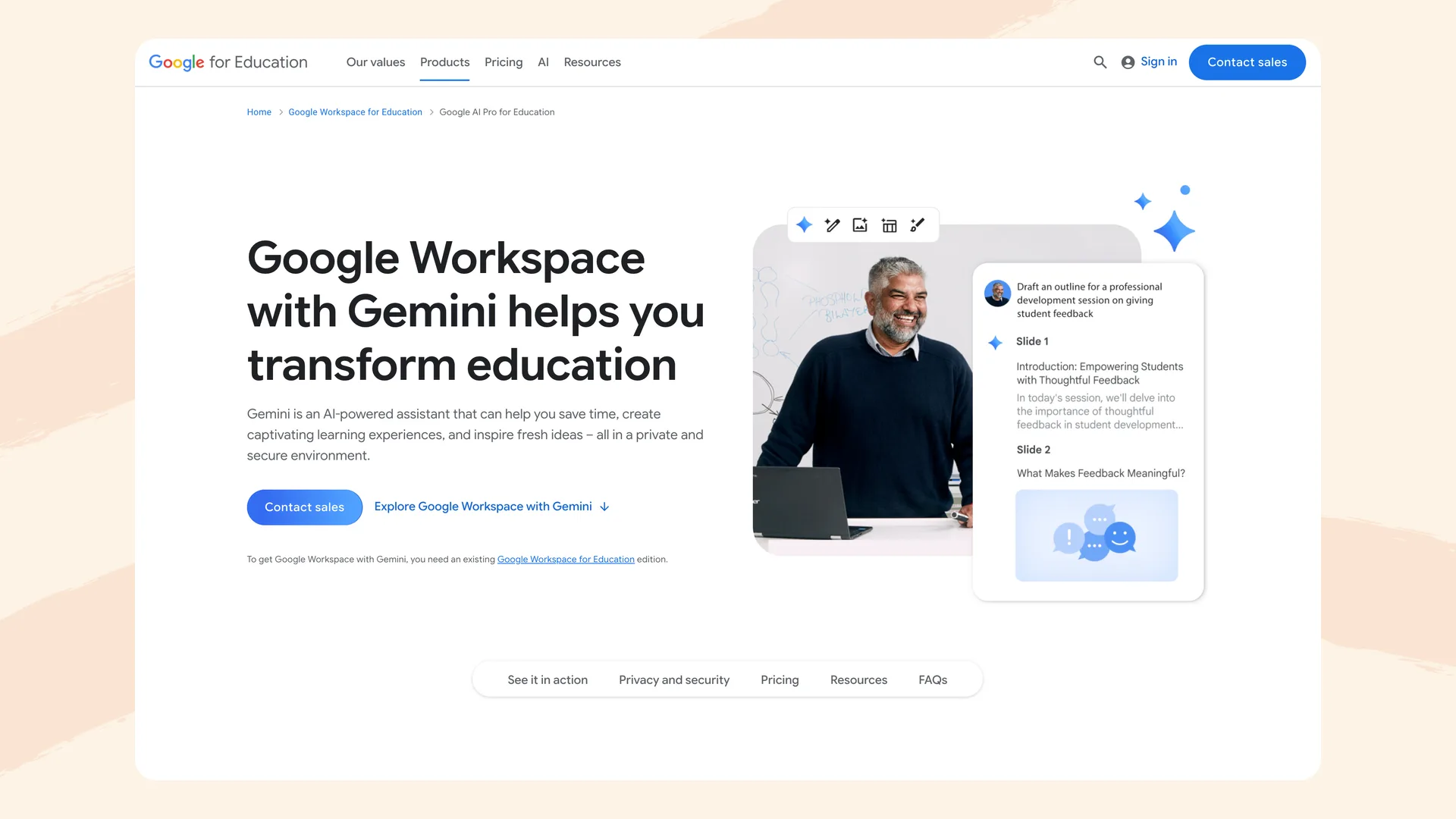
Google's Workspace with Gemini add-on page (edu.google.com), captured September 2026.
Google's Admin Console gives district technology directors centralized control over which Gemini features are enabled, for which organizational units, and at what age levels. Google Vault supports eDiscovery for Gemini app conversations — admins can search and export conversations by user, date, and organizational unit. Gemini in Workspace for Education is a core service, covered by the same data processing terms, not used to train AI models, and backed by FERPA, COPPA, and GDPR compliance commitments.
Flint: AI tutoring built around your teachers' curriculum
Flint is a classroom learning system where AI tutoring is the product. Teachers describe what they're teaching — "a 9th-grade persuasive writing workshop," "AP Chemistry polyatomic ion practice," "Spanish speaking practice at ACTFL Intermediate-Mid" — upload their own materials, and the AI tutors each student one-on-one. The AI asks questions instead of giving answers, stays grounded in the teacher's uploaded sources, and adapts its approach to each student's level.
Flint also includes:
- Any subject, any curriculum. English essays, world language speaking practice with ACTFL/CEFR level controls, history simulations, computer science, science labs — grounded in the materials teachers really use, not a predefined content library.
- Full conversation visibility. Teachers see every message students exchange with the AI. Administrators see every conversation school-wide. Concerning messages — self-harm, violence, harassment — are automatically flagged for review in real time.
- Structured feedback. Students get session summaries with hyperlinked evidence of strengths and areas for improvement. Teachers attach custom rubrics (AP, IB, 1-4, A-F) and can override any AI-suggested grade.
- Built for accuracy. Flint pairs Anthropic and OpenAI models (a more capable model on paid plans) with a built-in calculator, 2D/3D graphing, translation, and web search — so math gets verified computation and current-events questions get real sources.
- Accessibility. Text-to-speech and speech-to-text in 200+ dialects, 50+ languages, automatic leveling for students with learning differences.
Distribution is not design
Gemini's Classroom tools are genuinely useful. Study guides, flashcards, quiz generation, Gemini Notebook's audio overviews — these help students study, and they're grounded in course materials when the teacher sets them up.
But there's a structural difference between study tools embedded in a productivity suite and a system designed around the pedagogical relationship between a teacher, a student, and the AI.
Gemini helps students study. Flint helps teachers teach. That distinction sounds abstract, so here's what it means concretely:
On Flint, a teacher creates an activity: "Practice identifying logical fallacies in persuasive essays. Use these three sample essays I've uploaded. Don't tell students the fallacy — ask questions that help them reason through it. If they're stuck after two hints, narrow the options to two." The AI follows those instructions for every student, adapting difficulty based on each student's responses, and the teacher sees every exchange.
On Gemini in Classroom, a student opens the Gemini tab and asks for help with their assignment. Gemini can reference class materials if the teacher has assigned a notebook or a Gem, and a notebook's owner can add custom chat instructions. Guided Learning adds Socratic-style interaction, though Common Sense Media found it "easy to switch out of." And the visibility model is different: the Admin Console tracks usage, and Vault enables after-the-fact eDiscovery, but there's no live message-by-message feed for teachers.
Study tools help students review. A tutoring system helps them think. Gemini Notebook generates flashcards, study guides, and audio overviews from source materials. These are productivity features — they help students organize and review content efficiently. Flint's AI asks questions, gives hints, challenges assumptions, and walks students through problems step by step, calibrated to what the teacher wants them to learn. Flashcards test recall. Socratic tutoring builds understanding.
Visibility goes one direction in Workspace, two directions in Flint. Google's oversight model is built for IT governance: the Admin Console controls what's enabled, usage reports show aggregate metrics, and Vault enables after-the-fact searches of Gemini conversations. This is the right model for a productivity suite — it tells administrators what tools are being used and provides compliance-grade archival.
Flint's oversight model is built for instruction: teachers see every student message in real time, organized by class, activity, and student. The difference is the audience. Google's tools answer "what are students using?" Flint answers "what are students thinking?" — which is what teachers need when AI is part of learning, not just part of workflow.
The monitoring gap
Google's monitoring for Gemini is built around after-the-fact administrative review. Vault lets admins search Gemini conversations and export them — filtered by user, date, and organizational unit. Admin Console reports show aggregate usage metrics. These are governance tools, and they're solid for compliance.
What they're not is a real-time safety net. If a student discloses self-harm in a Gemini conversation, there's no automatic alert to a counselor or administrator. The conversation is logged and can be found in Vault, but someone has to go looking. For schools required to monitor student wellbeing — and for schools that simply want to — the gap between retroactive eDiscovery and proactive flagging is significant.
Flint automatically flags concerning messages — self-harm, violence, harassment, and similar content — for administrator review in real time. Flagged messages appear in a dedicated moderation queue, not buried in a search interface. For schools where student safety monitoring is a priority (and it should be everywhere), this is a structural difference, not a feature gap that a settings change can close.
Feature comparison
| Flint | Gemini for Education | |
|---|---|---|
| Primary focus | AI tutoring and classroom learning | AI productivity across Google Workspace |
| Student access | Core product: students interact with AI in teacher-designed activities | Integrated into Classroom, Docs, Slides, Gemini Notebook, and across Workspace |
| Teacher-designed AI activities | Core feature: teachers build custom tutors, simulations, assessments with specific pedagogical instructions | Teachers assign notebooks built from class materials, with optional custom chat instructions; Gems work until Google retires them (no sooner than June 1, 2027 for schools); Guided Learning adds Socratic interaction grounded in class materials |
| Study tools | Session summaries, rubric-based feedback, conversation evidence | Gemini Notebook (flashcards, audio overviews, study guides), Guided Learning, quiz generation |
| Conversation visibility | Every message visible to teachers and admins in real time | Admin Console usage reports; Vault eDiscovery for after-the-fact search of Gemini conversations |
| Safety monitoring | Automatic real-time flagging of concerning content (self-harm, violence, harassment) | No real-time alerts; conversations searchable via Vault after the fact |
| AI model | Anthropic and OpenAI models (a more capable model on paid plans) + calculator, graphing, web search, translation | Gemini 3 (across Workspace and Classroom) |
| STEM tools | Built-in calculator, 2D/3D graphing, web search for current sources | General Workspace capabilities; no education-specific STEM computation tools |
| Languages | 50+ languages, 200+ speech dialects, ACTFL/CEFR level controls | Gemini app in 40+ languages; Classroom features in supported languages |
| LMS integration | Canvas, Schoology, Google, Microsoft, Moodle, Blackboard; Veracross, Blackbaud, PowerSchool, OneRoster | Native in Google Classroom; Gemini LTI for Canvas, Schoology, Moodle |
| Device requirements | Any browser, any device | Some Classroom AI features require Chromebooks (Focus Mode, class tools) |
| Pricing | Free up to 80 users; school plans from $3,000£2,234/yr (150 users) | Fundamentals (free): 30+ Classroom AI tools, Gemini app, Gemini Notebook, Guided Learning. Education Plus ($6/user/yr): adds Gemini in Docs, Slides, Sheets, Forms and Vids. Google AI Pro for Education: add-on for either edition, $20/user/mo (annual) |
| Data training | Never trains on user data | Never trains on user data (core service) |
Pricing
Gemini for Education is layered into Google Workspace's existing pricing. Education Fundamentals is free for qualifying institutions, and includes over 30 Gemini-powered tools in Classroom. Education Plus — at $6/user/year — adds Gemini in Docs, Slides, Sheets, Forms and Vids. Google AI Pro for Education is a separate add-on for Fundamentals or Plus at $20/user/month with a one-year commitment ($24 billed monthly), with 25% off for Education Plus schools buying 50–999 licences; it adds Gemini in Gmail and full access to Gemini across Workspace. The Classroom features that require Education Plus and the Teaching and Learning add-on (class tools, Focus Mode) carry additional per-user costs.
For schools already on Education Fundamentals, basic Gemini in Classroom costs nothing extra. Guided Learning is included in every edition. For schools that want Gemini across Docs, Slides and Gmail, or Classroom's Focus Mode and class tools, the cost is per-user across all students and staff, which in a large district can add up.
Flint is free for up to 80 users — teachers and students both — so a real classroom pilot with students tutoring against your own curriculum costs nothing. Paid school plans start at $3,000£2,234/year for up to 150 users and scale with published pricing: $4,000£2,979 for 250, $6,500£4,841 for 500, custom above that. Every paid plan includes SIS/LMS rostering, school-wide analytics, a dedicated customer success manager, and unlimited professional development sessions.
Gemini's cost is low per user because it's an add-on to infrastructure you already pay for. Flint's cost covers a purpose-built learning system with dedicated support. They're different budget line items solving different problems.
Where Gemini is the better fit
- If your school already runs on Google Workspace and you want AI in the tools students use every day. Gemini's distribution advantage is real — no new platform to adopt, no new credentials, no new training. Students open Docs or Classroom and AI is there.
- If you need AI productivity tools for teachers. Lesson plan generation, quiz creation, rubric conversion, audio lessons, visual aids — Gemini's 30+ Classroom tools cover the teacher productivity use case well, at no extra cost on Education Fundamentals.
- If Gemini Notebook fits your study workflow. Gemini Notebook's ability to turn source documents into interactive study materials — audio overviews, flashcards, diagrams — is a genuinely useful study tool, especially for students who learn well through self-directed review.
- If centralized IT governance matters most. The Admin Console's ability to control Gemini features by organizational unit, combined with Vault's eDiscovery, fits the IT governance model that Google shops already use for everything else.
Where Flint is the better fit
- If you need the AI to teach, not just assist. Flint's tutoring is designed by teachers for specific learning objectives — not general-purpose help with whatever a student asks. The difference shows up in learning outcomes when AI interaction is structured around pedagogy rather than productivity.
- If teachers want to control how the AI tutors and see the result. On Flint, teachers set helpfulness levels, define rubrics, specify roles, and write pedagogical instructions that shape every student interaction, then read each conversation. Gemini Notebook, which Google recommends in place of Gems, lets a teacher pick a chat style or write custom instructions for a notebook, but Classroom only shows the teacher which students opened it or started a conversation.
- If you need to see what students are saying to the AI. Message-by-message visibility for teachers, organized by class and activity, is fundamentally different from aggregate usage reports and after-the-fact eDiscovery. For schools where teachers are responsible for what happens in the learning experience, real-time visibility matters.
- If student safety monitoring is a priority. Automatic real-time flagging of concerning content — with a dedicated moderation queue for administrators — is not something Gemini's Vault-based model provides.
- If your curriculum isn't Google's curriculum. Flint is built to ground AI in whatever materials a teacher uses: their PDFs, slides, novels, lab manuals, rubrics, and standards. Gemini's Classroom tools can reference class materials, but Flint's entire tutoring architecture is built around teacher-uploaded content as the primary knowledge source.
- If you serve diverse learners. 50+ languages, 200+ speech dialects, ACTFL/CEFR level controls for world language classes, and automatic leveling for students with learning differences.
- If you want a partner, not just a platform. Every paid Flint license includes unlimited PD sessions, 1-1 teacher onboarding, and live chat support — the kind of hands-on partnership that a platform serving 170 million users structurally cannot provide for each school.
The management question
Google's Admin Console gives technology directors granular control over which Gemini features are enabled and for whom. But granular control creates its own workload. Google has been steadily rolling out new AI features across Workspace — in Classroom, Docs, Slides, Gmail, Search — and each rollout lands in the Admin Console as another set of toggles for IT to evaluate, configure, and communicate to faculty.
For schools still developing their AI policies, this creates real pressure. New capabilities appear in the tools students already use, sometimes before the school has decided whether it wants them there. An admin who hasn't enabled Gemini in Classroom may still be fielding questions about AI Overviews in Google Search, "Help me write" in Docs, or Gemini suggestions in Slides. The surface area keeps expanding, and the configuration burden falls on the same small IT team managing everything else in Workspace.
Flint's scope is narrower by design. It does one thing — AI tutoring under teacher supervision — and it's a separate platform the school deliberately adopts. There's no ambient AI showing up in other tools. A teacher who opens a Google Doc doesn't see Flint; a student who opens Gmail doesn't encounter it. That containment is both a limitation (it's not embedded in daily workflows) and a feature (it's only where you put it, doing what you configured it to do).
The bottom line
Gemini for Education's greatest strength is that it's already there — in the tools your school uses, managed by the admin console your IT team knows, at a cost that's bundled into infrastructure you already pay for. For AI productivity across the school day, that's hard to beat.
Flint exists because some jobs need more than productivity tools. When AI is part of how students learn — not just how they draft emails or generate flashcards — the system needs teacher-designed pedagogy, message-level visibility, real-time safety monitoring, and grounding in each teacher's actual curriculum. That's what Flint is built for, and it's what a productivity suite, however well-distributed, isn't designed to do.
The easiest way to see the difference is to try both: your school already has Gemini, and Flint is free for up to 80 users. Or book a demo and we'll show you what they look like side by side.
