ComparisonOct 2, 2026
Flint vs. Diffit (2026): Leveled Materials or Leveled Practice?
Diffit turns a text into leveled, translated, print-ready resources, and students never log in. Flint has students work through the reading with AI at their level while you watch. Here's how to choose, and when to use both.

Jemel Fanfan | Founding Member at Flint

You have one article and a class reading at five different levels, including two newcomers who speak Spanish. You can rewrite the article five times tonight, or you can let a tool do it.
Diffit and Flint both help, at different points in the lesson. Diffit makes the materials: it turns the article into leveled, translated, print-ready versions with questions and graphic organizers, and students never log in. Flint makes the practice: each student reads with Flint's AI, Sparky, which talks to them at the level you set and asks questions until they understand the text, while you watch every session. This page compares the two for a K-12 classroom teacher who differentiates readings and supports English learners. School leaders comparing platforms for every classroom should start with our K-12 platform guide instead.
The short version
- Pick Diffit if you want leveled and translated copies of a text, plus questions, vocabulary and graphic organizers, ready to print or export, with no student accounts and no student data.
- Pick Flint if you want students to work through the text themselves with AI that coaches them at their level, while you see every session and get told who's stuck.
- Many teachers would use both: Diffit for the handout, Flint for the practice and discussion that follow.
How we evaluated
Flint pays me, which makes me biased. Weigh what I say about Flint with that in mind.
The Diffit facts here come from Diffit's website, its help center and its Common Sense privacy evaluation, all read on October 2, 2026. Each one links to its source. Diffit doesn't publish school prices, so we haven't listed any. We didn't build resources in a Diffit account.
The Flint facts come from our help center, our pricing page and the Flint product itself. The Flint image shows a 4th-grade reading session by an example student, unedited apart from cropping.
What each one is
Diffit: leveled, print-ready resources for teachers
Diffit's homepage says it makes "quality, print-ready resources for any instructional need." Diffit's FAQ says a teacher can "paste text, upload a PDF, or drop in a URL or video transcript," or type a topic or standard. Diffit returns a resource at the reading level you pick. It estimates reading level with Flesch-Kincaid and its own system, and you can select up to 5 levels at once.
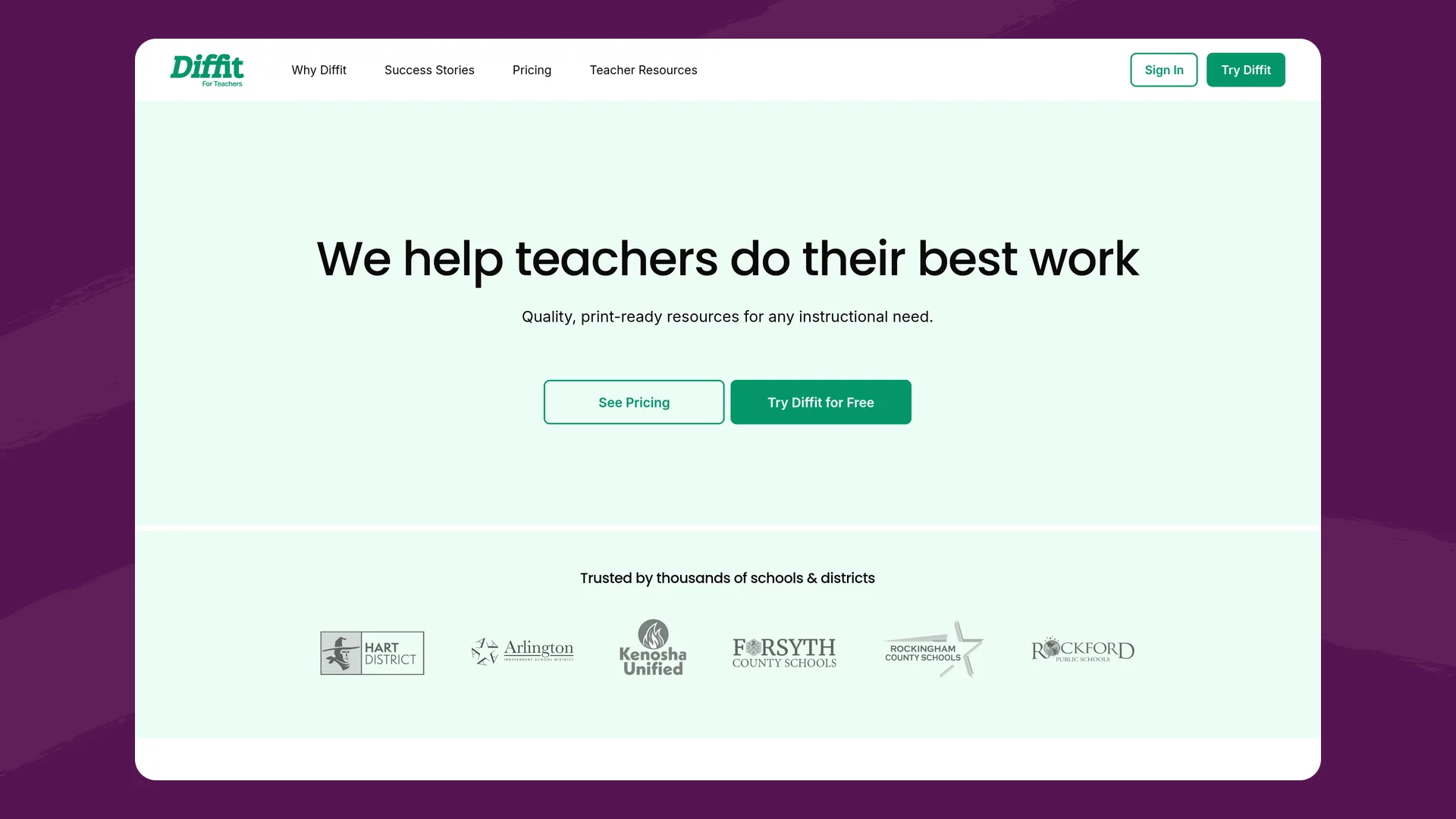
The Diffit homepage (web.diffit.me), captured October 2, 2026.
Diffit's Quick Start page lists the kinds of resources it builds:
- reading passages with comprehension questions
- exit tickets and bell ringers
- station rotations and choice boards
- decodable phonics readers
- DBQs
- writing activities with a planning organizer and rubric
- unit tests with an answer key
Diffit's accessibility statement says teachers can make resources in 70+ languages. Resources export to Google Slides, Docs, Forms and Classroom, Word, PowerPoint or PDF. There's also a Chrome extension for leveling text on any webpage, and a connector for Claude.
Students never use Diffit. Its pricing page says "No student logins, no student AI," and its Why Diffit page says "Diffit is for teachers only, and collects zero student data." Students work from whatever the teacher prints or exports.
Flint: practice at each student's level, with AI
A Flint activity starts with the teacher's own text. You upload the article and the lesson plan, and tell Sparky what students should get out of the reading. Each student then works through the activity in a one-on-one session with Sparky. The teacher sets a grade or language level for Sparky's language, anywhere from 1st grade to university, or a CEFR or ACTFL level for students learning a language. Sparky asks questions, sends students back to the text and leaves the thinking to them.
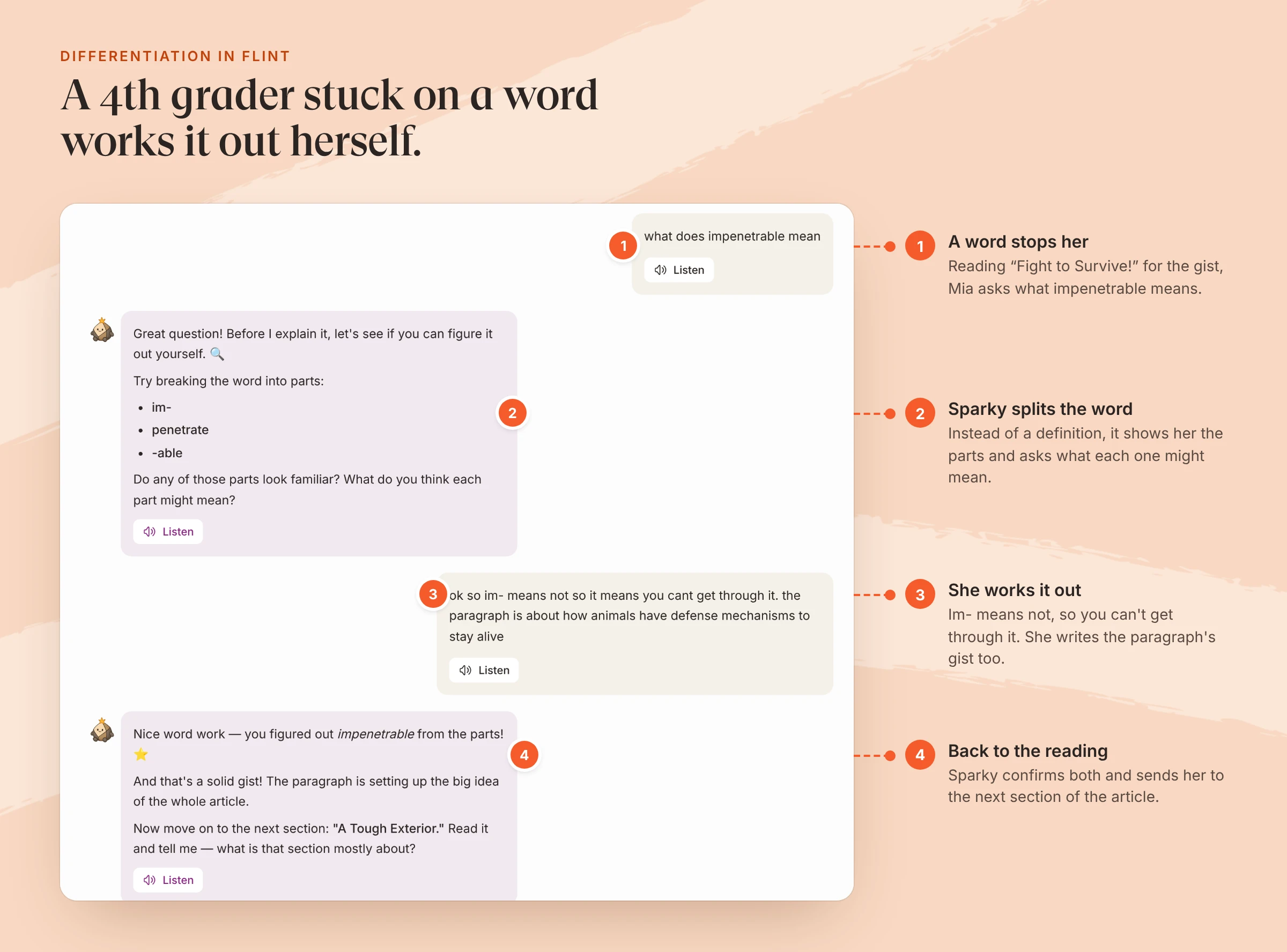
Mia is an example student. The activity covers the article "Fight to Survive!" with the grade level set to (US) 4th Grade.
Flint can make materials too. It has an AI text leveler and a text translator tool, and Sparky can generate documents such as study guides and summaries of materials you share, which you can print, save to Google Drive or download as Word files. Diffit makes more kinds of print-ready resource from one text, and up to 5 levels or languages in one pass.
The same reading, differentiated two ways
Take a 4th-grade class reading an informational article, with students reading below, at and above grade level and two newcomers who speak Spanish.
| Flint | Diffit | |
|---|---|---|
| What you make | One activity built on the article, set to the grade level, with Spanish allowed as a secondary language | Up to 5 leveled versions, translated into Spanish, with questions and a graphic organizer |
| What students do | Read and talk through the article with Sparky, one section at a time, in English, Spanish or both | Read the version they're given and answer on paper or in the exported Google Form |
| A student hits a hard word | Sparky helps them work it out, as with the word parts in the session above | The leveled version may use a simpler word, or the vocabulary list defines it |
| What you see during class | Every session live, plus "Needs attention" alerts for confused or disengaged students | What students write on the page or in the form you exported |
| After class | Session summaries and a class summary with links to the student answers behind it | You check the work yourself |
Diffit changes the text to fit the student. Flint keeps the text and changes the support around it. Both are real differentiation, and the right choice depends on whether your students need an easier text or more help with the text you've got.
English learners
Diffit translates a resource into up to 5 languages at once from its list of 70+. That's useful when a newcomer needs the article in their home language, or when families need to read it at home. The translation is a document, and students read it on paper or screen.
A Flint activity has a primary and a secondary language, chosen from 800+ languages and dialects. Sparky can listen and speak in 50+ languages, and you decide whether students write, speak or both. A newcomer can ask about the English article in Spanish, hear Sparky's answer read aloud, and build up to answering in English. The CEFR levels let you pitch Sparky's English to a student's proficiency rather than their grade.
Diffit's help center says students don't use Diffit directly, so for read-aloud it points teachers to tools like Immersive Reader.
Side-by-side
| Flint | Diffit | |
|---|---|---|
| Who uses it | Teachers, students and administrators | Teachers only (18+) |
| What it makes | AI activities students work through; documents and slides on request | Leveled, print-ready resources and slides |
| Reading levels | One level per activity, by grade, CEFR or ACTFL | Up to 5 levels at once, K-12 |
| Languages | 800+ languages and dialects for activities; 50+ spoken | Resources in 70+ languages, up to 5 at once |
| Student feedback | Sparky responds to every answer; rubric grades you can override | None; answer keys and rubrics for you to use |
| Teacher view during class | Live sessions and "Needs attention" alerts | Not applicable; no student accounts |
| Exports | Documents to print, Google Drive or Word | PDF and print free; Google, Word and PowerPoint on paid plans |
| Student data | Stored for the school; teachers and admins can see sessions | None collected |
| Free plan | 80 accounts per school, students and staff | Basic: create, edit, print, PDF; 90 days of history |
| Paid plans | Per school, from $3,000£2,234 a year (150 accounts) | $14.99/month or $149.99/year per teacher; schools by enrollment |
Pricing
Diffit's free Basic plan lets you download to PDF, print, share with colleagues, and edit or extend resources, and you can access what you made in the last 90 days. The individual plan is $14.99 a month or $149.99 a year, and Diffit sells it "only with a credit card." Diffit for Schools is "a flat-rate annual subscription, tiered based on student enrollment." It adds exports to Google, Canva, Microsoft and other formats, alignment to standards, skills, MTSS tiers and DOK levels, full resource history, an admin dashboard and PD.
Flint charges the school, not the teacher. A school can use Flint at no cost for its first 80 accounts, counting students along with staff. Above that, the smallest paid plan is $3,000£2,234 a year for 150 accounts, and paid plans include SIS and LMS syncing, analytics across the school and a named customer success manager.
Privacy
Diffit's privacy story is short, because it never touches student data. Its privacy page says "We do not collect ANY student data, are FERPA and COPPA compliant," and that Diffit signs the National Data Privacy Agreement and the Student Data Privacy Consortium's state agreements. Common Sense Privacy rates it "Pass," based on policies in effect on March 24, 2026. Its subprocessor list says "No personal data is used to train third-party AI models."
Flint is a student platform, so it does hold student work. The protections are about who sees that work and where it goes. A class owner can open any session in the class, and a school admin can search every chat in the school. Student conversations are not passed to AI companies such as OpenAI for model training. When a student writes something that matches a moderation category, such as self-harm or harassment, the assigned staff member gets an email right away, and the self-harm category is always on. Flint's certifications and data agreements are on our security page.
Where Diffit is stronger than Flint
- Materials from one text. A leveled, translated packet with questions and an organizer comes from a single text, and you can make up to 5 levels or 5 languages in one pass.
- Paper. If your students work best on printed pages, or have limited device time, Diffit's print-ready layouts fit. Students need a device to work in Flint.
- Breadth of formats. Decodable readers, DBQs, station rotations, choice boards, math graphics and MTSS-tiered versions are all built in.
- No student data at all. Diffit says it collects only teacher names, email addresses and IP addresses.
- Price for one teacher. $149.99 a year buys Premium on a personal card.
Where Flint is stronger than Diffit
- Students do the work with support. Sparky responds to each student's answers and keeps them in the original text, instead of handing them an easier version.
- You see the thinking. Every session is visible live, and "Needs attention" alerts flag students who are confused or not engaging.
- Speaking and listening. English learners can talk with Sparky in 50+ languages, not only read a translation.
- Feedback and grading. Sparky grades against your rubric, you change any grade you disagree with, and Flint writes a class summary once three students submit.
- Trying it with a class. Students count toward Flint's free 80 accounts, so one teacher can run a real unit before anyone buys anything.
Using both
Make the leveled handout in Diffit, then build a Flint activity on the original article. Students who need the easier text start on paper, then move into Flint to discuss it with Sparky at their level. Your alerts tell you which students to pull for a small group.
If you mostly need easier text, Flint's AI text leveler rewrites a passage at the level you pick. Flint is free for up to 80 users.
FAQ
Do students use Diffit?
No. Diffit is for teachers only. Its pricing page says "No student logins, no student AI," and its terms of service require users to be 18 or older. Students work with what the teacher prints or exports, such as a PDF, Google Doc or Google Form.
Is Diffit free?
Diffit has a free Basic plan that lets you create, edit, print and download resources as PDFs, and keeps the last 90 days of your work. The individual Premium plan is $14.99 a month or $149.99 a year, paid by credit card. School and district plans are a flat annual price based on enrollment, and they add exports to Google, Canva, Microsoft and other formats.
What is a good Diffit alternative for student practice?
If you want students to work with AI at their own reading level while you watch, Flint is built for that. Each student works through the reading one-on-one with Sparky at the grade level you set, and you see every session live. If you only need printed or exported materials, Diffit is faster.
Which is better for English learners, Diffit or Flint?
They help in different ways. Diffit translates a resource into up to 5 languages at once from a list of 70+, so families and newcomers get the text on paper. Flint lets an activity run in a primary and a secondary language from 800+ languages and dialects, and Sparky can listen and speak in 50+ languages, so a student can talk through the reading in their home language.
