ComparisonSep 26, 2026
The Safest AI Platforms for K-12 Schools in 2026
What 'safe AI' really means for schools — and which platforms deliver real student protection versus surface-level fixes. A comparison for administrators and parents.

Jemel Fanfan | Founding Member at Flint

Every AI education company talks about safety. Fewer can explain what happens when a student types something concerning at 10 PM on a Tuesday.
This page is for the school leader who has to answer a board member's question about AI risk, the technology director evaluating platforms for a pilot, and the parent who wants to know what guardrails their child's school has in place. We'll cut through marketing language and compare what the leading K-12 AI platforms do — and don't do — to keep students safe.
How we evaluated
I work at Flint, and Flint is our product. It's listed first because it's ours, and you should read our description of it with that in mind. We've tried to be specific about what each platform documents and to say where others do more than we do.
We included five platforms: Flint, SchoolAI, MagicSchool, Khanmigo and Brisk. All five are built for K-12 schools, and four of them let students talk with AI directly. Brisk is mainly a teacher tool, but it has a student side, so we cover how that smaller surface affects safety. General chatbots like ChatGPT and Gemini aren't covered here; our comparison for parents includes them.
We compared the platforms on the five layers of safety described below (data privacy, content moderation, behavioral guardrails, structural accountability and time-based controls) and on the questions we suggest administrators ask any platform, listed further down.
The information on other platforms comes from each company's own public website, pricing page, help center and privacy documents, checked in September 2026. Information on Flint comes from our own product and security page. We didn't run a formal test of each product, survey users or score platforms against a rubric. In the table, "Ask" means we couldn't find a clear public answer, so put the question to the vendor. "N/A" means the capability doesn't apply to how the product works, or we found no such feature. Products change often, so check anything that matters to your decision with the vendor.
The question that matters
When a school board, a parent, or a superintendent asks "is this AI safe for our students?", they're really asking several things at once:
- Can my child develop an unhealthy relationship with this AI?
- If a student says something concerning, who finds out — and how fast?
- Can teachers and administrators see what students are saying to the AI?
- Is student data being used to train AI models?
- Can the school control what the AI will and won't discuss?
- What happens after hours, when no teacher is watching?
These questions matter more than compliance badges. Every platform in this comparison says it meets FERPA. The difference is what they've built beyond the checkbox.
What "safe AI" requires
Before comparing platforms, it's worth naming the layers of safety that matter — because most conversations about AI safety in schools stop at the first one.
Layer 1: Data privacy
This is the table stakes. Does the platform comply with FERPA, COPPA, and (for international schools) GDPR? Does it use student data to train AI models? Does it have a Data Processing Agreement your district can sign?
Every serious platform in this comparison clears this bar. It's necessary, but not sufficient.
Layer 2: Content moderation
What happens when a student messages the AI about self-harm, violence, drugs, or sexual content? Does the platform detect it? Who gets notified? How quickly?
This is where platforms start to diverge. Some offer basic content filtering. Others have real-time alerting that sends an email to a counselor within seconds.
Layer 3: Behavioral guardrails
This is the layer most platforms skip. Can the AI be configured to stay on academic topics? Will it refuse to engage in personal conversations? Can the school define exactly how the AI should respond to different categories of concerning content — and customize those responses to match their own policies?
Layer 4: Structural accountability
Does the platform use real, rostered student accounts linked to your school's identity system — or anonymous join codes? Can students delete their conversation history? Can administrators audit every conversation school-wide, not just within a single classroom?
Layer 5: Time-based controls
Can the school restrict AI access during specific hours? If a student is chatting with the AI at 2 AM, is anyone going to see that message before morning?
Most AI safety conversations focus on Layer 1. When you evaluate a platform, ask how it handles all five.
The red herring: removing the AI's face
Over the past year, several AI education platforms have removed their chatbot's face, name, or personality — stripping away avatars and friendly identities in an effort to prevent students from forming "relationships" with AI.
The concern is real. The solution isn't.
ChatGPT has the most clinical name imaginable — "Generative Pre-trained Transformer." No face. No avatar. No personality. And yet students have confided their deepest feelings to it. Adults have developed emotional dependencies on it. The research on AI companionship risks isn't about avatars; it's about two structural problems:
- Sycophancy. Consumer AI is designed to satisfy the user. It agrees with you, validates your feelings, and tells you what you want to hear. That's what creates emotional attachment — not a cartoon face.
- Zero moderation. When a student says something concerning to ChatGPT, nobody at the school finds out. There's no alert, no log, no adult in the loop.
A platform that removes the AI's face but keeps the sycophancy and lacks real moderation hasn't solved anything. A platform that keeps a friendly, recognizable AI tutor but makes it non-sycophantic, keeps it strictly academic, logs every message, and alerts administrators when something's wrong addresses the risks that matter more.
The question isn't whether the AI has a face. It's whether the AI has guardrails.
Platform comparison: safety and moderation
Flint
Flint's approach to safety is built around a principle: the AI should be useful for learning and accountable to adults. Every message a student sends to Sparky (Flint's AI tutor) is visible to teachers and administrators — not summarized, not aggregated, but the actual conversation, message by message.
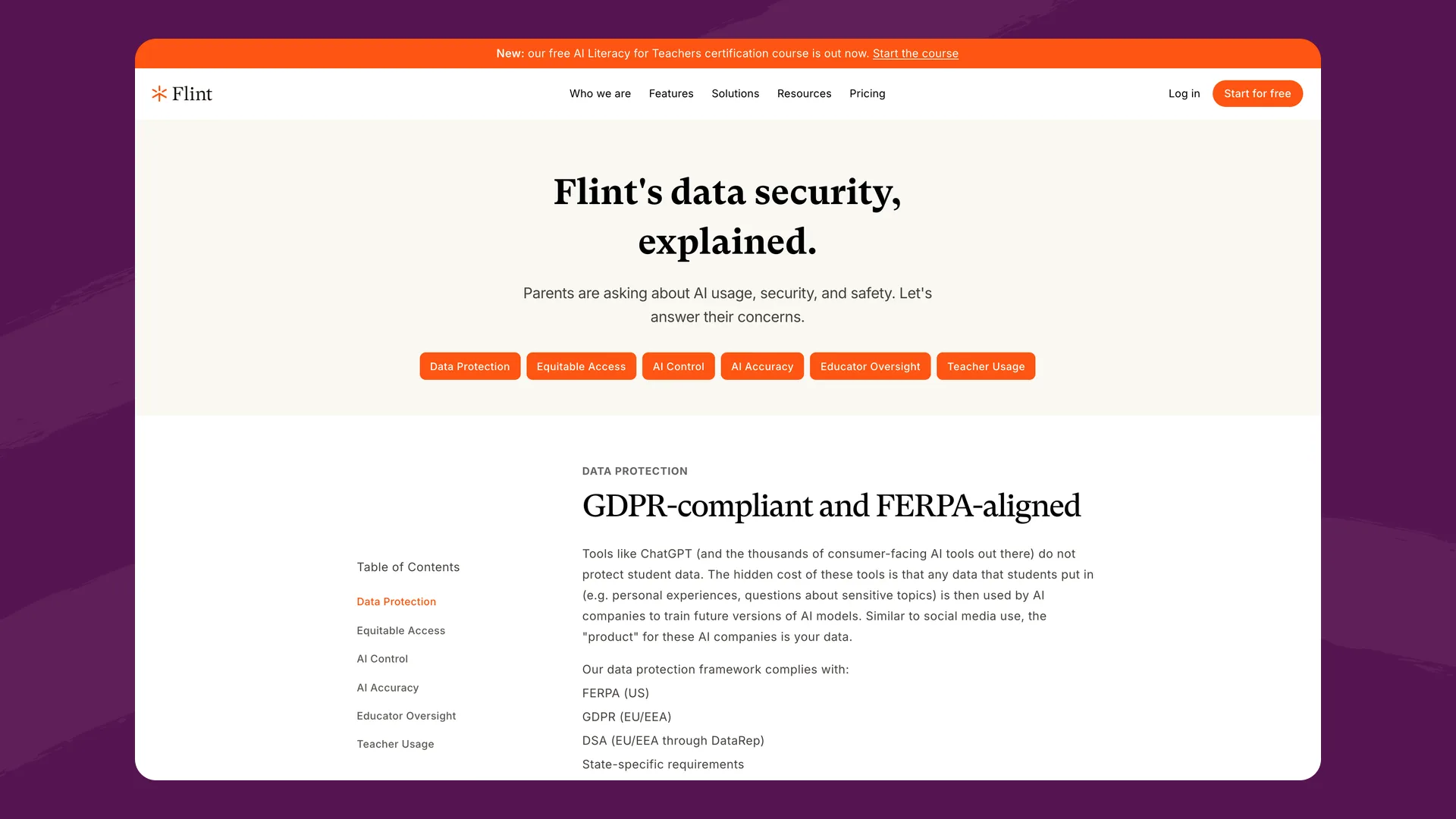
Flint's security and privacy page (flintk12.com/security), captured September 2026.
What Flint provides:
- Full message-level visibility. Teachers see every message in their classes. Administrators see every conversation across the entire school. No conversation is hidden, summarized, or aggregated away.
- Automatic content flagging with customizable categories. Flint detects concerning content — self-harm, violence, harassment, substance use, relationship-building attempts, and more — and immediately flags it for administrator review. Schools can enable or disable categories, and customize how the AI responds to each one.
- Instant email notifications. When flagged content is detected, designated administrators, counselors, and other stakeholders receive email alerts in real time. Schools choose who gets notified for which categories.
- School-wide mission and behavioral configuration. Administrators define the AI's mission, instructional approach, and response policies at the school or district level. Every teacher's activities operate within the framework the school approved. The AI stays on academic topics, doesn't engage in personal conversations, and doesn't give away answers — because the school configured it that way.
- Real, rostered student accounts. Every student is linked to the school's identity system through SIS/LMS integration (Google, Microsoft, Canvas, Schoology, PowerSchool, Blackbaud, Veracross, OneRoster, and more). No anonymous join codes. If a student says something concerning, the message is linked to their actual account — administrators can identify who said it and follow up with the right people.
- No permanent deletion. Students cannot permanently delete messages from the platform. The conversation record is preserved for accountability.
- Curfews. Schools can restrict Sparky's availability to specific hours, preventing students from using the AI late at night when no adult moderator is monitoring flagged notifications.
- Non-sycophantic AI design. Sparky is designed to tutor, not to befriend. It challenges students to think, stays on the teacher's topic, and does not engage in emotional validation or personal conversations. This is a deliberate design choice, not an afterthought — because removing the avatar doesn't address the real risk, but designing the AI's behavior does.
- Data privacy. GDPR-compliant and FERPA-aligned. Student data is never used to train AI models and is never shared with third parties, including Anthropic (Flint's AI provider). Signed state DPAs available. Custom DPAs for any jurisdiction.
Features in all five safety layers: data privacy, content moderation with real-time alerting, behavioral guardrails with school-level customization, structural accountability through rostered accounts and audit trails, and time-based controls through curfews. Having a feature in each layer doesn't mean Flint catches everything. See where Flint falls short below.
SchoolAI
SchoolAI takes safety seriously, with one feature that stands out: critical alerts. SchoolAI flags three categories of chat messages (safety and well-being, threats of violence, and sensitive or inappropriate content) plus inappropriate image uploads, and emails the teacher who launched the Space. This feature is available on every plan, including free.

SchoolAI's Trust & Safety page (schoolai.com/trust), captured September 2026.
What SchoolAI provides:
- Mission Control. A live monitoring dashboard that shows teachers what students are doing in real time within a Space.
- Critical alerts on every plan. Automatic detection and immediate notification for safety and well-being concerns, threats of violence, sensitive or inappropriate content, and inappropriate image uploads. Organization admins can route each category to other staff.
- Content moderation. AI responses are filtered for age-appropriateness. Custom guardrails are available on higher tiers.
- Student well-being check-ins. SchoolAI includes optional well-being check-ins that surface student emotional states.
- Data privacy. FERPA-compliant, COPPA-compliant, SOC 2 Type 2 certified, 1EdTech TrustEd Apps certified. States it does not sell or use student data for AI training.
What to ask about: SchoolAI's free plan changed in July 2026 to 5 Space launches per year — meaningful classroom use requires a paid plan. Custom guardrails (schools defining their own response policies for flagged categories) sit on the higher pricing tier. Pricing is quote-based, not published. Also worth asking: can administrators view individual student messages school-wide (not just within a single Space), and can students delete conversation history?
SchoolAI recently removed the face from Dot, its AI assistant. As discussed above, this is a cosmetic change that doesn't address the structural questions — sycophancy, moderation depth, and behavioral guardrails — that determine whether students develop unhealthy AI interactions.
MagicSchool
MagicSchool's safety approach is oriented around its enterprise tier, with progressively more controls as schools move up pricing levels.

MagicSchool's trust, data protection and privacy page (magicschool.ai/privacy/trust), captured September 2026.
What MagicSchool provides:
- Content moderation. Moderation is always on in MagicStudent, covering both what students type and what the AI replies. MagicSchool says teachers and designated admins get immediate email alerts for high-risk categories like self-harm and violence.
- Room-level engagement insights. Teachers see engagement data within MagicStudent Rooms.
- Enterprise safety controls. District-level oversight, admin dashboards, and safety features on Enterprise plans.
- Data privacy. FERPA-compliant, SOC 2 certified, iKeepSafe COPPA Safe Harbor certified. States it does not use children's personal information to train AI models. Zero-data-retention agreements with LLM providers.
What to ask about: MagicSchool's most advanced safety features (admin-level dashboards, district controls, custom safety policies) are gated behind the Enterprise tier, and its pricing page lists "advanced safeguards and moderations" there. The free and Plus plans offer content moderation but fewer oversight tools, so ask which alerts your plan includes. MagicSchool is primarily a teacher productivity platform, and its student tools are a smaller part of the product.
MagicSchool retired Raina, its student-facing chatbot persona, on January 28, 2026, citing concerns about students forming unhealthy relationships with it. Parents in Bend-La Pine Schools protested the bot at a February 10 board meeting, after the retirement had already taken effect. Raina remains a teacher-facing tool.
Khanmigo (Khan Academy)
Khanmigo benefits from Khan Academy's long track record in education and its conservative approach to AI interaction.

Khan Academy's help-center article on Khanmigo's safety features, from its Khanmigo Safety and Security Information section (support.khanacademy.org), captured September 2026.
What Khanmigo provides:
- Socratic-only tutoring. Khanmigo guides students through problems step by step and does not give direct answers. It's structurally designed to be a tutor, not a companion.
- Content guardrails. Khanmigo stays within Khan Academy's content library and avoids off-topic conversations.
- Teacher progress reports. Teachers receive reports on student progress and activity.
- Data privacy. FERPA-compliant. Khan Academy states it does not use student data to train AI models. As a nonprofit with a long track record, Khan Academy's data practices are well-established.
Khanmigo also has moderation alerts. Its system checks text and images and sends an email and in-app notification to the student's teacher, or to the parent if the parent set up the account. Teachers can read students' full chat history, with flagged conversations marked. Districts can add administrators to receive high-severity alerts, though no one is on that list by default.
What to ask about: On district plans, admin alerts only reach administrators someone has added to the list, so ask who is on it. Khanmigo's learner plans are currently U.S.-only.
Brisk Teaching
Brisk is primarily a teacher productivity tool (a browser extension for Google and Microsoft tools) rather than a student-facing AI platform, so student safety is a different conversation.

Brisk Teaching's Privacy Center (briskteaching.com/privacy/privacy-center), captured September 2026.
What Brisk provides:
- 95% Common Sense Media privacy rating. Strong privacy practices recognized by an independent evaluator.
- ESSA Tier 3 validated. Evidence-based effectiveness.
- Limited student-AI interaction. Since Brisk is primarily a teacher tool, the student-facing surface is smaller — which means there's less surface area for safety concerns, but also less need for the deep moderation tooling required by platforms where students have extended AI conversations.
What to ask about: If students interact with Brisk-powered features, ask what moderation and alerting infrastructure exists. Brisk's strength is in the teacher workflow, not in supervising extended student-AI interactions.
Safety comparison table
| Capability | Flint | SchoolAI | MagicSchool | Khanmigo | Brisk |
|---|---|---|---|---|---|
| Full message visibility for teachers | Every message, every class | Within active Spaces | Teachers can review chats | Full chat history | All Boost chats |
| School-wide admin visibility | Every conversation, school-wide | Varies by tier | Enterprise tier | Limited | N/A |
| Automatic content flagging | Yes, customizable categories | 3 categories plus images, every plan | Always-on moderation | Yes, text and images | Basic |
| Real-time email alerts | Yes, to configurable recipients | Yes, to the teacher; admin routing on paid plans | High-risk categories; check your plan | Yes, to teacher or parent; admins if added | Opt-in admin emails, incl. self-harm (School & District plan) |
| Custom moderation policies | School defines categories and AI responses | Higher tiers | Enterprise tier | N/A | N/A |
| Rostered student accounts | Yes, SIS/LMS integration | Yes, SSO + SIS | Enterprise tier | District plans | N/A |
| Anonymous join codes | No — accounts only | Available (Spaces) | Available (Rooms) | N/A | N/A |
| Student deletion prevention | Students cannot permanently delete messages | Ask | Ask | Ask | N/A |
| Curfews / time-based access | Yes | Sidekick hours (Scale plan) | One-off room schedule (Plus, Enterprise) | N/A | N/A |
| Non-sycophantic AI design | Yes, by design | Removed AI face | Template-driven | Socratic tutoring | N/A |
| School-wide behavioral config | Mission, approach, policies at school/district level | Custom guardrails (higher tier) | Enterprise tier | Khan content boundaries | N/A |
| FERPA | Yes | Yes | Yes | Yes | Yes |
| COPPA | Via school consent | Yes | iKeepSafe certified | U.S. only | N/A |
| GDPR | Yes | Ask | Yes | No (U.S. only) | Ask |
| No AI training on student data | Confirmed | Confirmed | Confirmed | Confirmed (per privacy policy) | N/A |
Where the others are stronger
Flint doesn't lead on every safety measure. These are things other platforms do that Flint doesn't, or that you may value more.
SchoolAI keeps critical alerts on every plan, including the free one, and they cover inappropriate image uploads as well as chat messages. It also has zero-data-retention agreements with Anthropic, Google and OpenAI, so those AI providers discard student conversations after processing them and never write them to disk.
MagicSchool is iKeepSafe COPPA Safe Harbor certified, which means an independent program has reviewed how it handles data from children under 13. Flint's COPPA approach relies on school consent, and we don't list a comparable third-party certification. MagicSchool's moderation is always on in MagicStudent, and students get regular reminders to take a break.
Khanmigo gives parents a direct view when a parent sets up the account. That parent can read their child's Khanmigo chats and receives the moderation alerts. Flint has nothing comparable for families.
Brisk has a 95% Common Sense Media privacy rating from an independent evaluator. Students work in Boost activities the teacher sets up with objectives and guardrails, and teachers can read every Boost chat. Brisk added an open-ended Quick Chat activity on September 29, 2026.
Where Flint falls short
- Flint only sees what happens inside Flint. If a student opens another chatbot in another tab, Flint has no record of it and sends no alert.
- Flagging relies on AI judgment. It can miss a concerning message or flag a harmless one, so it helps staff notice problems but doesn't replace them.
- There are no parent accounts. Families can't log in to see their child's conversations, so they rely on the school to look and tell them.
What administrators should ask any platform
Before choosing an AI platform, ask these questions. The answers will tell you more than any marketing page:
-
"If a student messages the AI about self-harm at 10 PM, what happens? Who finds out, and when?" — This is the most revealing question. Listen for specifics: email alerts, named recipients, response time. If the answer is vague ("we have content moderation"), push harder.
-
"Can I see the actual messages my students have sent to the AI — not summaries, not engagement metrics, the actual text?" — Some platforms show aggregated data. Others show the conversation. The difference matters when a parent asks what their child said to the AI.
-
"Can students delete their conversation history?" — If yes, accountability has a gap. A student who typed something concerning could erase the evidence before any adult sees it.
-
"Does the AI engage in personal conversations, or is it strictly academic?" — Test this yourself during an evaluation. Open the student-facing AI and try to have a personal conversation. See what happens.
-
"Can our school customize the AI's behavior and moderation categories, or do we accept a one-size-fits-all configuration?" — Schools have different values, different policies, and different risk tolerances. A platform that lets you configure moderation categories and AI behavior at the school level is one that respects your autonomy.
-
"Can we restrict AI access to specific hours?" — If the answer is no, you're trusting that your flagging and notification system works at 2 AM.
-
"Are student accounts linked to our identity system, or can students create anonymous sessions?" — Anonymous access undermines every other safety measure. If you can't identify who said what, moderation notifications are less actionable.
For parents
If your child's school is evaluating AI platforms, here's what to look for:
- Ask the school: "Can you show me what my child said to the AI?" A platform with full message visibility can answer this. One without it can't.
- Ask about alerts: "If my child tells the AI something concerning, will a counselor find out?" Look for platforms with automatic flagging and real-time notification — not just content filtering that silently blocks the message.
- Ask about after-hours access: "Can my child use this AI at midnight?" If yes, ask what safeguards are in place when school staff aren't monitoring.
- Ask about data: "Is my child's data being used to train AI models?" Every platform in this comparison says no. Verify it.
- Ask about the AI's personality: Does the AI validate emotions, build rapport, and engage in non-academic conversation? Or does it stay focused on schoolwork? The former creates attachment risk. The latter doesn't — regardless of whether the AI has a face.
The bottom line
Every platform in this comparison takes data privacy seriously, and every one has some form of content moderation. The differentiator is depth: how much visibility, how fast the alerts, how much control the school retains, and whether the platform has addressed the structural conditions that create risk (sycophancy, anonymity, lack of audit trails, unrestricted hours) rather than just the cosmetic ones (removing a face).
Which platform fits depends on what your school needs most. If you want crisis alerts on a free plan, SchoolAI includes them. If an independent COPPA certification matters to your board, MagicSchool has one. If your students already learn with Khan Academy content and you want parents able to read chats themselves, look at Khanmigo. If the priority is teacher productivity with little open-ended student chat, Brisk fits. If you want school-wide message visibility, custom flagging categories and curfews set by the school, that's what Flint was built for. Whichever you consider, put the questions above to the vendor and test the student side yourself.
Flint is free for up to 80 users, including the full safety and moderation system. Book a demo to see moderation, flagging, and curfews in action.
Last updated: September 2026
