ComparisonOct 2, 2026
Flint vs. Nearpod (2026): Who Gives Students Feedback While They Work?
Nearpod lets a teacher run an interactive lesson and see every answer live. Flint gives each student AI feedback while they work and alerts the teacher when someone is stuck. Here's how the two compare for a 3-12 classroom teacher.

Jemel Fanfan | Founding Member at Flint

Picture 28 students writing a counterargument paragraph at the same time. You can read maybe five drafts before the bell. The other 23 students find out how they did tomorrow, after they've stopped thinking about it.
Nearpod and Flint both try to close that gap, in different ways. Nearpod puts every student's answer on your screen while you teach, so you can spot who's lost and respond. Flint's AI, Sparky, answers each student's draft as they write it, and tells you which students need you. This page compares the two for a grades 3-12 classroom teacher deciding where real-time feedback should come from. If you're choosing one platform for a whole school, our K-12 platform guide is the better read.
The short version
- Pick Nearpod if you want to run the lesson yourself, with every screen moving together, quick polls and games, and a large library of ready-made lessons. You give the feedback, and Nearpod shows you every answer so you know where to give it.
- Pick Flint if you want each student to get feedback on their own work during independent practice, while you watch every session live and get told who's stuck. Sparky gives the first round of feedback, and you step in where it matters.
- Plenty of teachers would use both: Nearpod for the whole-class lesson, Flint for the practice that follows.
How we evaluated
I work at Flint, so read this page knowing I'm biased toward it.
Every claim about Nearpod comes from Nearpod's own pages, the Renaissance support site, where Nearpod's help articles now live, or Renaissance's privacy page. We checked them on October 2, 2026 and linked each one where it appears. A few of Nearpod's pages disagree with each other. One example: its pricing page says the free plan has 300 MB of storage, and its FAQ table says 100MB. Where that happened, we used the pricing page. We didn't run a hands-on Nearpod lesson.
For Flint, every claim comes from the Flint help center or our pricing page. The Flint screenshot below is a real session in a 10th-grade activity, with an example student.
What each one is
Nearpod: interactive lessons the teacher runs
Nearpod turns a lesson into slides with activities built in. Teachers start from their own Google Slides, PowerPoint or PDF, or from Nearpod's library of 22,000+ lessons, videos and activities, which includes content from more than 70 publishers. Nearpod is owned by Renaissance.
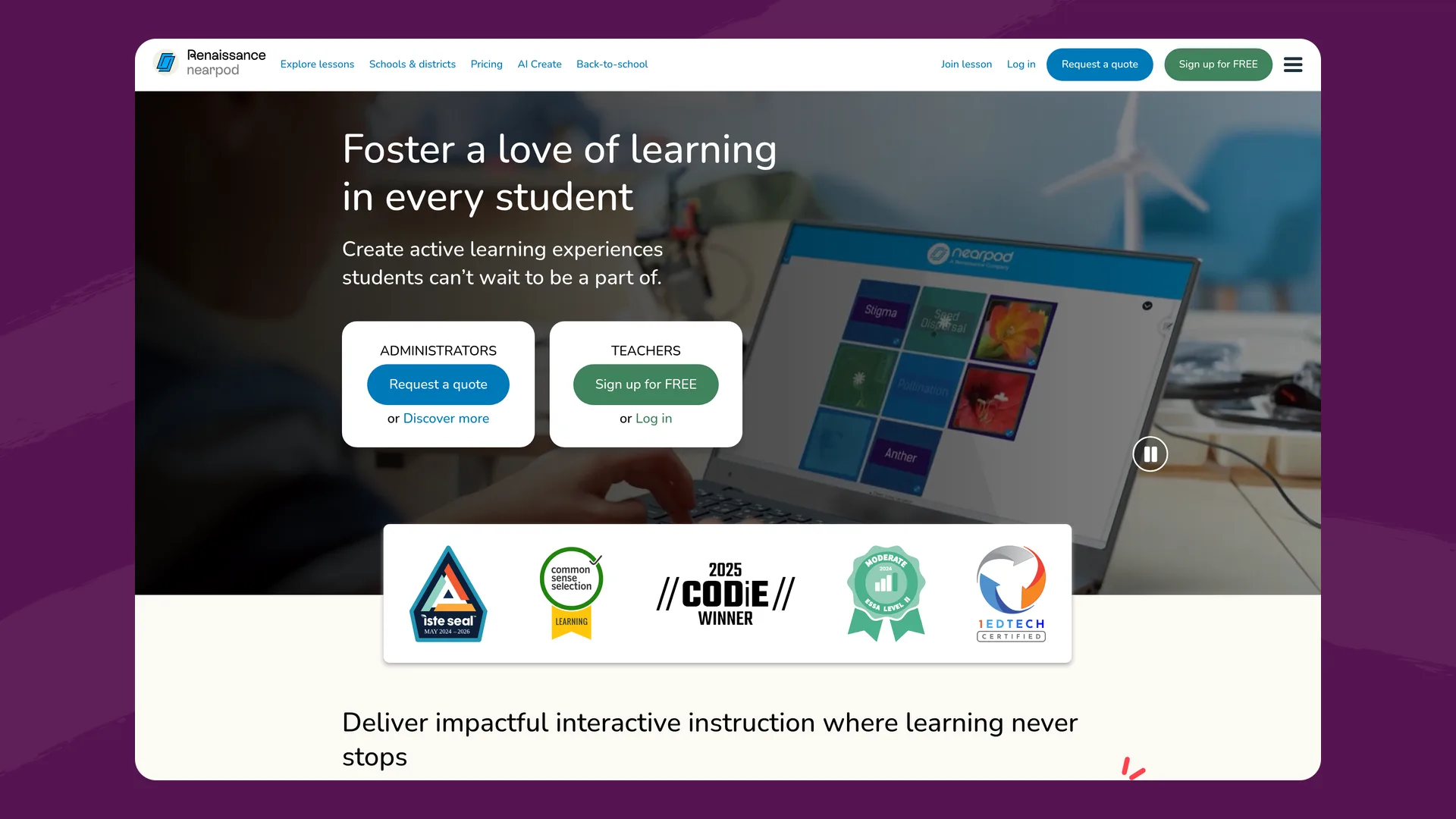
The Nearpod homepage (nearpod.com), captured October 2, 2026.
Nearpod's pricing page lists three ways to deliver a lesson. "Live participation allows the teacher to control the pace," Student-Paced lets students move through on their own, and Front of Class plays an interactive video for the room without student devices. Inside a lesson, students answer one of nine types of formative assessment, including open-ended questions, polls, quizzes, Draw It, Collaborate Board and Time to Climb, a multiple-choice game.
Nearpod has AI too. Its AI Create tools write questions, activities and whole lessons for the teacher. Nearpod's AI page says the content "requires human interaction to be deployed to students," and that AI Create "only supports English." The AI is a planning tool for the teacher. Students never talk to it.
Flint: AI activities each student works through
In Flint, a teacher builds an activity by describing what the class is learning and uploading the materials: a reading, a rubric, a worksheet. Each student then opens the activity and works through it in a one-on-one session with Flint's AI, Sparky. Sparky asks questions, reacts to each answer and keeps students doing the writing themselves. Teachers set the grade or language level Sparky writes at, from 1st grade through university, plus CEFR and ACTFL levels for language classes.
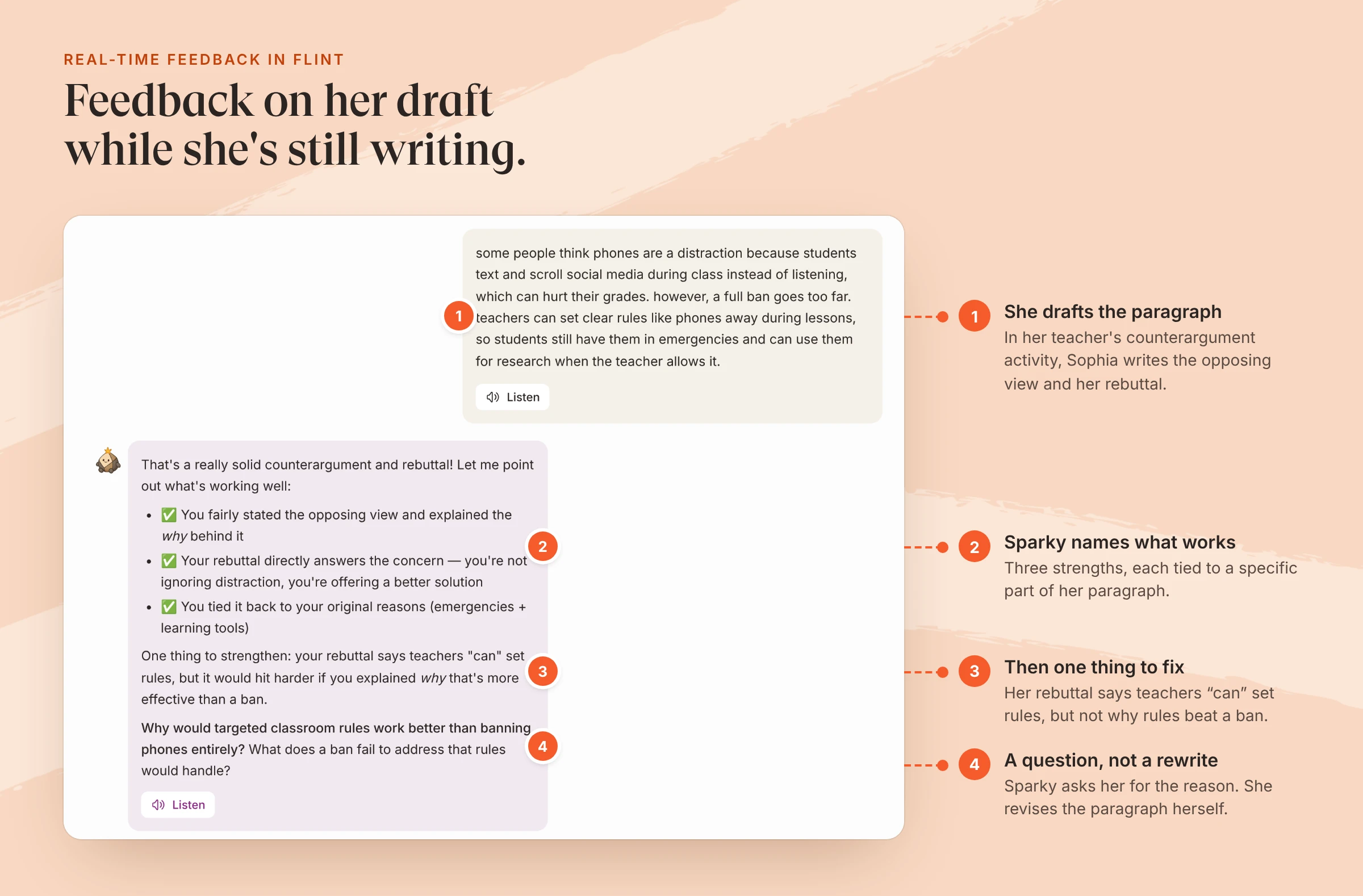
An example student's session in a 10th-grade counterargument activity. Sparky's reply was saved about 10 seconds after she sent her paragraph.
Real-time feedback for students: who gives it
In Nearpod, real-time feedback comes from you. The live Teacher Dashboard lets you "toggle between the students' view and their responses to questions." You can share selected answers with the class and keep names hidden. On Draw It, Drag & Drop and the math manipulatives, Live Teacher Feedback lets you write on a student's work, and "students will see that feedback in real-time and have the opportunity to update their work." You can also mark answers with stickers, comments, or approved, needs clarification and needs improvement marks. Every one of those comes from the teacher. We found no AI feedback to students anywhere on Nearpod's pages.
In Flint, the first round of feedback comes from Sparky, and you see all of it. When a student sends an answer, Sparky replies in seconds. In the session above, it named three things the paragraph did well, pointed to the weakest sentence and asked a question instead of rewriting it. Teachers can attach a rubric with categories Sparky checks the work against.
While students work, the activity page shows you two things, according to Flint's help center:
- "Needs attention" alerts when a student expresses confusion, asks for help or isn't engaging. Students never see these alerts.
- A live list of every session. You can open any of them and read the conversation so far, even if it isn't finished yet.
When three or more students submit, Flint writes a class summary of strengths, common gaps and a suggested follow-up activity, with links back to the student answers behind each point.
Here's the same writing block in each tool:
| A class of 28 drafting a paragraph | Flint | Nearpod |
|---|---|---|
| Who reads each draft during class | Sparky reads every draft; you read any session you open | You, from the Teacher Dashboard |
| What a student gets back mid-task | A reply to their draft in seconds, with a question to push the next revision | Your comment, sticker or mark, if you reach their answer |
| How you know who's struggling | "Needs attention" alerts point you to specific students | You scan the answers as they come in |
| After class | Session summaries, rubric grades you can override, and a class summary | Post-session reports as PDF or CSV |
Neither approach replaces you. Nearpod gives you a faster view of the room. Flint makes sure no student waits for a first round of feedback, and points you to the students who need more.
Side-by-side
| Flint | Nearpod | |
|---|---|---|
| Format | AI activities: tutoring, writing feedback, practice, speaking | Interactive slide lessons and videos |
| Pace | Each student works at their own pace | Teacher-paced, student-paced or Front of Class |
| Feedback to students mid-task | From Sparky on every answer, plus the teacher | From the teacher |
| Teacher view while students work | Live sessions plus "Needs attention" alerts | Live Teacher Dashboard with every response |
| Ready-made content | Built from your materials; Sparky can also generate documents and slides | 22,000+ lessons, videos and activities |
| Games and drawing | None | Time to Climb, Draw It, Collaborate Board, VR field trips |
| AI for teachers | Builds activities, rubrics, documents and slides | AI Create; most tools need a school or district license; English only |
| Languages | Activities in 800+ languages and dialects; speech in 50+ | Immersive Reader translates lesson text into 60+ languages |
| Free plan | Up to 80 users at a school, students included | Silver: one teacher, 40 student joins per lesson |
| Paid plans | From $3,000£2,234 a year for up to 150 users | Gold $159/year, Platinum $397/year, schools by quote |
Pricing
Nearpod prices per teacher, with a school license above that. Silver is $0 with 40 student joins per lesson. Gold is $159 a year with 75 joins and adds the AI Question Generator. Platinum is $397 a year with 90 joins. The School & District license is priced by quote and allows 250 joins per lesson. It's the only plan with the Lesson Generator, Activity Generator and Text Leveler, according to Nearpod's September 2026 update. It's also the only plan with LMS integrations and student accounts.
Flint prices per school. The free plan covers up to 80 users, and users can be students, teachers or administrators, so one teacher can run a real class on it. Paid plans start at $3,000£2,234 a year for up to 150 users and add SIS and LMS integration, school-wide analytics and a dedicated customer success manager.
Privacy
Nearpod's FAQ says its privacy and security practices "are designed to support schools and districts in meeting their obligations under COPPA, FERPA, and other applicable student-data privacy requirements." Renaissance's privacy page says both of its compliance programs complete a SOC 2 Type 2 examination every year, and it lists Nearpod's iKeepSafe certification as "Coming soon." Nearpod says its AI "does not use or collect any user data to train the model."
In Flint, teachers can read every session in their classes, and school admins can see every chat. Flint doesn't send conversations back to model providers like OpenAI to train new models. Flint also scans student messages for harassment, self-harm and other categories and emails an assigned moderator in real time. Every grade level must have a moderator, and no one can turn off self-harm alerts. Nearpod students don't chat with an AI, so Nearpod doesn't need that layer. See our security page for Flint's certifications and data agreements.
Where Nearpod is stronger than Flint
- Running the room. If you want to advance a lesson and have every screen move with you, Nearpod is built for that. Flint activities are one-on-one sessions, and none of Flint's activity settings makes it teacher-paced.
- Ready-made lessons. Nearpod's library includes lessons from partners like PhET, iCivics and ReadWorks. Flint activities start from your own materials or a description.
- Variety. Polls, Time to Climb, Draw It, Collaborate Board, 3D models and VR field trips have no equivalent in Flint.
- Evidence. Nearpod links studies by LearnPlatform by Instructure that it says meet ESSA Level II and Level III evidence standards.
- A free plan for one teacher. Silver is for individual educators and costs nothing.
Where Flint is stronger than Nearpod
- Feedback for every student during independent work. Every answer gets a reply, so no student waits for the teacher to get to them.
- Knowing who needs you. "Needs attention" alerts flag confused or disengaged students as they work, before anyone submits.
- Feedback tied to your criteria. Rubric categories, Sparky's analysis guidelines and grades you can review and override.
- Students who need another language. Activities can run in a primary and a secondary language, and Sparky can listen and speak in 50+ languages. Nearpod's AI Create works in English only.
- A free plan that covers students. The 80-user free plan includes students, so a teacher can try it with a full class.
Using both
Teach the mini-lesson in Nearpod with a poll or two to check the room. Then send students to a Flint activity built from the same reading or rubric for independent practice. Sparky gives each student feedback as they write, and your alerts tell you which three or four students to sit with first.
If you're starting from Flint, writing practice is the easiest first activity. Our AI writing feedback tool is a quick way to see what Sparky's feedback sounds like on your own students' work. Flint is free for up to 80 users.
FAQ
Does Nearpod give students AI feedback?
Not on any page we checked on October 2, 2026. Nearpod's AI Create tools help teachers write questions, activities and lessons, and Nearpod says the output needs a teacher to review it before students see it. Feedback to students comes from the teacher: live notes on drawing activities, stickers, written comments and approved, needs clarification or needs improvement marks.
Is Nearpod free for teachers?
Yes. Nearpod's Silver plan is $0 and allows 40 student joins per lesson. Gold is $159 a year and Platinum is $397 a year. Most AI Create tools need a school or district license, which is priced by quote.
What is the difference between Nearpod and Flint?
Nearpod is a lesson tool: the teacher runs an interactive lesson, or assigns one at the students' own pace, and sees every answer as it comes in. Flint is an AI learning platform: each student works through an activity one-on-one with Sparky, which responds to every answer, and the teacher watches all the sessions live and gets an alert when a student needs help.
Can I use Nearpod and Flint together?
Yes. A common split is to teach the lesson in Nearpod, where the whole class moves together and you see every answer, then send students to a Flint activity for independent practice, where each student gets feedback on their own work and you get alerts for anyone who is stuck.
