Apr 2, 2026
April 2026: Learning reports, grade customization, personalized home page, and more.
Check out Flint's April 2026 updates including user profile learning reports, grade level customization, a personalized home page, and more.
Our April 2026 updates includes user learning reports, live code execution, a cleaner personalized home page, activity list view, grade-level customizations for Sparky, and revamped analytics.
Check out our April 2026 updates below 👇
📊 User profile learning reports
Get a complete picture of each student’s learning without digging through individual activities. User profile learning reports bring together strengths, areas for improvement, and suggested follow-up activities. You can quickly understand how students are progressing and take action with personalized support. Learn more about user profile reports.
🎓 Grade-level customizations for Sparky
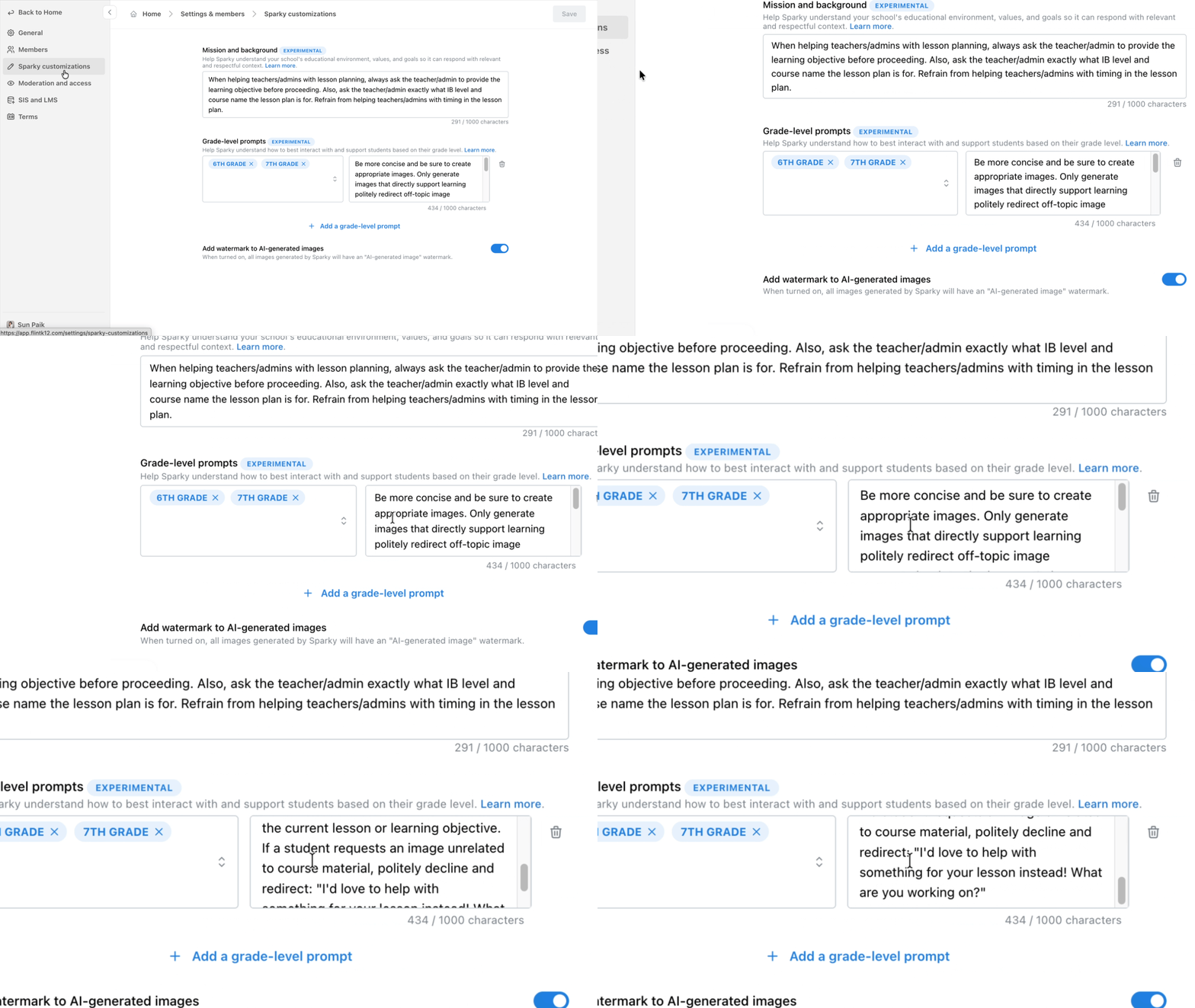
Admins can now customize how Sparky interacts with students based on their grade through the Sparky customization panel in Workspace Settings. Sparky, for example, can use simpler language for younger grades or more advanced vocabulary for older students. Learn more about grade-level customizations.
✨ A home page personalized for you
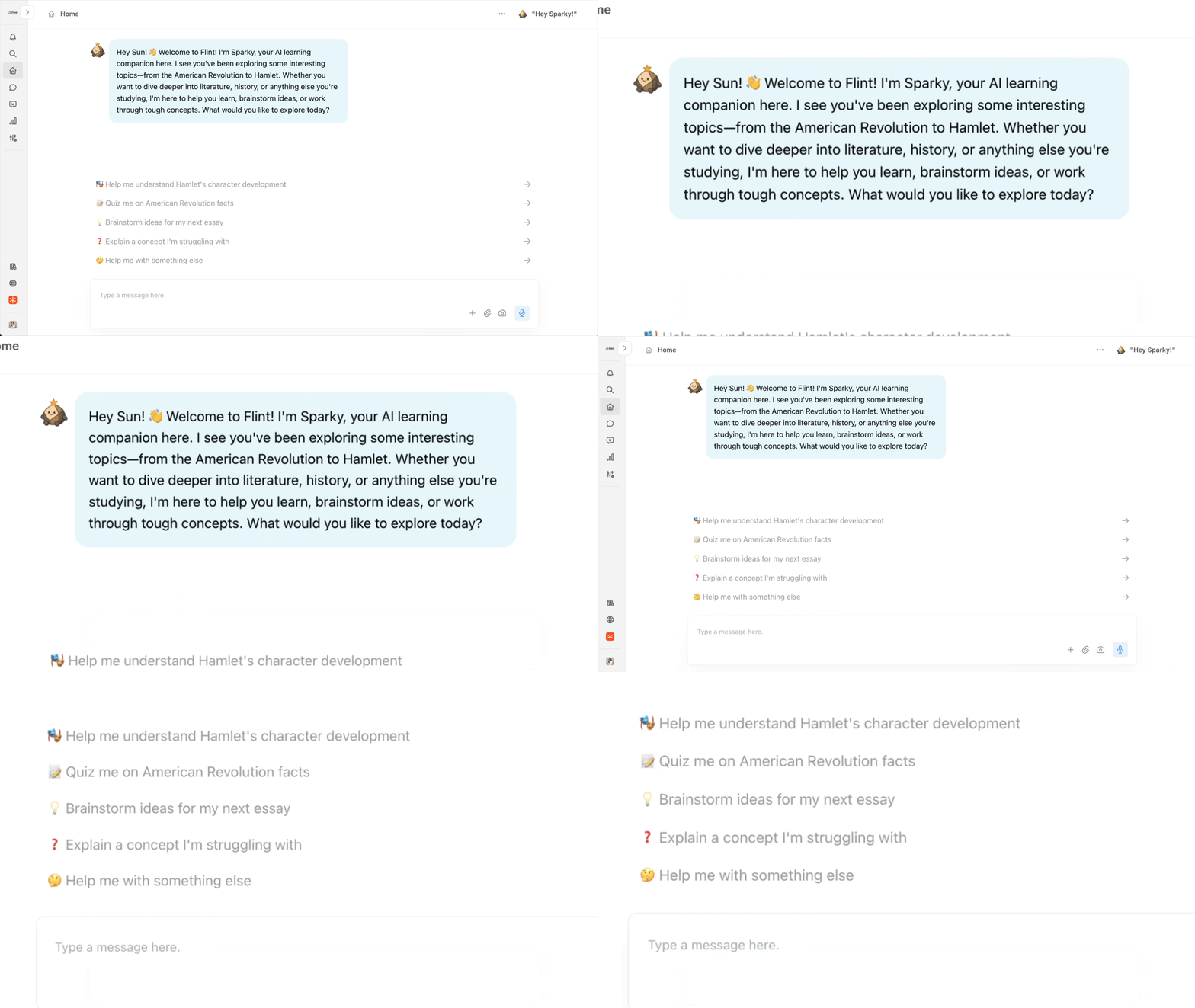
We've simplified the home page to reduce clutter and help you focus. Sparky now greets you with a personalized message based on your role, subjects, and preferences, so you can jump right into what matters most. Learn more about Sparky's memory and personalization.
💻 Run code directly in Flint
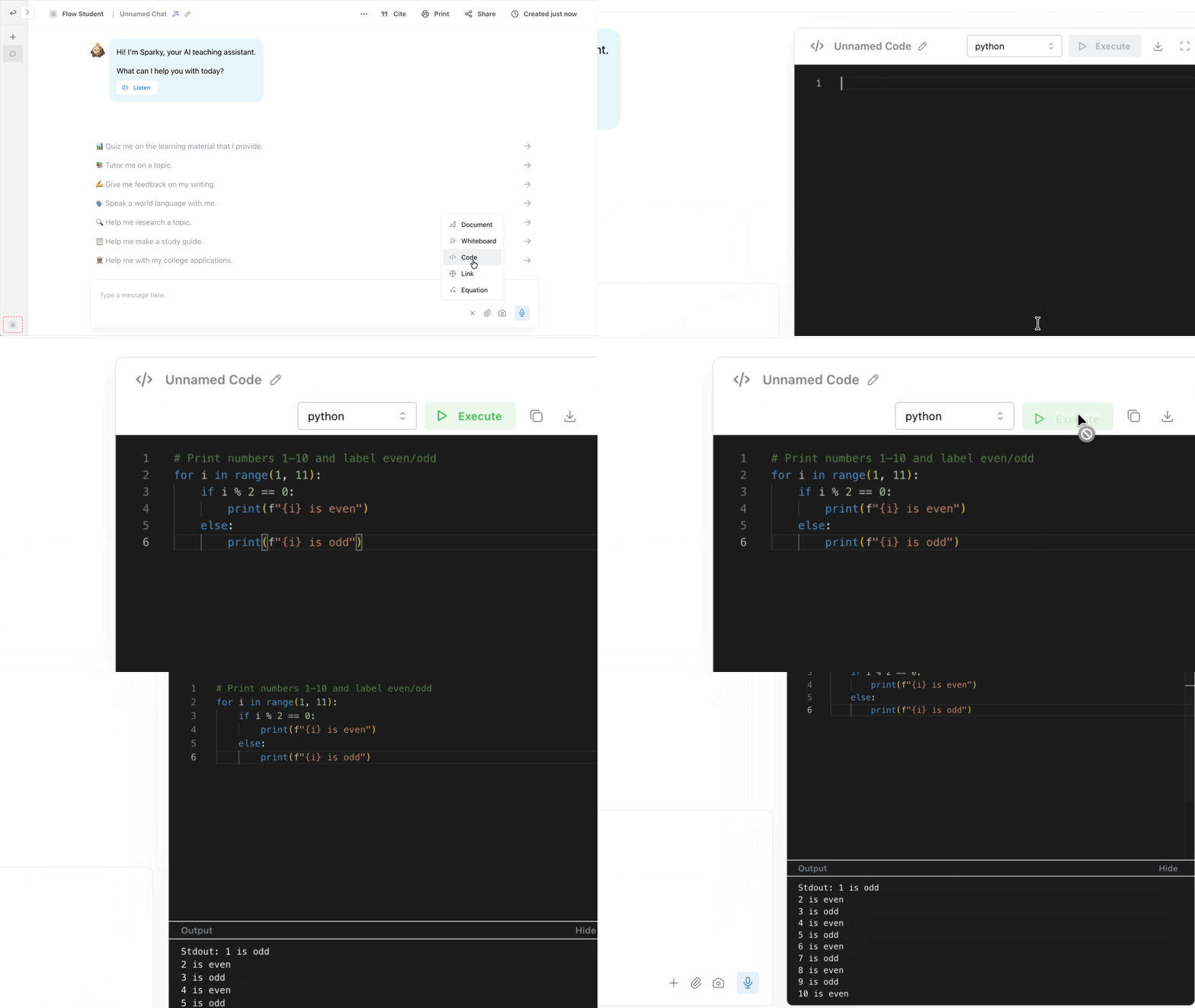
Flint can now compile and run code, not just write it! Students and teachers can execute Python, JavaScript, TypeScript, Java, R, and Bash directly in the code panel. Sparky runs the code, catches errors, verifies correctness, and discusses results, making it the perfect coding companion for CS classrooms.
📥 Flexible grade-level assigning
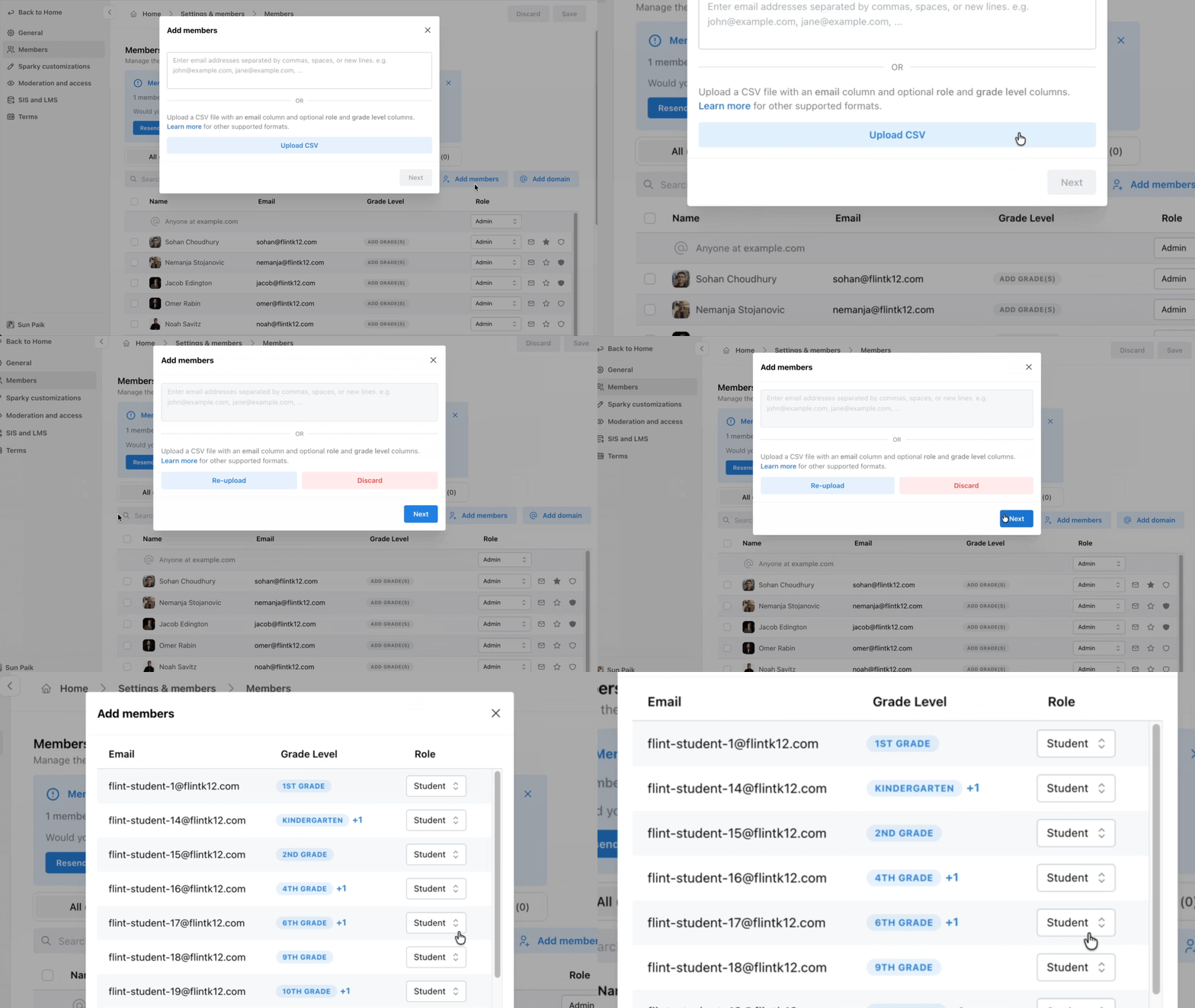
We've made adding members and assigning grade levels easier. You can now upload a CSV file and Flint with automatically populate grades, or bulk assign grades in the Members panel of workspace settings. So if you’re pulling data from another system, it’s much easier to get everything set up in Flint without manual work. Learn more about managing grade levels.
📋 Activity list view
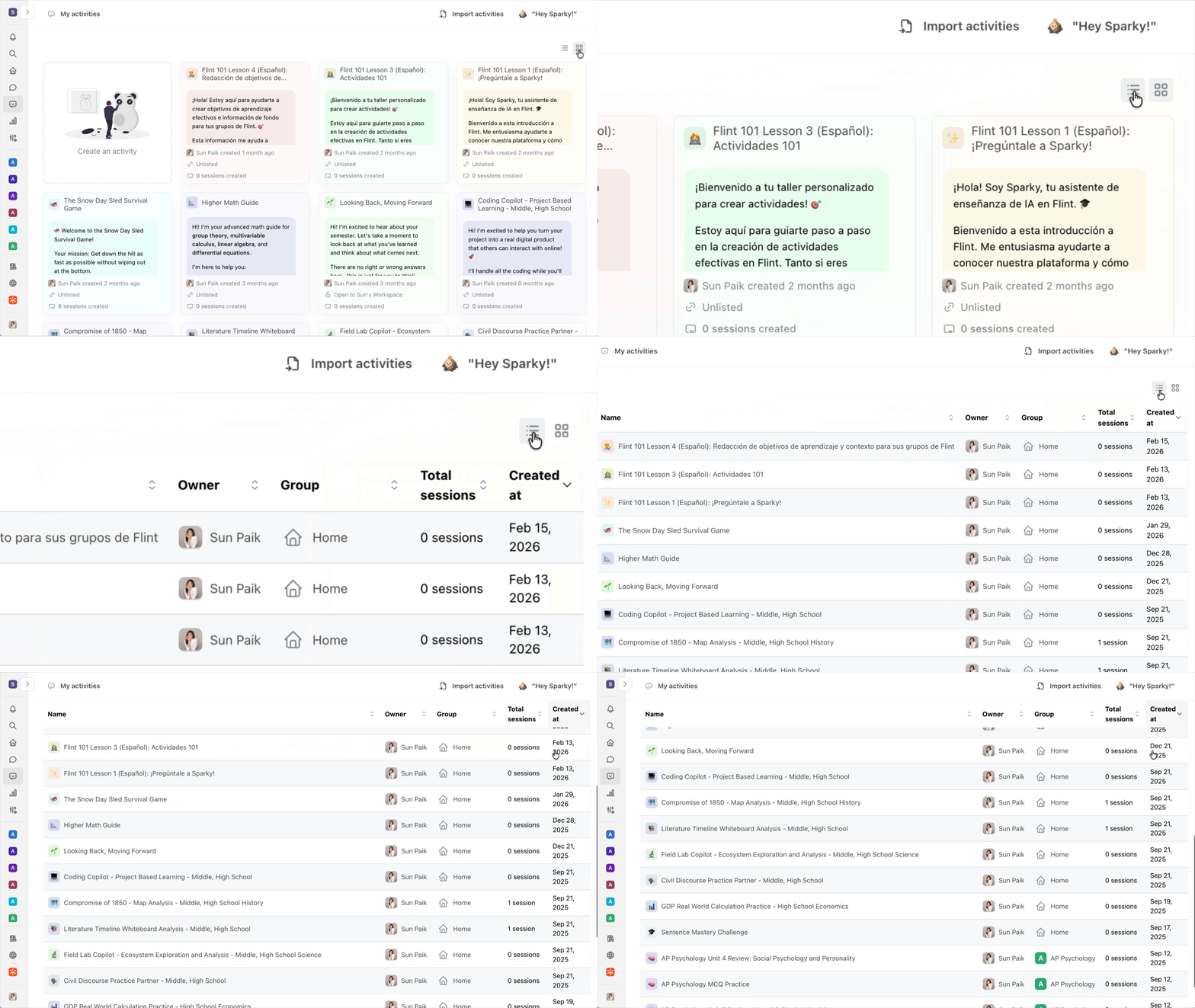
Teachers can now toggle between grid and list views for activities. You can also sort your activities by things like name, group, sessions, or date. If you have a lot of activities, this makes it much easier to stay organized.
📈 Improved analytics
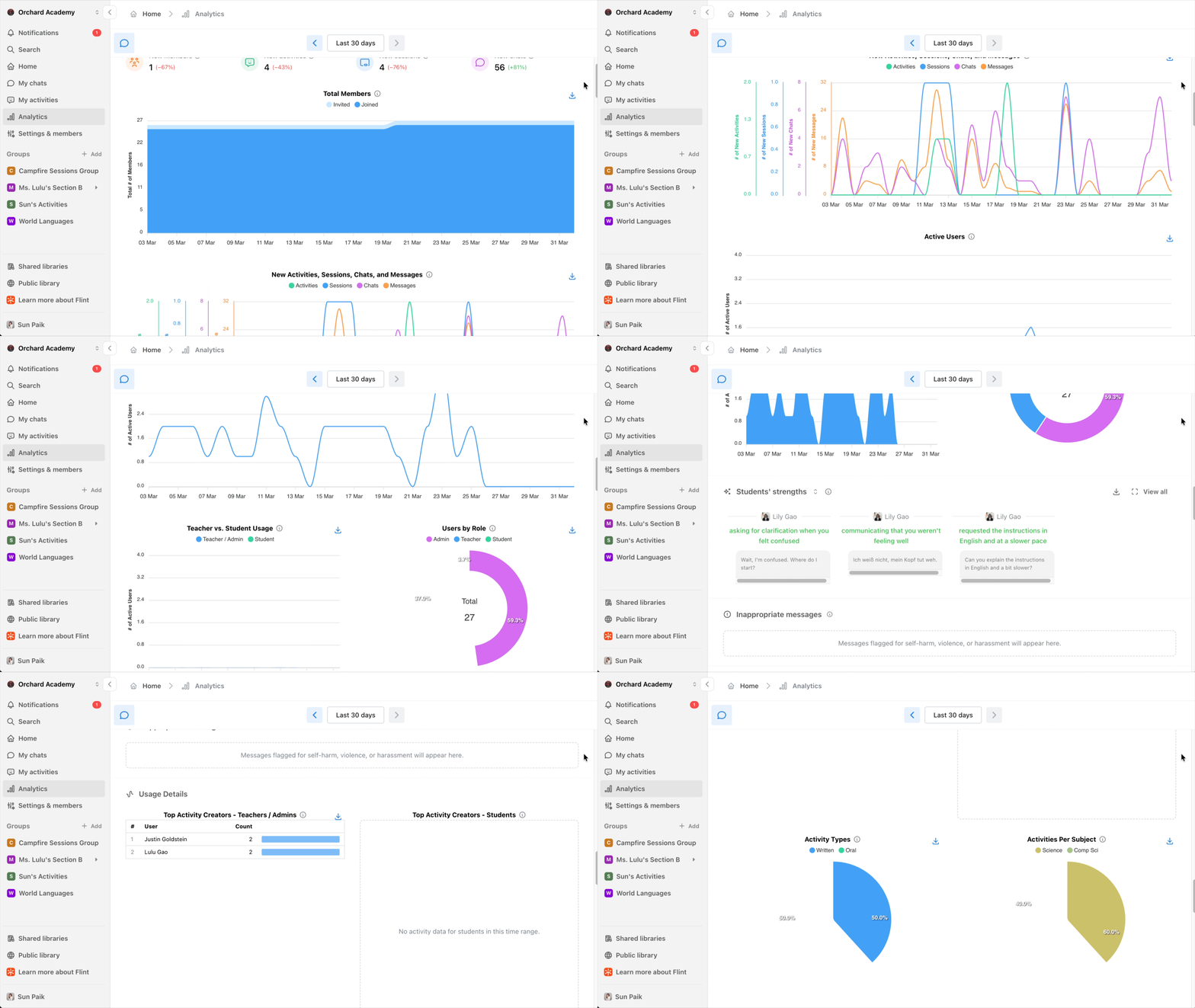
Workspaces, groups, and districts all get the full chart suite with info tooltips, active users, teacher/student usage breakdown, role distribution, and more. With improved analytics, admins and district leaders can take a closer look into how their school community is using Flint with the numbers to prove it!


