Sep 10, 2026
September 2026: A more personalized homepage, activity join codes, and custom moderation
Flint's September 2026 updates let teachers share activities with join codes, get AI feedback on file uploads, set custom moderation rules, and more.
This release focuses on the moments that slow teachers down: sharing an activity while 30 students wait, wondering what a student actually said to Sparky, or wishing you could see feedback on that uploaded essay, not just the chat. Here’s what’s new.
Start your day with suggestions that actually help
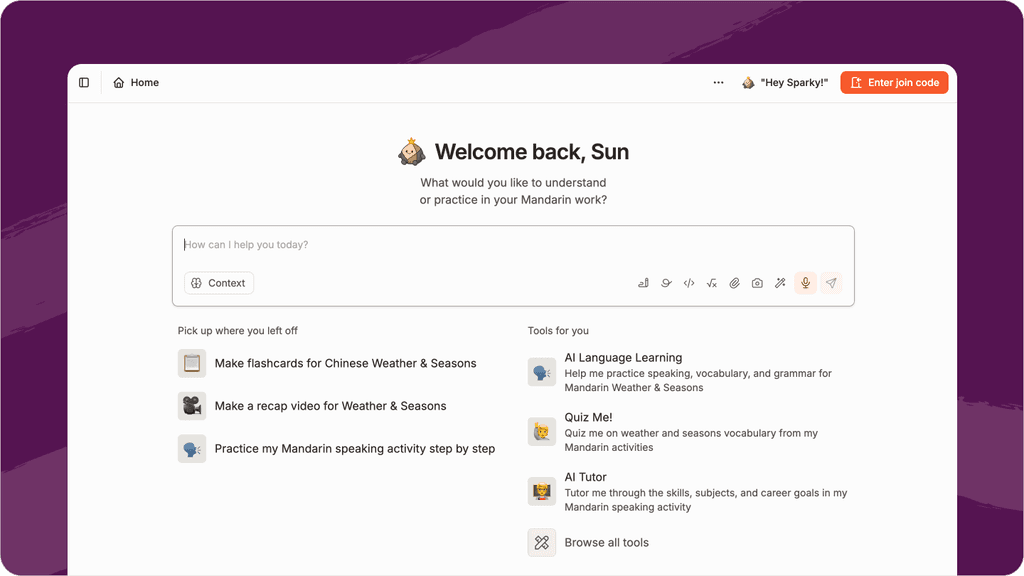
Meet your new homepage, with personalized suggestions based on your actual classes, activities, and content. Get tools that match your workflow and ideas grounded in what you’ve already built.
Get students into an activity in seconds
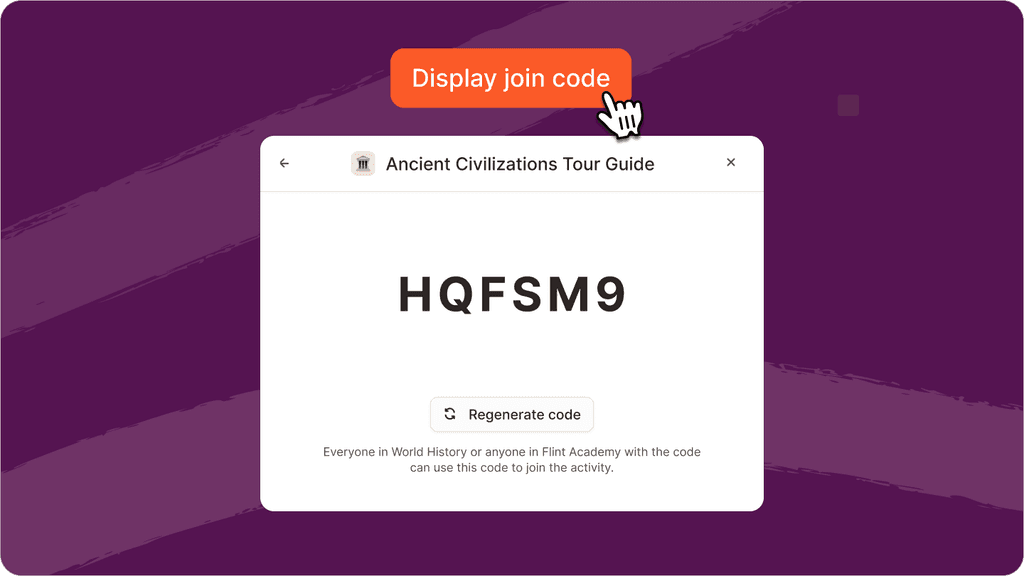
Introducing join codes: no more copying links, sending emails, or waiting for students to find the right page.
Students type the code into a new “Enter join code” button on their home page and land directly on the activity. Codes follow the same access rules as share links, so nothing changes about who can see what.
See exactly what you said to Sparky before you send it
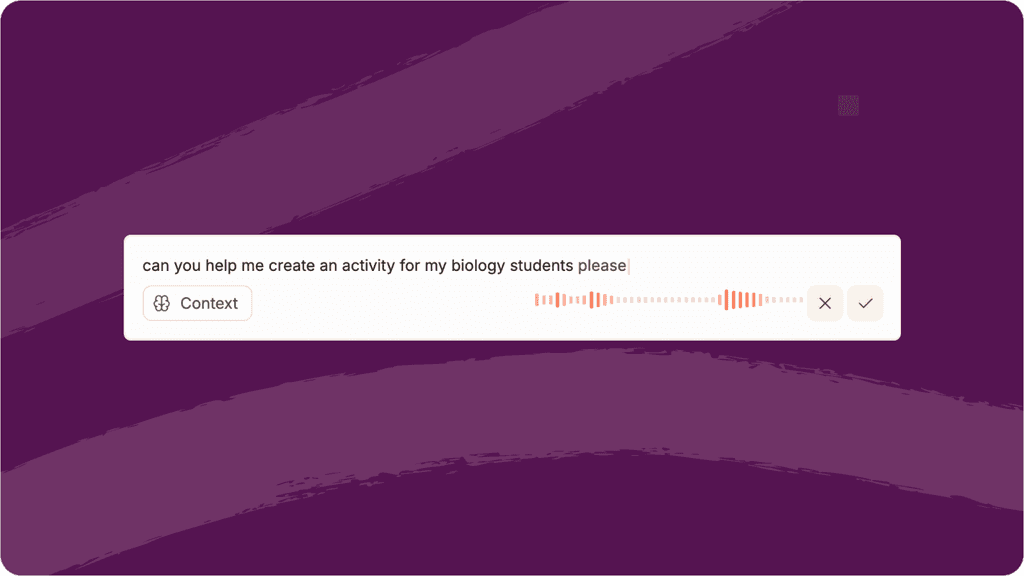
Voice conversations with Sparky used to feel like talking into the dark. Now, voice mode shows a live transcript as you speak. So you can read it back, fix anything, and send when you’re ready
Get Sparky’s feedback on uploaded student work
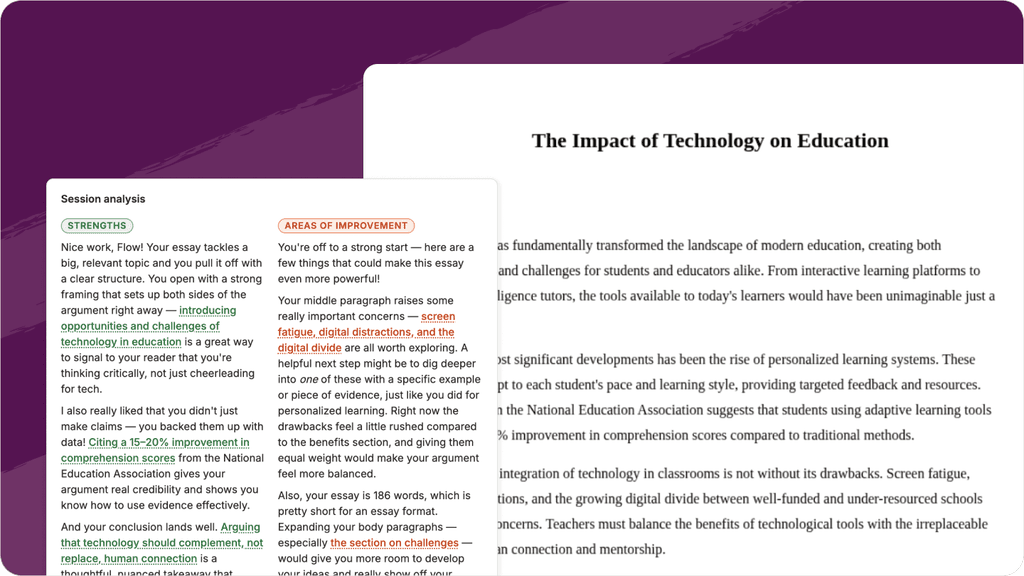
Teachers who assign file-upload activities such as essays, lab reports, and handwritten work, used to only see that a student submitted something. Now Sparky reads the full document and provides the same detailed feedback teachers already rely on in chat sessions: strengths, areas for improvement, follow-up suggestions, and rubric scores.
Set your own moderation rules
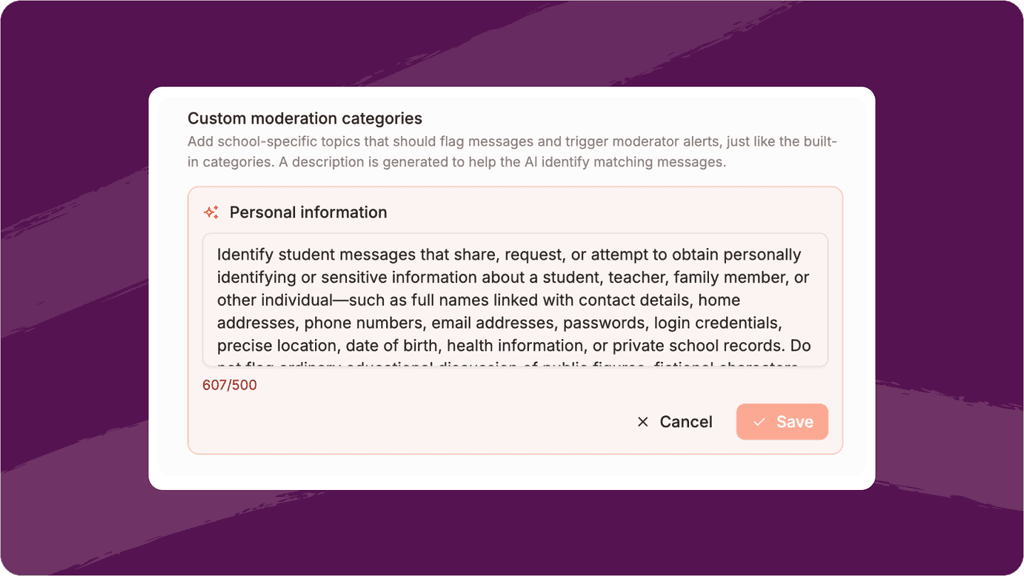
Every school has different values and expectations. Now admins can create custom moderation categories that work exactly like the built-in ones, flagging conversations and sending notifications when they’re triggered.
Control which classes use each curriculum document
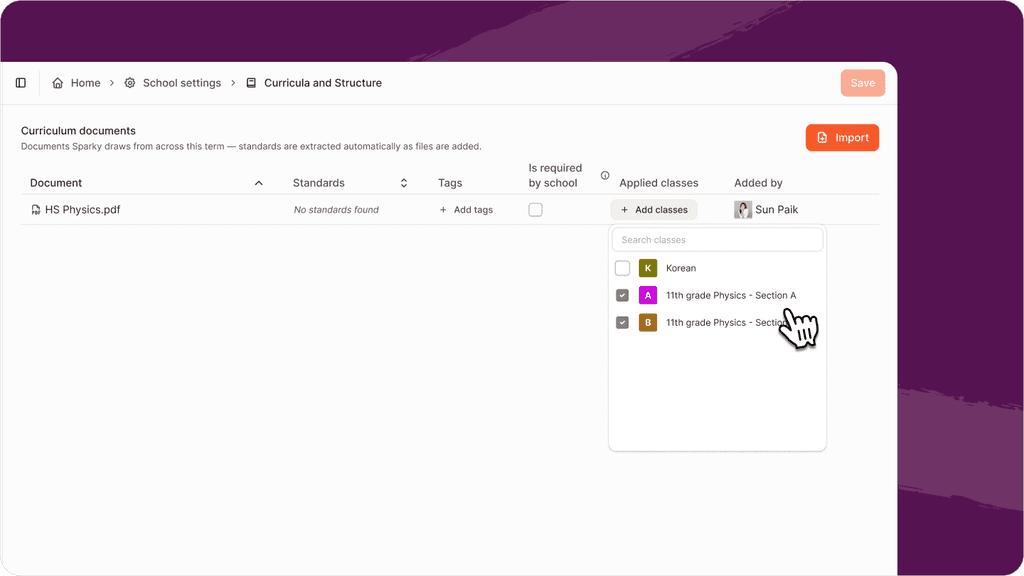
Admins can now choose exactly which classes each uploaded curriculum document applies to, and see who added each document. Teachers still approve individual standards for their own class to ensure students get the standards-aligned work they need.
Sort students by last name in the gradebook
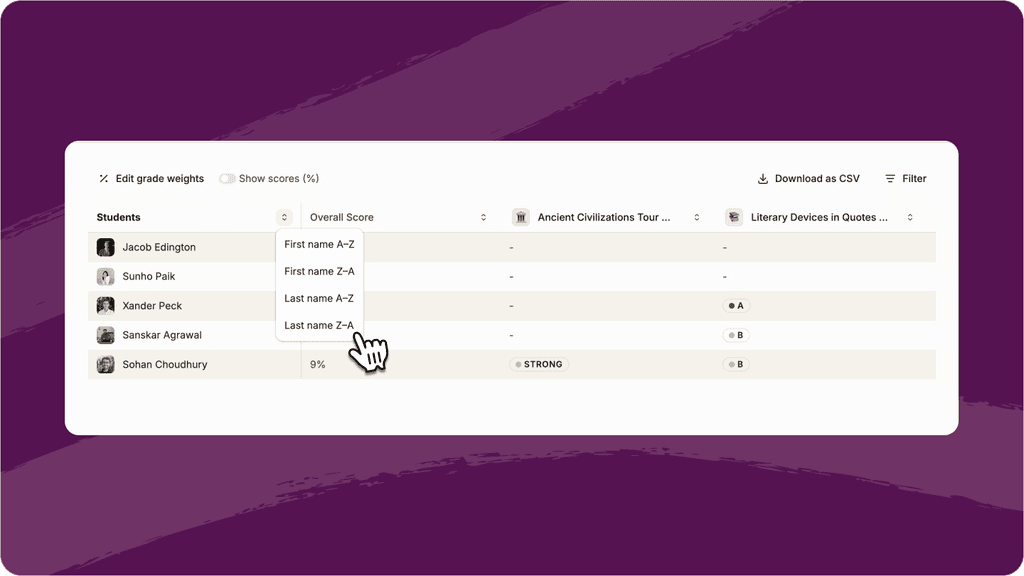
Most schools organize students by last name. Now teachers can sort by first or last name using a quick menu, matching the format most schools already use.
Work with bigger files
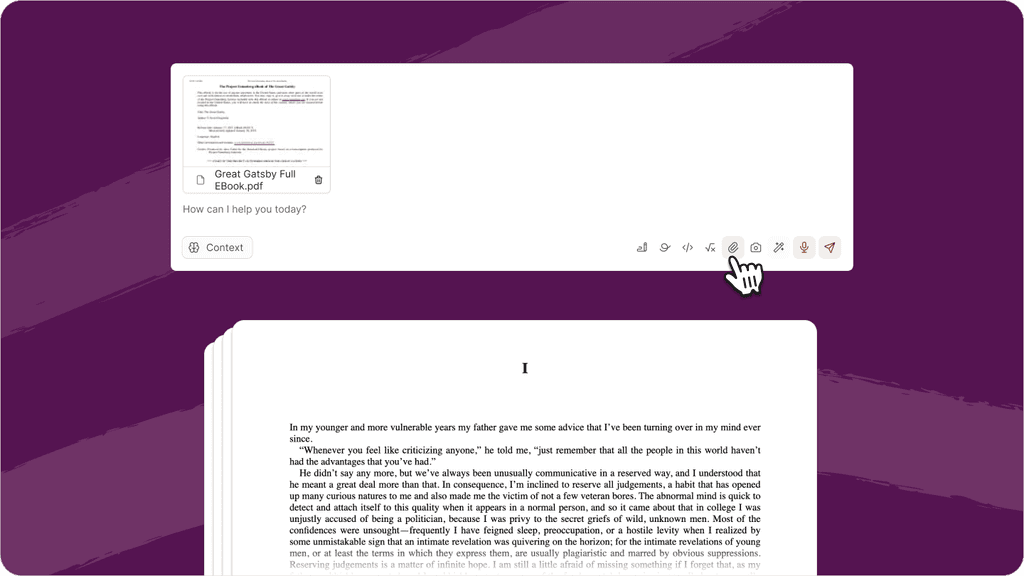
Sparky now reads and responds to full-length files, from entire book chapters to research papers and large slide decks, so you can get feedback and answers from even your longest files.


